
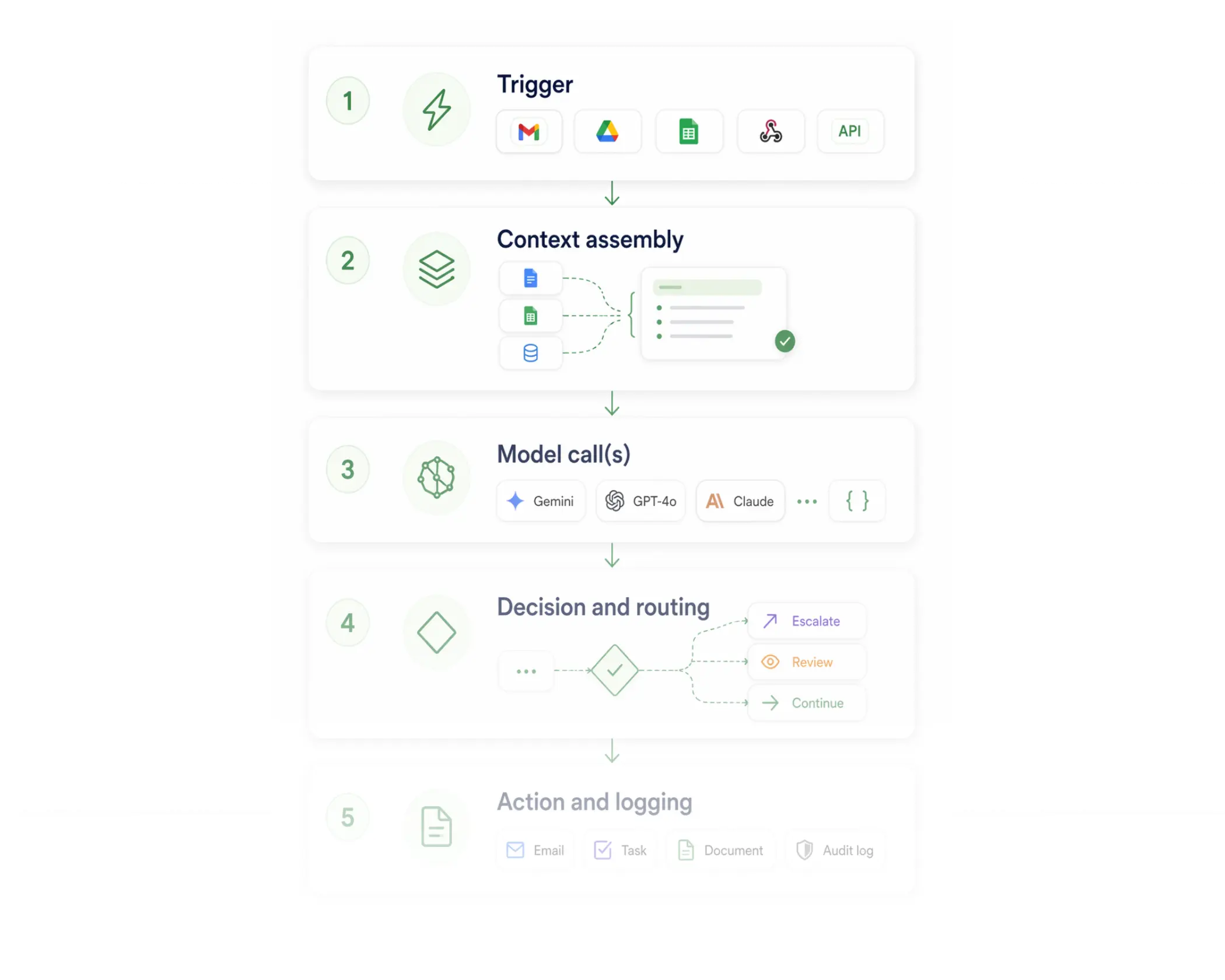








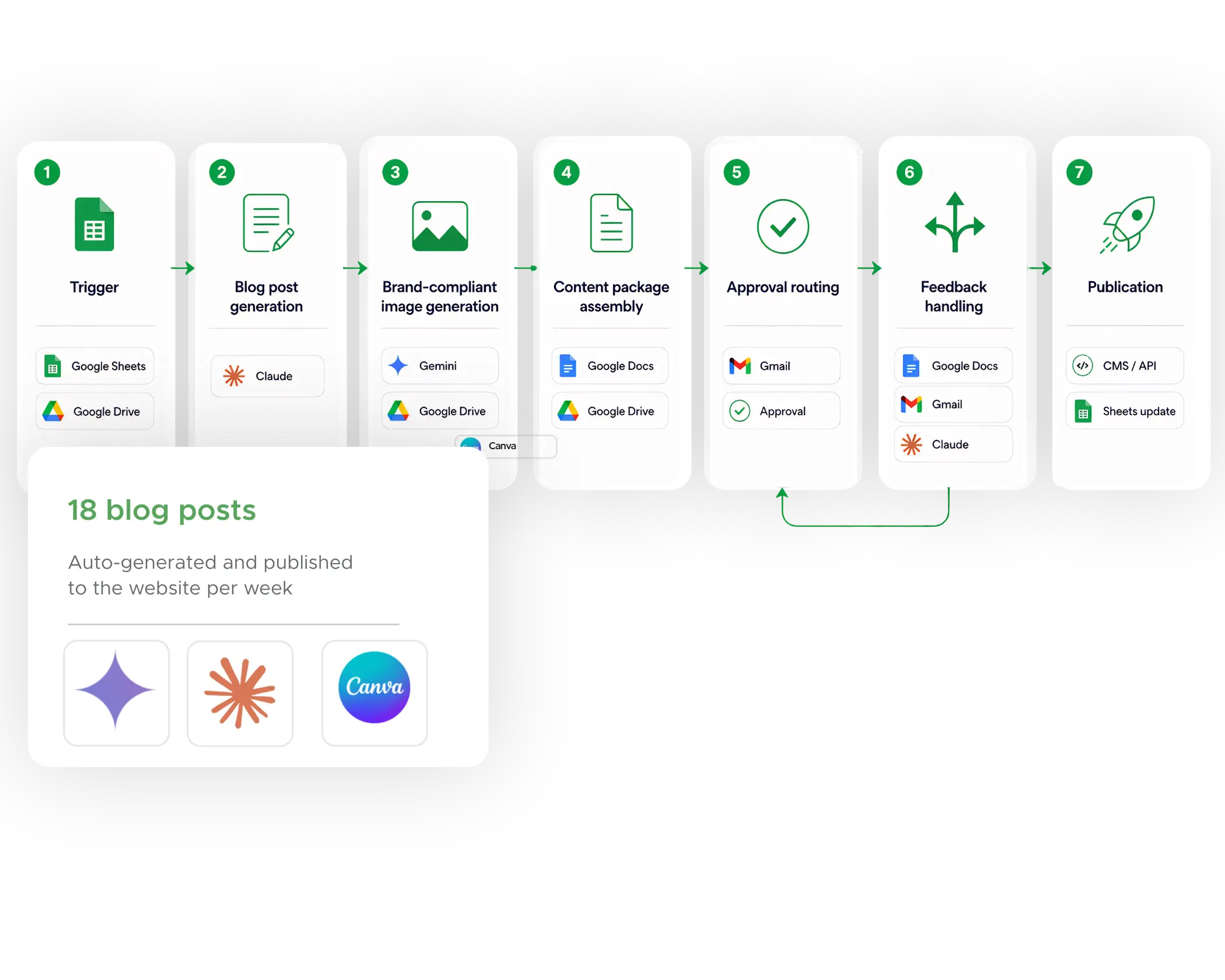
A new row is added to the keyword tracking Sheet, or a batch file is uploaded to a monitored Drive folder. One workflow instance fires per keyword row — parallel execution, no queuing.
Claude receives the keyword, search intent, target audience, content brief, brand voice guidelines, and SEO requirements as a structured prompt. Output: a complete blog post — title, meta description, H1/H2 structure, body copy, internal link suggestions, and CTA — returned as structured text.
Gemini & Canva generate images. The output is saved to a structured Drive folder alongside the blog post draft.
The post draft, generated image, keyword brief, SEO metadata, and target publish date are assembled into a structured Google Doc.
The content reviewer receives an email with the Google Doc linked, the keyword context summarized, and two one-click options: Approve or Request Changes. Deadline: 48 hours.
If not approved, the reviewer's comments are extracted from the approval response and sent back to Claude. Claude generates the new revision.
On approval, the finalized post content and image are pushed to the CMS via API.
Use Zenphi's visual canvas to design agents step by step — triggers, model calls, conditions, actions, approval gates, error handling. No code required. Any model, any combination.
Connect your existing AI models or external agents as steps in a Zenphi workflow. Add Google Workspace actions, approval routing, and audit logging around them without rebuilding.
One dashboard for every agent running in your organization — execution logs, error rates, token usage, human intervention history, and compliance exports. No Shadow AI.

COO, Care to Stay Home

President, Tavezio
verified
Certified
Official partner
Zenphi is available directly on Google Cloud Marketplace. Your subscription can be billed through Google, and if your organization has an existing GCP spend commitment, your Zenphi purchase counts toward it.
Team online now