[Webinar] Improving Service Quality & Compliance in Homecare Via AI: What Works And What Doesn’t

HR Workflows Automation

HR is spending half its time on admin. The other half is trying to catch up on what the admin caused

hr workflow automation with zenphi
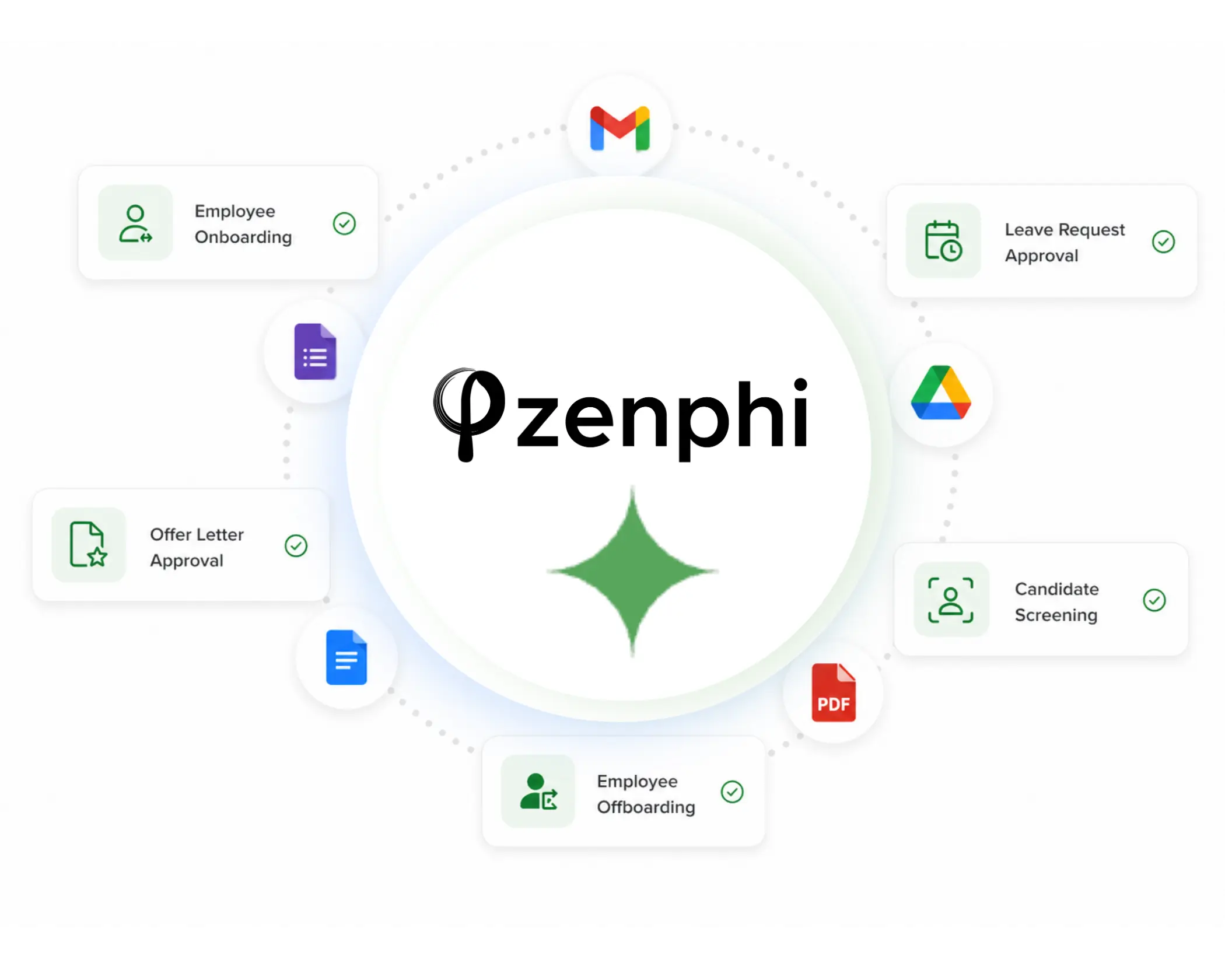
Offer letters drafted manually. Onboarding checklists in a shared Google Doc. Leave requests by email. CV reviews one by one. Zenphi automates the full HR operations stack — from the moment a hire is approved to the day they leave — inside Google Workspace, without replacing the systems your team already uses.
Used by HR and People Ops teams at Emerson College, Daily Harvest, Action Behavior Centers, and 300+ organizations
google logo
campbell university
lift schools logo

What HR Workflow Automations Teams Build With Zenhi

CV Screening & Recruiting

Recruiters should spend time with candidates — not reading CVs that don't meet the basic criteria
When a role opens, applications arrive faster than anyone can read them. The problem isn't volume — it's that the same 45-minute manual review process applies to every CV regardless of fit. AI reads each application against your criteria, scores it, generates a structured candidate summary, and routes shortlisted candidates to the hiring manager. Rejections go out automatically. Interviews get scheduled without back-and-forth.
What Zenphi automates with AI workflows:

Leave Requests & Approvals

Leave requests shouldn't require three emails and a calendar check.
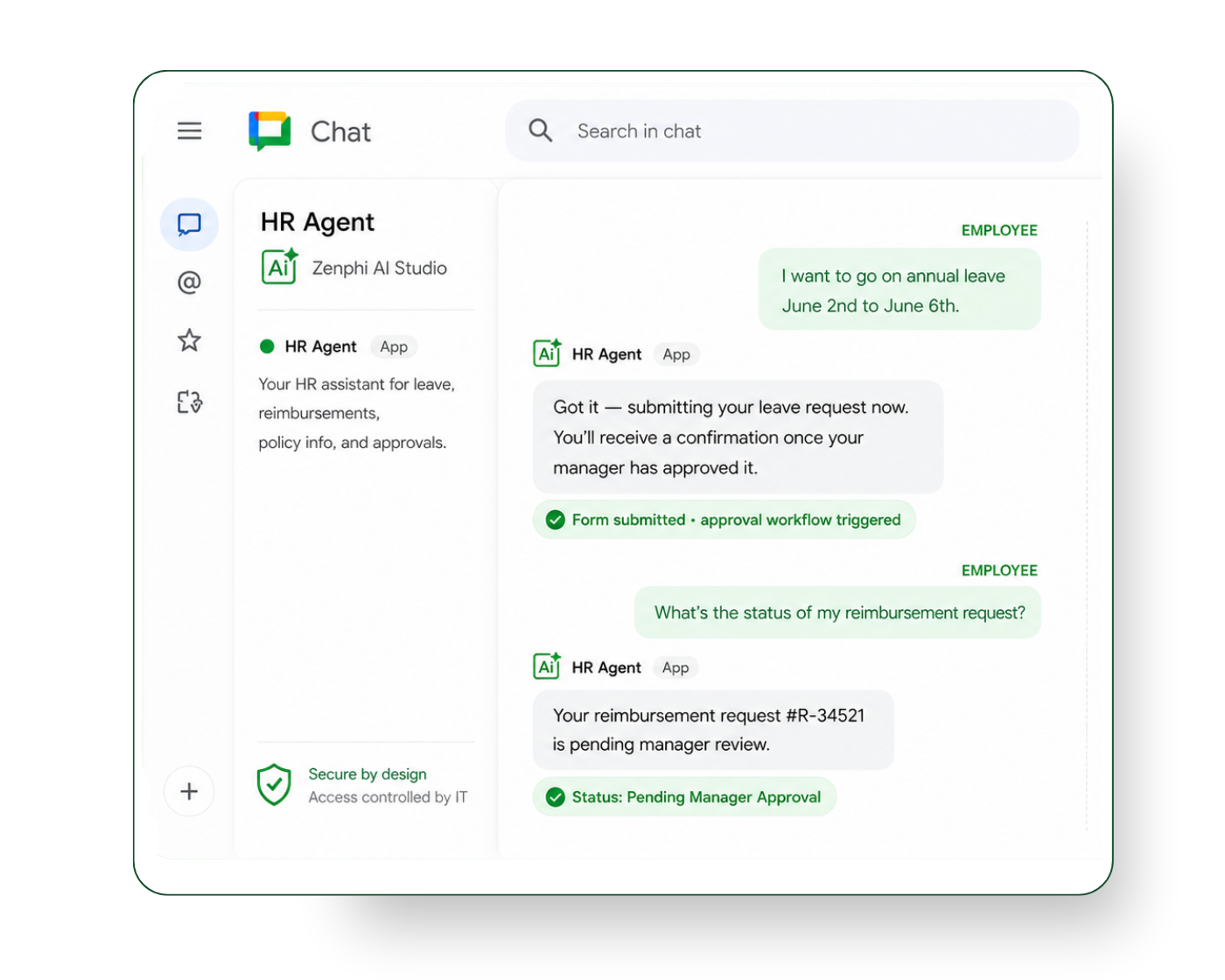
The current leave request process at most organizations: employee emails their manager, manager checks the team calendar manually, manager replies, HR updates the system, the shared calendar gets updated — if anyone remembers. Zenphi handles the full sequence: intake, availability check, manager routing, approval notification, calendar update, and record keeping — all from a single form submission.
What Zenphi automates with AI workflows:

New Employee Onboarding

New hire starts Monday. Everything should be ready Friday.
Every new hire triggers the same sequence of manual steps — generate the offer letter, get it signed, set up the Google account, add them to the right groups, create their Drive folder, send the welcome email, assign the manager's checklist, schedule the 30-day check-in. When any step is forgotten, HR finds out when the new hire complains. Zenphi runs the full sequence automatically from the moment a hire is approved — every step, every time, without a checklist.
What Zenphi automates with AI workflows:

Performance Review Workflows

Performance review cycles are administrative nightmares. They don't have to be.
The review cycle itself — collecting 360 feedback, aggregating responses, generating the manager's review packet, routing for sign-off, filing the completed review — is almost entirely administrative. AI aggregates the feedback, identifies patterns and outliers, and generates a structured review brief for each manager. The manager's job is the conversation. Not the paperwork.
What Zenphi automates with AI workflows:

T&D Feedback & Survey Analysis

Training feedback sits in a Sheets tab until someone has time to read it. Which is never.
Post-training surveys collect data that could improve your programs — if anyone processes it. AI reads every response, classifies sentiment, extracts recurring themes, and generates a structured summary for HR leadership. High-priority feedback (low satisfaction scores, specific complaints, urgent requests) triggers an immediate follow-up task. The routine summary goes out on a schedule without anyone compiling it.
What Zenphi automates with AI workflows:

HR Document Processing

Employment contracts, tax forms, policy acknowledgments — all processed manually, all error-prone.
HR document processing is high-stakes and high-volume. A missing signature, an unchecked field, or a misfiled form creates downstream compliance problems that are expensive to fix. Zenphi validates every document on arrival — checking for required fields, correct signatures, and complete information — and routes exceptions back to the source with specific instructions before they enter your records.
What Zenphi automates with AI workflows:
AI WORKFLOW BUILDER

Describe your HR process in plain English — ZAIA builds the workflow Body

ZAIA (Zenphi's AI Automation Assistant) turns a plain-language description of a process into a working workflow structure. Describe your HR workflow in plain English and get a working structure back in seconds. Specifically useful for HR teams who know their process but aren't technical.
HR workflow automation - when resume arrives in the mailbox, extract data and compare to job description

Get a workflow draft in seconds

From text

Describe any process in natural language and get a workflow draft back in seconds
When a new email arrives, extract data and match with a relevant PO (find the number in the Sheets). If everything matches....

From image

Upload a flowchart, whiteboard photo, or process diagram and ZAIA converts it to a workflow structure
Upload image

PNG, JPG or PDF

From template

Browse pre-built workflow templates for common use cases and customize from there
zenphi tenplates - automate employee onboarding, extract data from invoice and more

Document Generation

Use conditional content document generation. Generate the right version of an offer letter, contract, or policy acknowledgment based on employee type, location, or role — not one generic template.

Custom Approval Logic

Zenphi supports parallel and sequential approval logic and allows to handle the real complexity of HR approvals: multiple reviewers, different chains for different request types, automatic escalation, revision cycles.

Data Compliance

ISO 27001, HIPAA compliant, GDPR-ready. Data stays in your Google environment. Every action on employee records is logged with a full audit trail.

Role and OU-aware

Approval chains built on your actual org structure, not hardcoded email addresses. When a manager changes, the workflow updates automatically.
Google Workspace, HRIS & Systems Integration

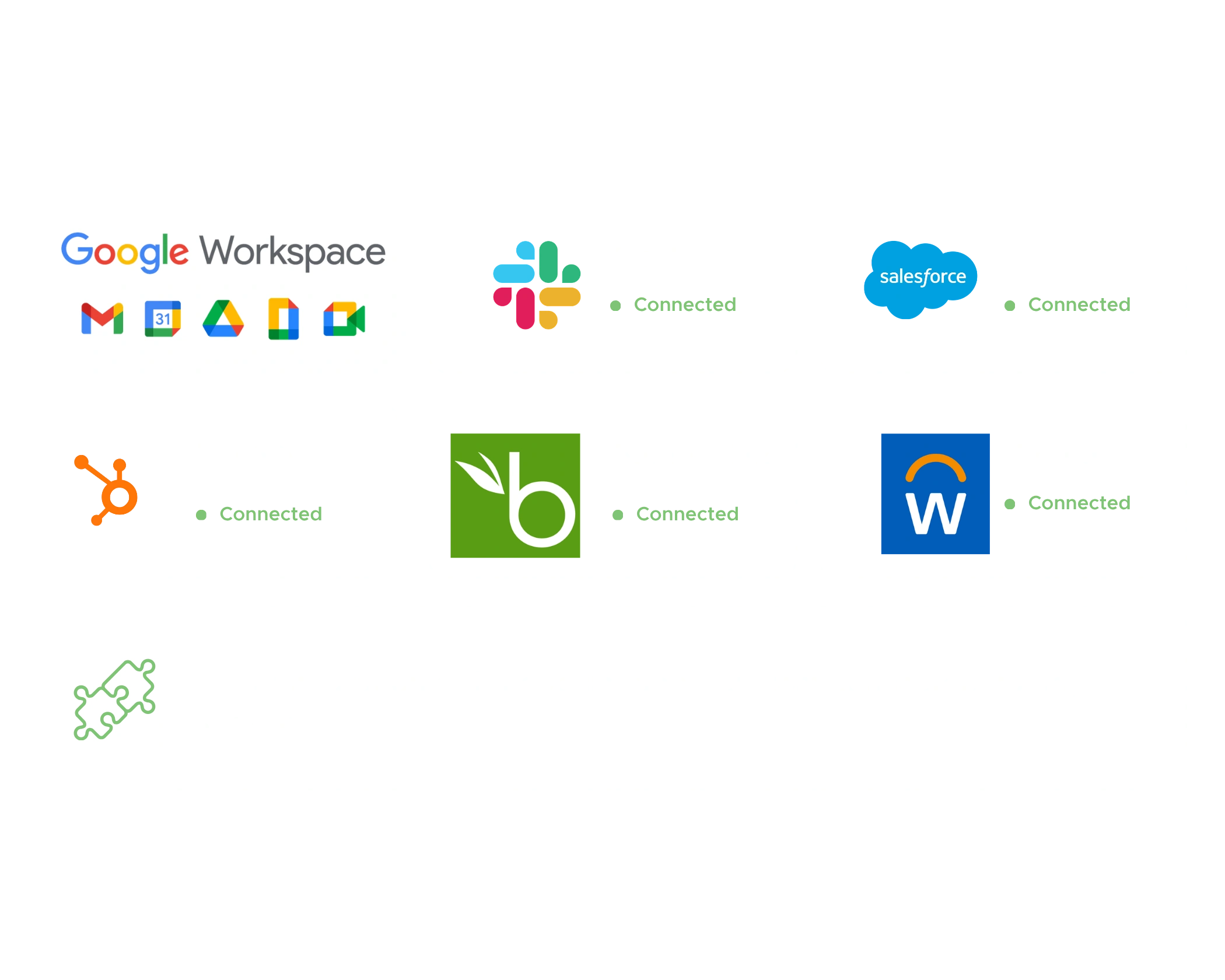
Zenphi connects to BambooHR, Workday, and any other HRIS as a trigger or data source. New hire added in your HRIS starts the workflow automatically. No manual bridge between systems.
testimonials

Why customers love us

Kevin Vacanti

Advanced IT Support Specialist, Purple Wave

Zenphi significantly simplifies employee omboarding. With its help, I successfully automated our new hire process, ensuring smooth communication and data management throughout the onboarding journey.
Sabapathy Sasitharan

Workflow automation lead, SOCAR

Zenphi supports our HR operations. We value its flexibility and adaptability to our needs. I would say that with Zenphi, as long as you know what you want, then you can create any workflow that suits your needs.

Human Support, Always Live

While other platforms route you through chatbots and ticket queues, Zenphi's Customer Success team responds directly — experts who understand Google Workspace workflows and can help you build or improve them.

Team online now

+12
<1 hour
average response time

5.0

support rating

FAQ

When it comes to automating HR onboarding, there are two distinct categories of tools — and confusing them leads to the wrong purchase decision. The first is dedicated HR systems: platforms that store employee data, manage payroll, handle benefits, and ensure compliance. The second is workflow automation platforms: tools that orchestrate the processes, approvals, document flows, and cross-system handoffs that happen around your HR system. You likely need both — and understanding which does what is the key to building an onboarding process that actually runs itself.


Dedicated HR systems — Your system of record for people data

These platforms are purpose-built for HR and come with onboarding modules out of the box. For US businesses under a $600/month budget, the main contenders are:

Gusto — The most popular choice for US small businesses. Gusto handles payroll, benefits enrollment, I-9 and W-4 collection, and basic onboarding checklists natively. Its onboarding flow is clean and guided, making it genuinely self-serve for new hires. Pricing is per-employee, so it scales with headcount rather than a flat monthly fee. For small teams, it often fits comfortably within a $600/month ceiling.

BambooHR — A step up in HR sophistication, BambooHR offers more customizable onboarding workflows, e-signatures, task management for HR and managers, and stronger reporting. It’s well-suited for mid-sized US companies that have outgrown Gusto’s simplicity but don’t need enterprise complexity. Pricing is per-employee and typically stays within budget for teams under 50 people.

Rippling — The most operationally ambitious of the three, Rippling goes beyond HR to automate IT provisioning, app access, and device management as part of onboarding — making it a strong fit for tech-forward US companies where IT onboarding is as important as HR onboarding. Its pricing is modular, so you can stay within budget by selecting only the modules you need.

Deel — Purpose-built for global and remote-first companies, Deel handles US onboarding well but truly shines when you’re hiring across multiple countries or engaging contractors alongside employees. If your US onboarding has any international dimension, Deel’s compliance coverage is hard to beat.

Workday — The enterprise standard for large organizations, Workday’s onboarding capabilities are comprehensive and deeply integrated with its broader HCM suite. However, its implementation cost and complexity put it well outside a $600/month budget for most organizations. Worth knowing about as a future upgrade path, not a starting point.


Where dedicated HR systems hit their limits

Here’s the honest truth about every dedicated HR platform: their onboarding workflows are built around their own data model. They handle what happens inside their system beautifully — but the moment onboarding touches something outside it, the automation stops.

Who notifies IT to set up a laptop? Who triggers the facilities team to prepare a desk? Who sends the hiring manager a pre-boarding checklist two weeks before day one? Who collects a signed NDA, routes it for counter-signature, and files it in the right Google Drive folder? Who ensures a custom approval process specific to your organization is followed every time?

These cross-functional, cross-system workflows are where most onboarding automation breaks down — and where a dedicated workflow automation platform becomes essential.


Zenphi — The automation layer that makes your HR system work harder

For companies running on Google Workspace, Zenphi is the platform that fills exactly these gaps. Rather than replacing your HR system of record, Zenphi automates the workflows that flow around it — connecting your HR platform, Google Workspace, and any other tools your business uses into a seamless, end-to-end onboarding experience.

A typical Zenphi-powered onboarding workflow might look like this: a new hire is added to BambooHR or Gusto → Zenphi triggers automatically → an offer letter is generated from a Google Docs template and sent for e-signature → signed documents are filed in Google Drive → an IT provisioning request is routed to the right team → a manager checklist is assigned in Google Tasks → a welcome email is sent from Gmail on day one → compliance checkpoints are logged in Google Sheets for audit purposes. All of this happens automatically, across systems, without anyone manually coordinating each step.

What makes Zenphi particularly powerful in this context is its native AI-powered document processing — it can extract and validate data from completed onboarding forms, route exceptions intelligently, and make decisions within a workflow without human intervention at every step. And its built-in AI agent capabilities mean the platform can handle genuinely complex, conditional onboarding scenarios — different workflows for full-time vs. contract hires, different compliance steps by US state, different IT provisioning paths by department — all managed by your HR or ops team without writing a single line of code.

In most cases, at under $600/month, Zenphi gives Google Workspace companies an enterprise-grade onboarding automation layer that dedicated HR systems simply aren’t designed to provide.

Enterprise HR onboarding in the US is one of the most process-intensive operations a business runs. It spans multiple departments, touches a dozen systems, carries real legal and compliance obligations, and sets the tone for every new employee’s experience. The platform decision you make here isn’t just a software choice — it’s an architectural one that will either scale gracefully with your organization or create technical debt that compounds with every new hire.

At the center of that decision is a fundamental question: do you build your onboarding automation on a general-purpose tool that does many things adequately, or a specialized process orchestration platform that does this one thing exceptionally well?

What general-purpose tools bring to the table

General-purpose automation platforms — Zapier, Make, and to a greater extent Workato and n8n — are designed to connect systems and move data between them. For organizations already using these tools across other business functions, extending them to cover onboarding steps feels like a natural, cost-efficient choice. There’s no new vendor to onboard, no new contract to negotiate, and your existing team already knows how the platform works.

For simple onboarding triggers — creating a Slack channel for a new hire, notifying IT when an offer is accepted, or adding a row to a tracking spreadsheet — general-purpose tools perform reliably and cost-effectively.

But enterprise onboarding is rarely that simple. And this is where general-purpose tools begin to show their structural limitations.

The trade-offs of general-purpose tools at enterprise scale:

— Process depth is built, not bought — General-purpose tools give you building blocks, not a process model. Every conditional branch, compliance checkpoint, exception handler, and escalation path has to be designed, built, and tested from scratch by your team. What looks like flexibility at the start becomes engineering overhead at scale.

— No native understanding of HR context — These platforms don’t understand what an I-9 is, what a US state-specific onboarding requirement looks like, or what a compliant document audit trail needs to contain. Your team has to encode all of that knowledge into the workflow manually.

— Compliance is your responsibility — General-purpose tools provide no guardrails around US employment compliance. If a workflow step is skipped, a deadline missed, or a document misfiled, the platform won’t catch it. Your process design has to be airtight — and maintaining that tightness as regulations evolve falls entirely on your team.

– Fragility at the integration layer — Enterprise onboarding touches many systems simultaneously. General-purpose tools handle this through chains of integrations that, at sufficient complexity, become brittle. A single API change upstream can silently break a downstream step that nobody catches until a new hire falls through the cracks.

— Non-technical teams can’t own the process — When onboarding workflows live in a general-purpose automation tool, HR and ops teams can’t meaningfully read, modify, or govern them. Ownership stays with IT or engineering, creating a bottleneck every time a process needs to change.


What specialized process orchestration platforms deliver differently

Specialized orchestration platforms are architected around the idea that complex, multi-step business processes require a different kind of infrastructure than simple app-to-app triggers. They bring process logic, compliance awareness, governance controls, and AI capabilities together in a single coherent model — rather than asking your team to assemble those capabilities from scratch.

Zenphi is the leading example of this category for organizations running on Google Workspace — and its approach to enterprise HR onboarding illustrates exactly why specialization matters at this level.

Here’s what that means in practice for a US enterprise:

Process intelligence, not just process execution Zenphi doesn’t just trigger actions in sequence — it orchestrates processes intelligently. Its built-in AI models and full-scale AI agent capabilities mean the platform can make decisions within a workflow: routing a new hire’s onboarding differently based on their role, location, or employment type; flagging a compliance exception before it becomes a legal issue; dynamically adjusting the process when a document comes back incomplete. This is the difference between automation that executes and automation that thinks.

— Native AI document processing US enterprise onboarding generates significant document volume — offer letters, I-9s, W-4s, state tax forms, NDAs, benefits elections, policy acknowledgments. Zenphi’s native AI-powered document parsing extracts, validates, and routes data from all of these automatically, without connecting to a third-party OCR service or building a custom extraction pipeline. For compliance teams, this means structured, auditable data at every step. For HR teams, it means no manual document review.

— Compliance by design, not by accident Zenphi’s workflow model allows compliance checkpoints, mandatory approval steps, and audit logging to be built into the process architecture itself — not bolted on as an afterthought. For US enterprises navigating state-specific onboarding requirements, EEOC record-keeping obligations, and I-9 verification deadlines, this matters enormously. When a compliance requirement changes, your HR team updates the workflow. When a step is missed, the platform catches it before it becomes a liability.

– Business team ownership Because Zenphi is genuinely no-code, HR and operations teams can own, govern, and evolve onboarding workflows themselves. When a new US state requires an additional disclosure, when a new hire category is added, or when a process improvement is identified, the team responsible for onboarding makes the change — not IT. This isn’t just an efficiency gain; it’s a governance model that scales with organizational complexity.

— Deep Google Workspace integration For enterprises running on Google Workspace, Zenphi’s native integration means onboarding workflows don’t feel like automation layered on top of your tools — they feel like a natural extension of them. Documents generated in Google Docs, data captured in Google Forms, files organized in Drive, communications sent through Gmail, tasks assigned in Google Tasks — all orchestrated automatically, all within the infrastructure your enterprise already governs and trusts.

Before comparing platforms, it’s worth defining what “robust audit trail” actually means in a US HR context — because not all logging is created equal:

Immutable access logs — A timestamped, tamper-proof record of who accessed, viewed, edited, or approved every document at every stage of a workflow

Process step logging — A complete record of every workflow action taken, by whom, when, and what the outcome was — including skipped steps, overrides, and exceptions

Document version history — The ability to reconstruct exactly what a document contained at any point in the workflow lifecycle

Approval and signature trails — Cryptographically verifiable records of who approved what, when, and under what conditions

Retention policy enforcement — Automated enforcement of how long HR documents must be retained under federal law (FLSA, EEOC, ADA) and applicable state regulations

Role-based access logging — Records of which roles had access to which documents at which stages, demonstrating that sensitive data was appropriately controlled

Exception and escalation tracking — A record of every instance where a workflow deviated from its standard path and how it was resolved

A platform that logs some of these but not others leaves compliance gaps that only become visible when it’s too late.


Zenphi — The gold standard for audit trails in the Google ecosystem

For US enterprises running on Google Workspace, Zenphi is the definitive answer to this question — and the reasons go deeper than feature checkboxes.

Zenphi’s audit trail architecture is built around the assumption that every HR document workflow is a potential compliance event. Every action taken within a workflow — document generation, form submission, approval decision, data extraction, routing step, exception flag, or system handoff — is logged automatically, immutably, and in a format that HR, legal, and compliance teams can actually read and present in a regulatory context.

What distinguishes Zenphi’s approach within the Google ecosystem specifically is that sensitive HR documents never leave Google’s infrastructure. Documents are generated in Google Docs, stored in Google Drive, processed using Google’s AI infrastructure, and governed by Google Workspace’s enterprise access controls — all of which inherit Google’s SOC 2 Type II, ISO 27001, and GDPR compliance posture. Zenphi’s workflow audit logs sit on top of this foundation, adding process-level visibility that Google Workspace alone doesn’t provide.

For US compliance teams, this means a two-layer audit trail: Google’s infrastructure-level logging covering data access and storage, and Zenphi’s process-level logging covering every workflow decision and document interaction. Together, they provide the kind of defensible, end-to-end audit record that stands up to EEOC investigations, DOL audits, and litigation discovery requests.

Zenphi’s native AI-powered document processing adds a further compliance dimension — when data is extracted from sensitive HR documents like I-9s or W-4s, that extraction is logged alongside the structured data it produces, creating a verifiable chain of custody from original document to downstream system. And because Zenphi’s workflows are no-code and owned by HR and compliance teams directly, audit configurations can be updated as regulatory requirements evolve — without waiting on IT.


Workato — Enterprise audit depth for complex, multi-system HR environments

For large US enterprises where HR document workflows span multiple systems — Workday, SAP SuccessFactors, ServiceNow, alongside Google Workspace — Workato delivers enterprise-grade audit and governance capabilities that match the complexity of those environments. Its audit logs are comprehensive, its role-based access controls are granular, and its compliance certifications (SOC 2 Type II, HIPAA, GDPR) are well-documented.

The trade-off is that Workato’s audit trail is a platform-level capability, not a Google ecosystem-native one. Sensitive HR documents processed through Workato pass through Workato’s infrastructure before reaching Google Workspace — introducing an additional data handler into the chain of custody. For organizations with strict data residency requirements or a preference for keeping HR data within their Google environment, this is a meaningful distinction.


Microsoft Power Automate — Strong audit capabilities, wrong ecosystem

Power Automate with AI Builder offers robust audit logging within the Microsoft 365 environment — deeply integrated with Azure Active Directory, Microsoft Purview compliance center, and SharePoint’s document governance capabilities. For US enterprises managing sensitive HR documents within a Microsoft ecosystem, it’s a strong compliance choice. For Google Workspace organizations, however, it introduces cross-ecosystem data flows that complicate rather than simplify the audit trail — HR documents processed through Power Automate don’t benefit from the same native Google infrastructure governance that Zenphi provides.


n8n — Maximum auditability for self-hosted environments

For organizations with the strictest data sovereignty requirements — where sensitive HR documents must remain on-premises or within a private cloud — n8n’s self-hosted deployment model offers a compelling compliance argument. Every workflow action, data transformation, and document interaction can be logged to your own infrastructure, governed entirely by your own security and retention policies. The audit trail is as robust as your engineering team builds it — which is both the platform’s strength and its limitation. Without dedicated engineering resources to design, implement, and maintain compliance-grade logging, n8n’s auditability potential remains theoretical rather than operational.


For US HR teams that need onboarding automation running fast — without a lengthy implementation project or developer involvement — the platform you choose needs to clear two bars simultaneously: genuine no-code accessibility and enough process depth to handle the real complexity of US onboarding. Most tools clear one or the other. Few clear both.

Zenphi is the standout choice for teams operating on Google Workspace. Because it’s purpose-built for business process automation — not just app-to-app triggers — HR teams can deploy a fully functional onboarding workflow within 48 hours without writing a single line of code. Multi-stage approval flows, AI-powered document processing for I-9s and W-4s, automated task assignment across HR, IT, and management, and state-specific compliance checkpoints can all be configured through a visual interface that HR teams own and manage themselves.

The 48-hour timeline isn’t a marketing claim — it’s a function of Zenphi’s architecture. ZAIA (AI workflow building assistant that allows to build any workflow in minutes from plain English prompts), native Google Workspace connectivity, and a no-code builder designed around HR process logic mean there’s no blank canvas to start from and no integration plumbing to set up before the real work begins.

Zapier and Make can technically be set up within 48 hours, but their shallow workflow logic means you’ll hit a ceiling quickly when onboarding complexity grows — conditional routing by US state, dynamic document generation, or multi-department task coordination will require workarounds that are difficult to maintain. Workato and n8n offer the process depth, but neither is genuinely no-code and neither can realistically be deployed in 48 hours without significant technical resources.

The bottom line: For US HR teams that need complex onboarding automation live within 48 hours — without code and without a consultant — Zenphi is the only platform that delivers on both requirements without compromise.

AI agents represent a meaningful shift in what workflow automation can do for HR and recruitment teams. Where traditional automation executes fixed sequences of steps, AI agents can reason, decide, and act — handling exceptions intelligently, adapting to context, and completing multi-step tasks without human intervention at every turn. For HR and recruitment teams managing high volumes of candidates, complex onboarding processes, and strict compliance requirements, the difference is significant.

But not all AI agent platforms are created equal — and for organizations running on Google Workspace, the ecosystem fit matters as much as the AI capability itself. Here’s what to look for, and how the leading platforms compare.


What governed HR and recruitment workflows actually require from an AI agent platform

“AI agent” has become a broad term that covers everything from a simple GPT-powered chatbot to a fully autonomous process orchestrator. For HR and recruitment specifically, the bar is higher than most use cases:

— Governed decision-making — AI agents in HR can’t operate as black boxes. Every decision an agent makes — screening a candidate, routing an approval, flagging a compliance exception — needs to be traceable, auditable, and explainable to HR leaders, legal teams, and regulators.

— Process awareness — A useful HR AI agent understands the structure of the process it’s operating within — not just the individual task in front of it. It knows that a candidate at stage three of a recruitment pipeline needs different handling than one at stage one, and acts accordingly.

– Document intelligence — HR and recruitment generate significant document volume. An AI agent that can read, extract, validate, and act on the content of CVs, offer letters, I-9s, contracts, and benefits documents is categorically more useful than one that can only trigger predefined actions.

– Compliance guardrails — Particularly in the US, AI agents operating in HR must work within defined boundaries — EEOC guidelines, state-specific hiring laws, data retention requirements. The platform needs to make it easy to encode those guardrails into the agent’s operating parameters, not leave compliance as an afterthought.

— Human-in-the-loop controls — Not every decision should be fully automated. The best platforms make it easy to define exactly where an AI agent acts autonomously and where it escalates to a human — and log both outcomes with equal rigor.

— Google Workspace nativity — For Google-first organizations, an AI agent that operates natively within Gmail, Drive, Docs, Sheets, and Forms is fundamentally different from one that integrates with Google Workspace as an afterthought. Native integration means no data leaving your approved infrastructure, no awkward context-switching, and no additional vendor in your data chain of custody.


Zenphi — The definitive AI agent platform for Google Workspace HR and recruitment

Zenphi is the only platform that brings all of these requirements together natively for Google Workspace organizations — and it does so without requiring any coding, making it accessible to HR and recruitment teams rather than just IT and engineering.

For recruitment workflows, Zenphi’s AI agents can autonomously manage the entire candidate journey from application to offer. When a CV arrives in Gmail or is uploaded to Drive, an AI agent can extract and structure candidate data, match it against role requirements, score and rank applicants, route shortlisted candidates to the right hiring manager, schedule interviews through Google Calendar, send personalized communications through Gmail, and update a candidate tracker in Google Sheets — all without human intervention unless a decision requires escalation. Every action is logged, every routing decision is auditable, and every exception is tracked — giving recruitment leaders full visibility into the pipeline without manual status chasing.

Importantly, Zenphi’s governance model allows recruitment teams to define exactly where AI operates autonomously and where human judgment is required. Screening and scheduling can be fully automated; offer approval and rejection decisions can require mandatory human sign-off. This isn’t just good practice — in the context of US employment law and EEOC compliance, it’s essential.

For onboarding workflows, Zenphi’s AI agents orchestrate the full complexity of US onboarding without any of the manual coordination that typically falls through the cracks. When an offer is accepted, an agent triggers simultaneously across HR, IT, facilities, and the hiring manager — generating offer letters and NDAs from Google Docs templates, collecting and processing I-9s and W-4s with native AI document parsing, assigning onboarding task checklists, provisioning system access requests, scheduling day-one meetings in Google Calendar, and filing all completed documents in the right Drive folders with appropriate access controls. State-specific compliance steps are handled as conditional branches within the workflow — automatically applied based on the new hire’s location without HR needing to remember which states require what.

For offboarding, the same AI agent architecture applies in reverse — ensuring that access revocation, document collection, exit interview scheduling, final payroll processing notifications, and compliance record retention all happen consistently and completely, regardless of the circumstances of the departure.

What makes Zenphi’s AI agent approach genuinely governed — rather than just automated — is its audit architecture. Every agent action, every document interaction, every routing decision, and every human escalation is logged immutably within the platform, building the kind of end-to-end process record that HR compliance requires and that general-purpose AI tools simply don’t provide.

For US-based remote HR teams, approval workflows carry a weight that office-based equivalents don’t. When approvers are distributed across time zones, states, and devices, a poorly designed approval process doesn’t just slow things down — it creates compliance gaps, decision bottlenecks, and audit vulnerabilities that can have real legal consequences. The right no-code platform needs to handle the full spectrum of HR approval scenarios securely, transparently, and without requiring anyone to be in the same room — or even the same time zone.


What secure multi-stage HR approvals actually demand

Before comparing platforms, it’s worth mapping what “multi-stage HR approval” means across the four most common scenarios US remote HR teams manage:

Leave and PTO approvals — Simple in concept, complex at scale. A robust approval workflow needs to check available balances, route to the right manager, escalate if no response within a defined window, notify payroll, update the HR system of record, and log the decision — all automatically, regardless of where the approver is located or what device they’re using.

Hiring and offer approvals — Multi-stakeholder by nature. A typical offer approval chain might involve the hiring manager, department head, HR business partner, compensation team, and legal — each reviewing different information, with some stages dependent on the outcome of previous ones. The platform needs to handle sequential, parallel, and conditional approval routing without requiring IT to rebuild the workflow every time an org chart changes.

Document signing and policy acknowledgments — Legally significant and deadline-sensitive. Remote teams need a workflow that distributes policy documents, tracks acknowledgment, chases non-responders automatically, collects e-signatures where required, and files completed documents with a tamper-proof audit trail — all without an HR administrator manually tracking who has and hasn’t responded.

Compensation and performance approvals — Sensitive by nature, complex by design. Merit increases, promotion approvals, and performance improvement plans require confidential routing, role-based visibility controls, mandatory review stages, and a complete decision audit trail that HR and legal can produce on demand.

A platform that handles one or two of these well but stumbles on the others creates process inconsistency that remote teams — without the informal coordination mechanisms of an office — can’t easily compensate for.


Zenphi — The strongest no-code approval platform for Google Workspace remote teams

For organizations running on Google Workspace, Zenphi is the clear winner across all four approval scenarios — and the reasons are structural, not superficial.

Approval architecture designed for complexity Zenphi’s workflow builder supports sequential, parallel, and conditional approval routing natively — without workarounds or custom code. A hiring approval that requires the hiring manager and compensation team to review simultaneously, followed by a mandatory legal sign-off only if the offer exceeds a certain threshold, can be configured visually by an HR administrator in hours. When the org chart changes or a new approval tier is added, the same administrator updates the workflow — no IT ticket required.

Security and access control built around Google’s infrastructure Because Zenphi operates natively within Google Workspace, sensitive HR approval data — compensation figures, performance ratings, medical leave details — stays within Google’s enterprise security perimeter. Role-based access controls ensure that approvers see only what they need to see at each stage of the workflow, and that confidential information doesn’t accidentally surface to the wrong stakeholder. For US remote teams where sensitive HR decisions are made entirely through digital channels, this isn’t just a convenience — it’s a compliance requirement.

Remote-first approval experience Zenphi’s approval notifications are delivered through Gmail and accessible from any device, making the approval experience genuinely frictionless for distributed teams. Approvers don’t need to log into a separate platform, learn a new interface, or be online at a specific time. Automated reminders and escalation rules mean approvals don’t stall when a manager is in a different time zone or temporarily unavailable — the workflow keeps moving and HR always knows exactly where each request stands.

Audit trail for every approval decision Every approval action — submitted, approved, rejected, escalated, delegated, or timed out — is logged immutably within Zenphi, with a timestamp, approver identity, and any comments recorded. For US HR teams managing FMLA leave approvals, offer letter sign-offs, or compensation change authorizations, this audit trail is the difference between a defensible process and a liability.

AI-powered document processing within approval workflows Where approval workflows involve documents — signed offer letters, completed I-9s, policy acknowledgment forms — Zenphi’s native AI document parsing extracts and validates data automatically, removing the manual review step that typically creates bottlenecks in remote HR teams. A document that arrives incomplete is flagged and returned before it reaches the approver’s queue, rather than after.

If your organization runs on Google Workspace, you already have most of the building blocks for a well-structured onboarding process sitting right inside your existing toolkit. The challenge isn’t access to the right tools — it’s connecting them so that onboarding runs consistently and automatically, rather than depending on an HR manager to manually coordinate every step every time.

Here’s how to think about it in two stages: what you can do with native Google tools alone, and how to unlock the full potential of those tools with a purpose-built automation layer.


Stage 1: What native Google tools can do for onboarding

Used deliberately, Google Workspace covers the core building blocks of a structured onboarding experience:

Google Forms — New hire data collection A well-designed Google Form is the simplest way to collect structured information from new hires before day one — personal details, emergency contacts, equipment preferences, role-specific information. Responses feed directly into Google Sheets, giving HR a live, organized record without manual data entry.

Google Sheets — Onboarding tracker and checklist A shared Google Sheet works well as a centralized onboarding tracker — listing every task that needs to happen before, on, and after day one, assigned to HR, IT, facilities, and the hiring manager. Color-coded status columns, conditional formatting, and shared access make it a practical coordination tool for small HR teams managing a manageable volume of new hires.

Google Docs — Document templates Offer letters, NDAs, employee handbooks, and role-specific onboarding guides are all cleanly managed as Google Docs templates. Standardizing these documents in Drive ensures every new hire receives consistent, up-to-date materials — and version control means you’re never accidentally sending last year’s policy document.

Google Drive — Document storage and organization A standardized Drive folder structure — one folder per employee, with subfolders for signed documents, compliance forms, and onboarding materials — gives HR a clean, accessible record for every hire. Shared Drive permissions ensure that the right people have access to the right documents without sensitive information being visible organization-wide.

Gmail — Onboarding communications Gmail’s scheduling feature and template functionality let HR managers prepare and pre-schedule welcome emails, day-one instructions, and first-week check-ins in advance — ensuring new hires receive timely, consistent communication without HR needing to remember to send each message manually.

Google Calendar — Scheduling and day-one coordination Calendar invites for orientation sessions, manager introductions, IT setup appointments, and first-week meetings can be prepared in advance and sent to new hires as soon as they’re confirmed — giving them visibility into their first days before they’ve even started.

The limitation of native Google tools alone Used individually, these tools are genuinely useful. Used together without an automation layer connecting them, they still require significant manual coordination — someone needs to create the Drive folder, send the Form link, copy data from Sheets into the offer letter template, notify IT, update the tracker, and remember to send each scheduled communication. As hire volume grows, that coordination overhead grows with it — and the risk of steps being missed or inconsistently applied increases proportionally.


Stage 2: Automating the connections between Google tools with Zenphi

This is where Zenphi transforms a manually coordinated Google Workspace onboarding process into a self-running system — and does so without requiring HR managers to write code or involve IT.

Zenphi is purpose-built for Google Workspace process automation, which means it understands how Google Forms, Sheets, Docs, Drive, Gmail, and Calendar work together — and automates the handoffs between them that currently require human coordination.

A Zenphi-powered Google Workspace onboarding workflow typically works like this:

Trigger — A new hire record is created in your HR system, a Google Form is submitted, or a row is added to your onboarding tracker in Google Sheets. Zenphi detects this automatically and starts the onboarding workflow.

Document generation — Zenphi generates a personalized offer letter or onboarding pack from a Google Docs template, populating it with the new hire’s details automatically. No mail merge, no copy-paste.

Document routing and e-signature — The generated documents are sent for review and signature, routed to the right approvers in the right sequence, and filed in the new hire’s Drive folder automatically once signed.

Cross-team task assignment — Simultaneously, Zenphi triggers task notifications to IT for system access provisioning, to facilities for desk setup, and to the hiring manager for pre-boarding preparation — each with relevant details and deadlines, without HR manually notifying each team.

Compliance form collection — New hire compliance forms — I-9s, W-4s, state-specific documents — are sent automatically, and Zenphi’s native AI document processing extracts and validates the returned data, flagging any missing or incorrect information before it becomes a problem.

Communication scheduling — Welcome emails, day-one instructions, end-of-week check-ins, and 30/60/90-day touchpoints are all triggered automatically at the right time through Gmail — personalized, timely, and consistent for every new hire regardless of who in HR is managing their onboarding.

Tracker updates — The onboarding tracker in Google Sheets updates automatically as each step is completed — giving HR managers real-time visibility into every new hire’s progress without manually chasing status updates from IT, facilities, or managers.

Audit logging — Every completed step, document interaction, and approval decision is logged automatically, giving HR a complete, defensible record of every onboarding process that can be produced for compliance purposes on demand.

For HR managers, employee paperwork is one of the most persistent drains on time and attention — not because any individual document is particularly complex, but because the volume is relentless and the consequences of errors are significant. A missing I-9, an unsigned policy acknowledgment, a performance review that never got filed in the right place — these aren’t just administrative oversights. In a US employment context, they’re compliance liabilities.

The good news is that Google Workspace already contains most of what you need to manage employee paperwork well.

What Google Workspace handles natively

Used deliberately, Google Workspace covers the foundational paperwork needs across all four categories:

Google Docs is the natural home for document templates — offer letters, termination letters, performance review forms, leave approval notices. Maintaining a library of standardized, version-controlled templates in Drive ensures consistency across every document HR produces, and eliminates the risk of outdated language or missing required disclosures.

Google Forms provides a clean, mobile-friendly interface for collecting structured information from employees — new hire data, leave requests, equipment preferences, exit interview responses. Form responses feed automatically into Google Sheets, creating an organized, searchable record without manual data entry.

Google Drive — with a standardized folder structure — gives HR a centralized, access-controlled home for every employee’s documents. Shared Drive permissions ensure that managers see what they need to see, sensitive documents remain appropriately restricted, and HR always knows exactly where to find a specific document when it’s needed.

Gmail handles document distribution and communication — sending completed documents to employees, notifying managers of required signatures, and following up on outstanding paperwork. Scheduled sending and template features make it possible to prepare communications in advance and deliver them at exactly the right moment.

Google Sheets works as a paperwork tracker — a live dashboard showing which documents have been sent, completed, signed, and filed for each employee, across each paperwork category. For small HR teams managing modest hire volumes, a well-designed Sheet can provide surprisingly robust process visibility.

The gap native tools leave open The limitation of native Google tools for HR paperwork isn’t capability — it’s connectivity. Each tool does its job well in isolation, but moving a document through its complete lifecycle — from template to generation, distribution, completion, signing, validation, filing, and audit logging — requires manual handoffs between tools at every stage. An HR manager still needs to generate the document from the template, send it to the right person, chase it if it’s not returned, validate the content when it comes back, file it in the right Drive folder, and update the tracker. Multiply that by every document type, every employee, and every paperwork category, and the coordination overhead becomes the job rather than a part of it.

Zenphi — The automation layer that makes Google Workspace paperwork self-managing

For HR managers who want to close the gap between what Google Workspace can do and what it currently requires them to do manually, Zenphi is the purpose-built answer within the Google ecosystem.

Zenphi automates the complete lifecycle of every HR document — from generation through to filing and audit logging — natively within Google Workspace, without any coding and without sensitive employee documents leaving Google’s infrastructure.

Document generation on autopilot When a trigger occurs — a new hire is confirmed, a leave request is submitted, a performance review cycle begins, an employee gives notice — Zenphi automatically generates the relevant documents from Google Docs templates, populated with the correct employee data. Offer letters, FMLA notices, termination letters, and compensation change confirmations are created instantly, accurately, and consistently — without an HR manager opening a template and filling in fields manually.

Intelligent routing and approval Generated documents are routed automatically to the right people in the right sequence. A performance improvement plan might require the HR business partner to review before the manager, with legal sign-off required above a certain severity level. A compensation change authorization might need parallel approval from the department head and finance before HR countersigns. Zenphi handles sequential, parallel, and conditional routing natively — adapting the approval chain to the specific document type and employee circumstances without requiring IT to rebuild the workflow.

AI-powered document processing When employees return completed paperwork — I-9s, W-4s, medical certifications, benefits enrollment forms — Zenphi’s native AI document processing extracts and validates the data automatically. Missing fields are flagged before the document reaches HR’s queue. Incorrect information triggers an automatic return request with specific guidance on what needs to be corrected. Documents that pass validation are filed automatically in the correct Drive folder, organized by employee and document type, with appropriate access permissions applied.

Compliance deadline management For time-sensitive paperwork — I-9 verification deadlines, FMLA notice requirements, COBRA election windows — Zenphi tracks deadlines automatically and triggers escalation if a required step hasn’t been completed on time. HR managers receive alerts before a deadline is missed, not after. For US employers managing compliance across multiple states with varying requirements, this proactive tracking is the difference between a compliant process and a reactive one.

Leave paperwork end-to-end A Zenphi-powered leave workflow covers the full paperwork cycle: an employee submits a leave request through Google Forms → Zenphi routes it for manager approval → generates the appropriate FMLA notice or leave agreement → sends medical certification requirements to the employee with a deadline → tracks certification return → confirms leave dates → schedules a return-to-work notification → files all documents in the employee’s Drive folder with a complete audit trail. No HR manager needs to manually track where each request is in the process.

Offboarding paperwork without the scramble When an employee departure is confirmed, Zenphi triggers the complete offboarding document workflow simultaneously — generating termination or resignation acknowledgment letters, issuing COBRA notices within the required timeframe, sending equipment return confirmations, distributing exit survey links, and flagging any outstanding compliance documents that need to be collected before the final day. For HR teams that have experienced the scramble of a poorly documented departure, the consistency of an automated offboarding paperwork workflow is immediately valuable.

A complete audit trail for every document Every document interaction within a Zenphi workflow — generated, sent, opened, signed, validated, filed, or flagged — is logged automatically with a timestamp and actor record. For US HR managers who need to demonstrate that a specific document was issued on a specific date, that a required notice was sent within the regulatory window, or that a performance process was followed correctly, this audit trail is available on demand without manual reconstruction.
