

[Free eBook] How To Setup AI Agents In Google Workspace Code-Free

AUTOMATED DATA EXTRACTION

Put data extraction from PDFs and other sources on autopilot

Use Zenphi to automatically extract data from PDFs, tables, photos, meeting transcripts and voice recordings. Analyse it further or route to Google Sheets, CRM or any other system

Why Teams Choose Zenphi for Data Extraction

Email Monitoring Made Simple

Automatically scan one or multiple email inboxes for incoming attachments, and use Zenphi to extract structured data from invoices, forms, contracts, or any custom document.

Google Voice & Meeting Transcripts

Use Zenphi’s to extract meaningful data from Google Voice recording and Google Meet transcripts. Route summaries or extracted facts to your CRM or Google Sheets

Data-Triggered Workflows

Go beyond extraction—automatically trigger workflows if "flagged" words are detected in a transcript, your incoming invoice doesn't match a PO, or a claim needs to be analysed against your policy.

Google Workspace Integration

Extracted data goes directly into Google Sheets, Docs, Drive, or can be routed to your CRM or database—without writing a single line of code.

Built-In Error Handling & Audit Trails

Keep everything under control with logs, error notifications, and complete visibility into each step of your workflow.

Extract Tables and Complex Data

Whether it’s a simple field or an entire table inside a PDF, Zenphi accurately extracts structured and unstructured data—even from multi-page documents—with minimal setup.

Built for Smarter Data Extraction Workflows

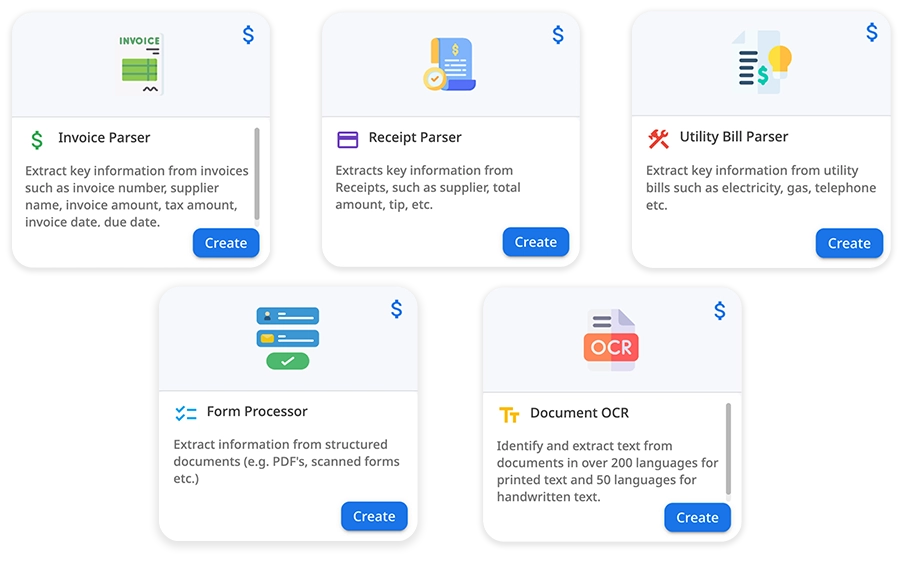
Zenphi makes it easy to extract data from any source, including PDF, bank statements, utility bills, photos and voice recordings.

Built for Google Workspace

Zenphi is natively integrated with Gmail, Google Drive, Google Voice, Google Meet and Google Sheets, making it the easiest way to automate data extraction and routing within your existing Google ecosystem.

No-Code, Enterprise-Ready

Create powerful workflows with a drag-and-drop builder. Zenphi delivers enterprise-grade automation without requiring any technical skills.

Secure & Compliant

Zenphi is HIPAA and SOC 2 Type II compliant, ensuring your PDF data—especially from invoices, patient forms, or contracts—is handled with the highest security and privacy standards.

Fair, Scalable Pricing

Unlike platforms that charge per user, Zenphi offers flat, usage-based pricing. You only pay for what you automate, making it easy to scale without runaway costs or surprise charges.

One platform, endless automations

Your automations don’t have to stop at extracting data. With Zenphi, you can trigger approvals, update databases, send notifications, or launch entire workflows—automatically, all in one platform.

Why Customers Love Us

Hear From your peers who have been using Zenphi for invoice and records processing and extracting data from PDF automatically

From voice transcripts to PDFs: See How Zenphi Can Turn Any Data Source Into a Structured Process

  • See how other leaders do it

    We share best practices! Use this meeting to see how we helped other companies to not just extract data but build structured workflows around it

  • Understand pricing

    Zenphi offers flat, operation-based pricing that scales with your workflows — not per seat.

  • Use case walkthrough

    During the call, we’ll evaluate your use case and provide tailored guidance on how Zenphi can address your requirements.

Case Sutdies: See Zenphi in Action

Data Extraction For Invoice Processing: 600% Increase In Efficiency

Data Extraction For Claims Processing: $320,000 Saved In 1 Year

Data Extraction And Risk Detection For Field Reports: 600 hours Saved

FAQ

Yes! Zenphi can extract structured tables from PDFs—including multi-page documents—and map them directly to Google Sheets or any database. admin tasks effectively.

We offer a variety of pricing plans to fit businesses of all sizes and needs. From basic to premium packages, our pricing is designed to be transparent and scalable. For detailed pricing information, please visit our pricing page or contact our sales team. Learn more on our pricing page.

Yes, Zenphi offers a free trial so you can explore the platform and start building workflows right away. For the best experience, we recommend booking a free call with our automation experts—you’ll get a guided setup, plus access to special offers like free AI credits, extended trials, and exclusive discounts.


Absolutely. You can set up Zenphi to monitor one or several Gmail inboxes or labels for incoming emails with PDFs and process them automatically.

Zenphi supports text-based and scanned PDFs. For scanned documents, you can enable OCR to extract data accurately, even if you’re dealing with a handwritten text.

Yes. Zenphi is SOC 2 Type II and HIPAA compliant, making it suitable for sensitive workflows in industries like healthcare, finance, and legal. Read more about our security policies.

Zenphi can extract data from any document arriving in your mailbox, added to your Google Drive or submitted via a Google Form.

Yes, we have customers who use Zenphi to do just that. However, this setup is not that easy — especially, when it comes down to “teaching” AI when to schedule a meeting and when to ignore any mentions. If this is something you’re looking to automate, we recommend to book a call with our expert to get help with this.