Webinar · Nov 19
Would your offboarding catch everything your employees had access to?
See how to uncover connected apps, Gmail and Calendar delegations,
API tokens, and privileged admin access that standard Google Workspace
offboarding can miss.
Workato belongs to the enterprise iPaaS category: a mature integration
platform with a large connector library, strong data transformation, and
pricing to match. Teams start looking for alternatives for three reasons —
cost that outgrows the use case, a platform heavier than the problem
requires, or depth that stops short in the environment where most of their
work actually happens.
The alternatives fall into four groups, and they are not interchangeable.
Some compete with Workato directly. Some are lighter tools for teams who
never needed that weight. Some are built natively for one platform and go
further there than any general-purpose tool can.
This page covers eleven, grouped by the job each is built for. Every
assessment is paired with published reviews from people using the platform —
G2, Capterra, Software Advice, Reddit and vendor community forums — including
the criticism, and including the criticism of Zenphi. Where a platform
attracts little public criticism, the page says so rather than manufacturing
balance.
Why teams look for a Workato alternative
1
Cost
Workato prices by recipe and connection, quoted annually.
Organizations automating a handful of well-defined processes often
find the capability exceeds what they are paying for.
2
Weight
Workato is built for integration at scale — many systems, complex
transformation, high throughput. Teams whose automation is
concentrated in one or two environments carry the overhead of a
platform designed for something larger.
3
Depth in a specific environment
General-purpose platforms reach Google Workspace and Microsoft 365
through standard connectors. Available actions are limited to what
the connector exposes, which becomes apparent the first time a
workflow needs to set a Shared Drive permission at a specific role,
manage Gmail delegation, or move a user between organizational units.
4
Ownership
Workato recipes are usually built and maintained by a small group with
platform expertise. Teams wanting broader ownership across IT and
operations look for something a wider group can read and change.
What users say about Workato
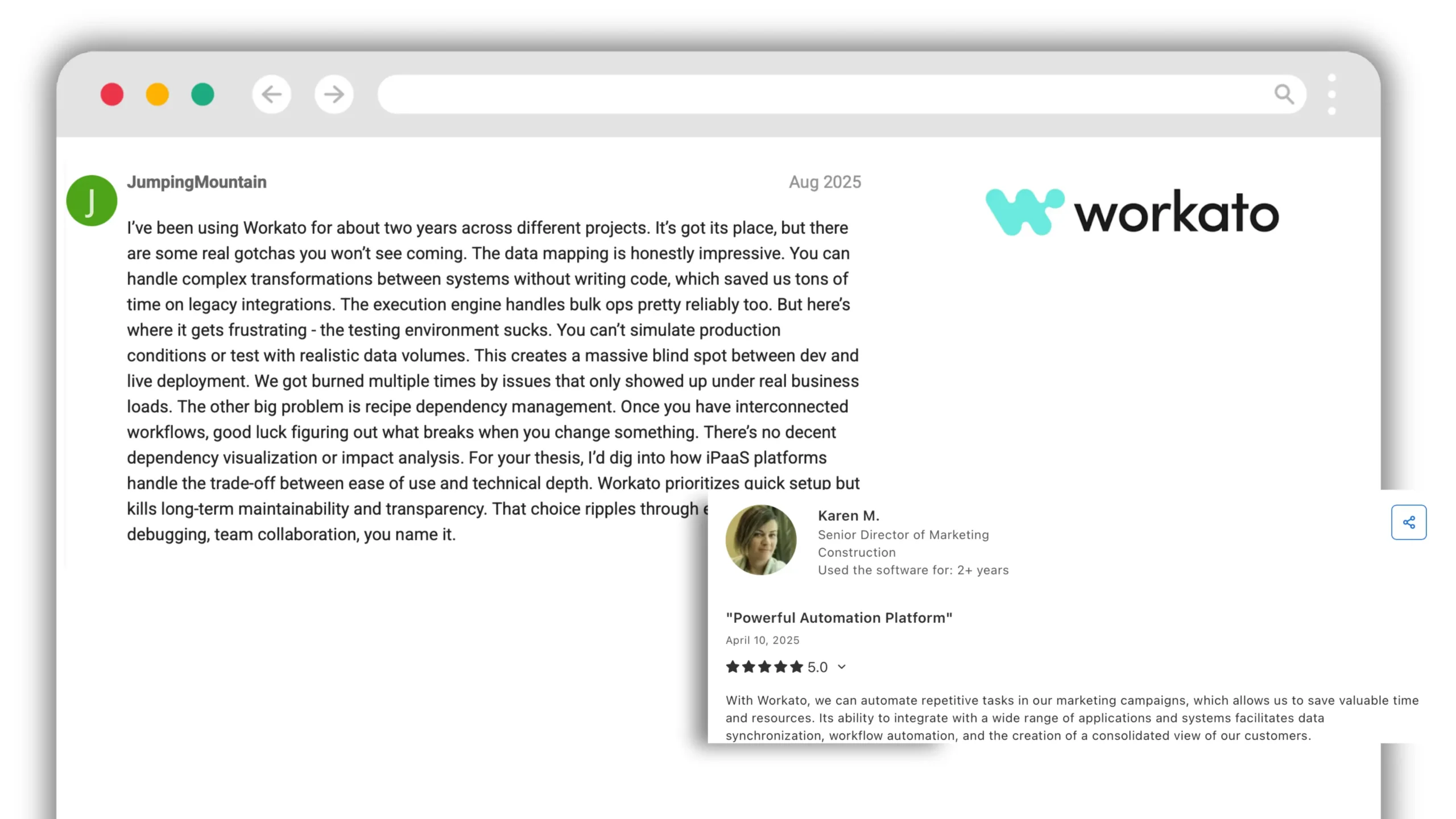
“With Workato, we can automate repetitive tasks in our marketing
campaigns, which allows us to save valuable time and resources. Its
ability to integrate with a wide range of applications and systems
facilitates data synchronization, workflow automation, and the creation
of a consolidated view of our customers.”
A longer-term user describes both sides:
“The data mapping is honestly impressive. You can handle complex
transformations between systems without writing code, which saved us
tons of time on legacy integrations. The execution engine handles bulk
ops pretty reliably too. […] You can't simulate production conditions
or test with realistic data volumes. This creates a massive blind spot
between dev and live deployment. We got burned multiple times by issues
that only showed up under real business loads. The other big problem is
recipe dependency management. Once you have interconnected workflows,
good luck figuring out what breaks when you change something. There's no
decent dependency visualization or impact analysis.”
Workato alternatives compared
Platform
Category
Best for
Pricing model
Google Workspace depth
Zenphi
Platform-native
Google Workspace–centric IT and business automation
Per workflow / operation
Native — full Admin API
Zapier
No-code automation
Simple app-to-app triggers, broad app coverage
Per task, tiered
Connector-level
Make
No-code automation
Visual multi-step scenarios on a budget
Per operation
Connector-level
Tray.io
Mid-market iPaaS
API-led integration with developer involvement
Quoted
Connector-level
n8n
Open-source automation
Self-hosted, developer-owned workflows
Free self-hosted / cloud tiers
Connector-level
Celigo
iPaaS
NetSuite and e-commerce integration
Per flow, tiered
Connector-level
Boomi
Enterprise iPaaS
Large-scale system integration, data management
Quoted, connection-based
Connector-level
MuleSoft
Enterprise iPaaS
API-led architecture in Salesforce estates
Quoted, enterprise
Connector-level
SnapLogic
Enterprise iPaaS
Data pipelines and application integration
Quoted
Connector-level
Exalate
Specialist sync
Bi-directional sync between issue trackers
Per instance, tiered
Not applicable
Power Automate
Platform-native
Microsoft 365–centric automation
Per user or per flow
Via connector
Group 1
Enterprise iPaaS
Direct competitors to Workato. Choose from this group if the
requirement is genuine integration at scale: many systems, complex
data transformation, high throughput.
Boomi
A mature integration platform covering application integration, API
management, data management and B2B/EDI. Strong in industries with
heavy legacy system estates. Deployment options include cloud,
on-premises and hybrid.
Stronger than Workato at
breadth of integration patterns, particularly data and B2B, and a
longer track record in regulated industries.
Weaker at
the build experience is more technical, and business-user ownership
is harder to achieve.
What users say
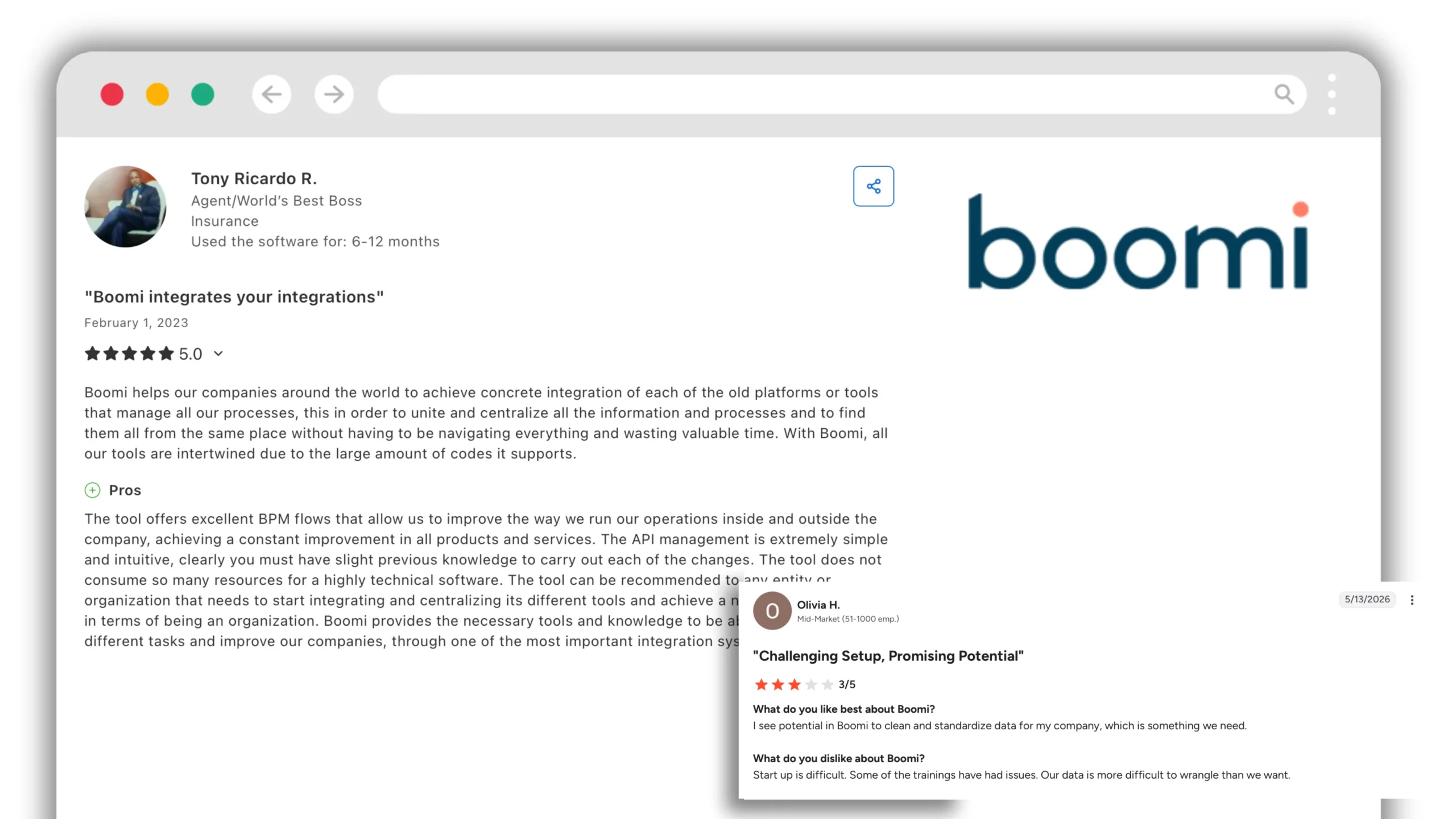
“Boomi helps our companies around the world to achieve concrete
integration of each of the old platforms or tools that manage all our
processes, this in order to unite and centralize all the information
and processes and to find them all from the same place. […] The API
management is extremely simple and intuitive, clearly you must have
slight previous knowledge to carry out each of the changes.”
“I see potential in Boomi to clean and standardize data for my
company, which is something we need. […] Start up is difficult. Some
of the trainings have had issues. Our data is more difficult to
wrangle than we want.”
MuleSoft
Salesforce-owned, built around API-led connectivity. Anypoint Platform
covers design, deployment and governance of APIs alongside integration.
Stronger than Workato at
API management and governance. The natural choice inside a large
Salesforce estate.
Weaker at
cost and implementation effort are both substantial, and it expects
developer resource.
What users say
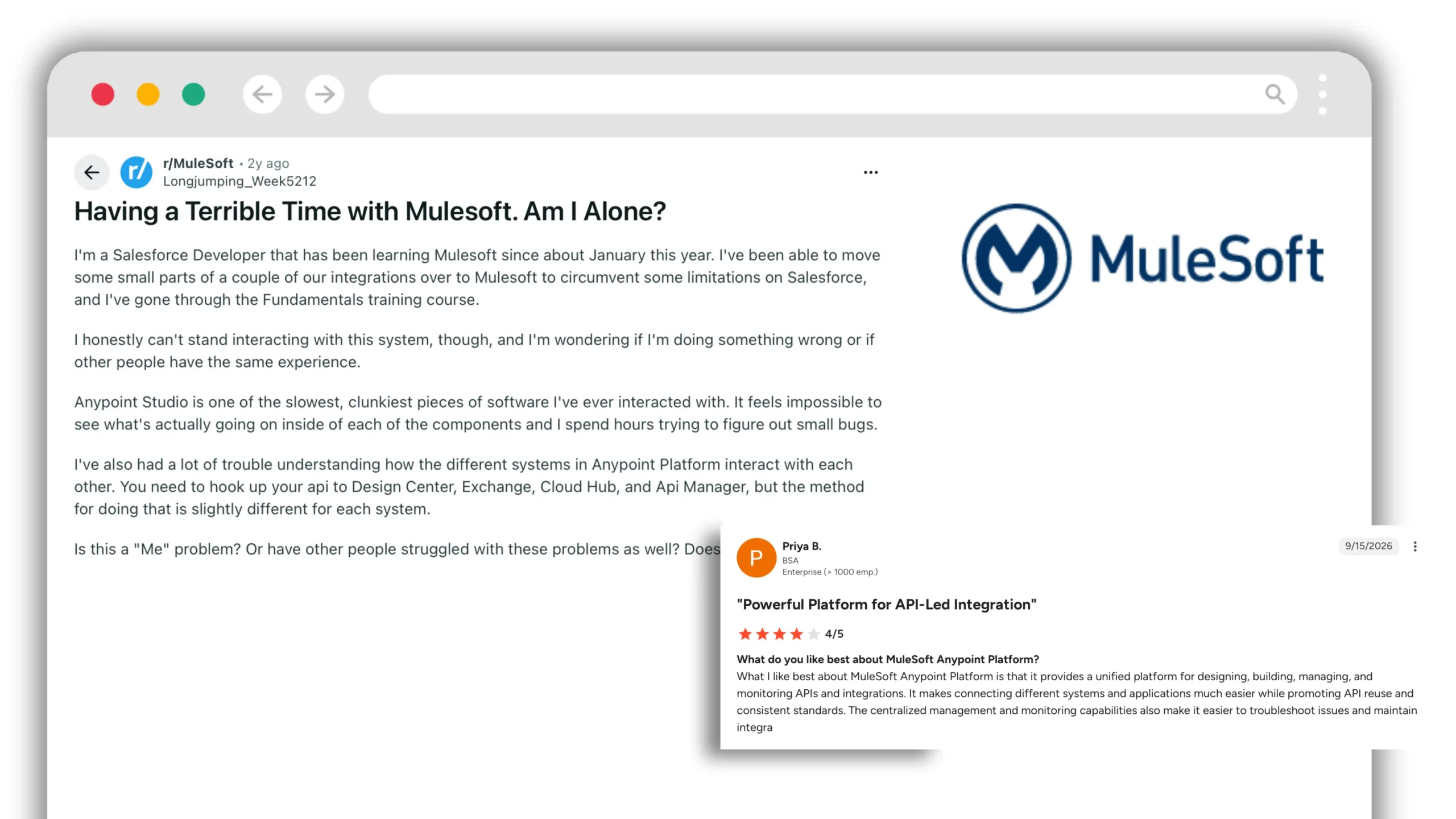
“What I like best about MuleSoft Anypoint Platform is that it provides
a unified platform for designing, building, managing, and monitoring
APIs and integrations. It makes connecting different systems and
applications much easier while promoting API reuse and consistent
standards.”
The recurring criticism concerns the build experience rather than the
platform's capability. A Salesforce developer four months into learning
MuleSoft:
“Anypoint Studio is one of the slowest, clunkiest pieces of software
I've ever interacted with. It feels impossible to see what's actually
going on inside of each of the components and I spend hours trying to
figure out small bugs. […] You need to hook up your api to Design
Center, Exchange, Cloud Hub, and Api Manager, but the method for doing
that is slightly different for each system.”
SnapLogic
Integration platform with a strong emphasis on data pipelines alongside
application integration, and AI-assisted pipeline building.
Stronger than Workato at
data-heavy integration and analytics pipelines. The visual pipeline
builder is well regarded.
Weaker at
business process automation, which receives less emphasis. Pricing is
enterprise-tier.
What users say
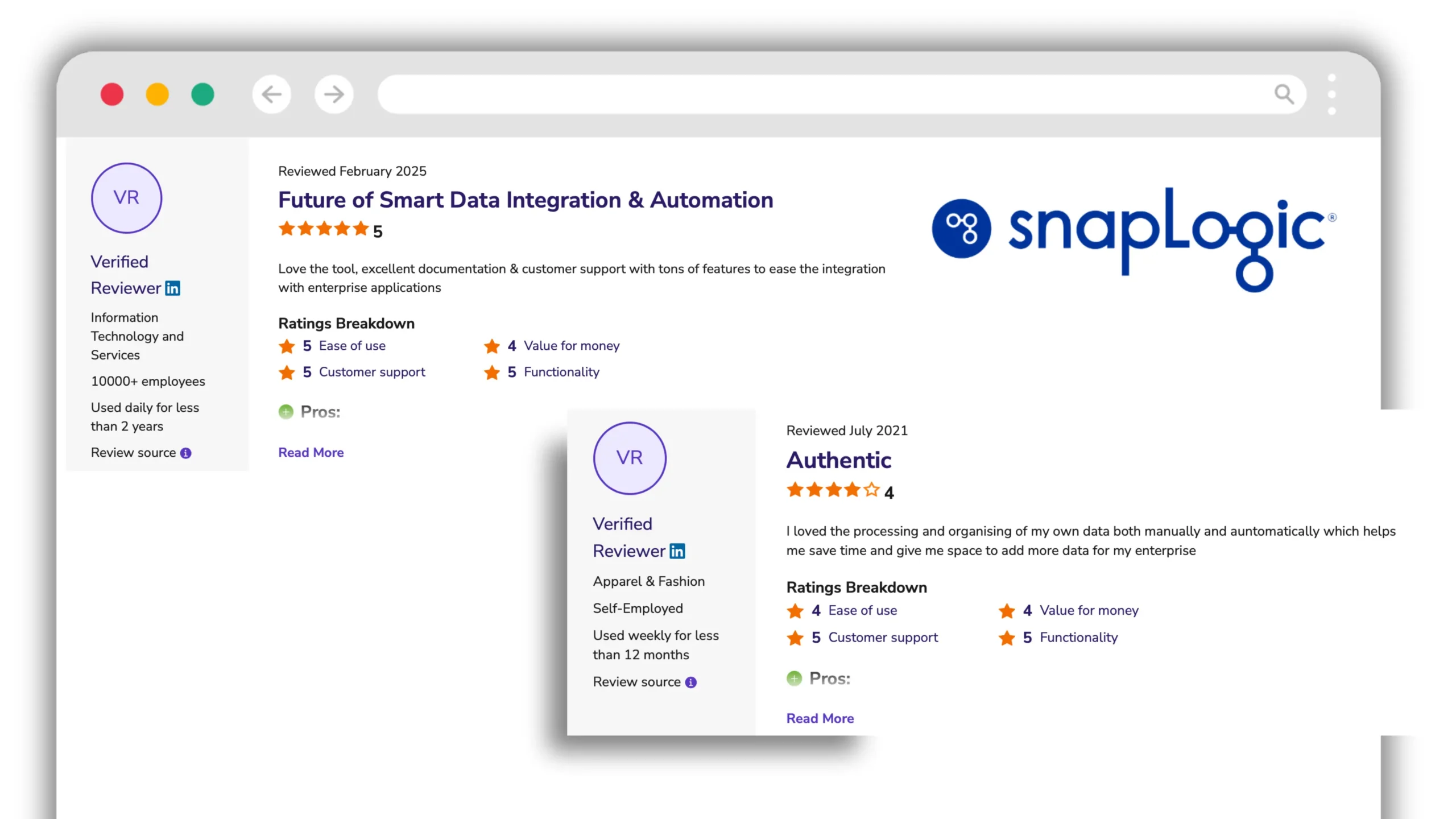
“Love the tool, excellent documentation & customer support with
tons of features to ease the integration with enterprise
applications.”
Publicly available criticism of SnapLogic is sparse; reviews across
Software Advice and G2 skew positive. The one consistent signal is cost
— both the 2025 reviewer above and an earlier reviewer four years prior
rate functionality and support at 5, and value for money at 4.
Celigo
An iPaaS with particular depth in NetSuite, e-commerce and finance
operations, offering prebuilt integration apps for common system pairs.
Stronger than Workato at
time to value where a prebuilt integration app exists, often days
rather than weeks.
Weaker at
anything outside its core integrations, where build effort resembles
any other iPaaS.
What users say
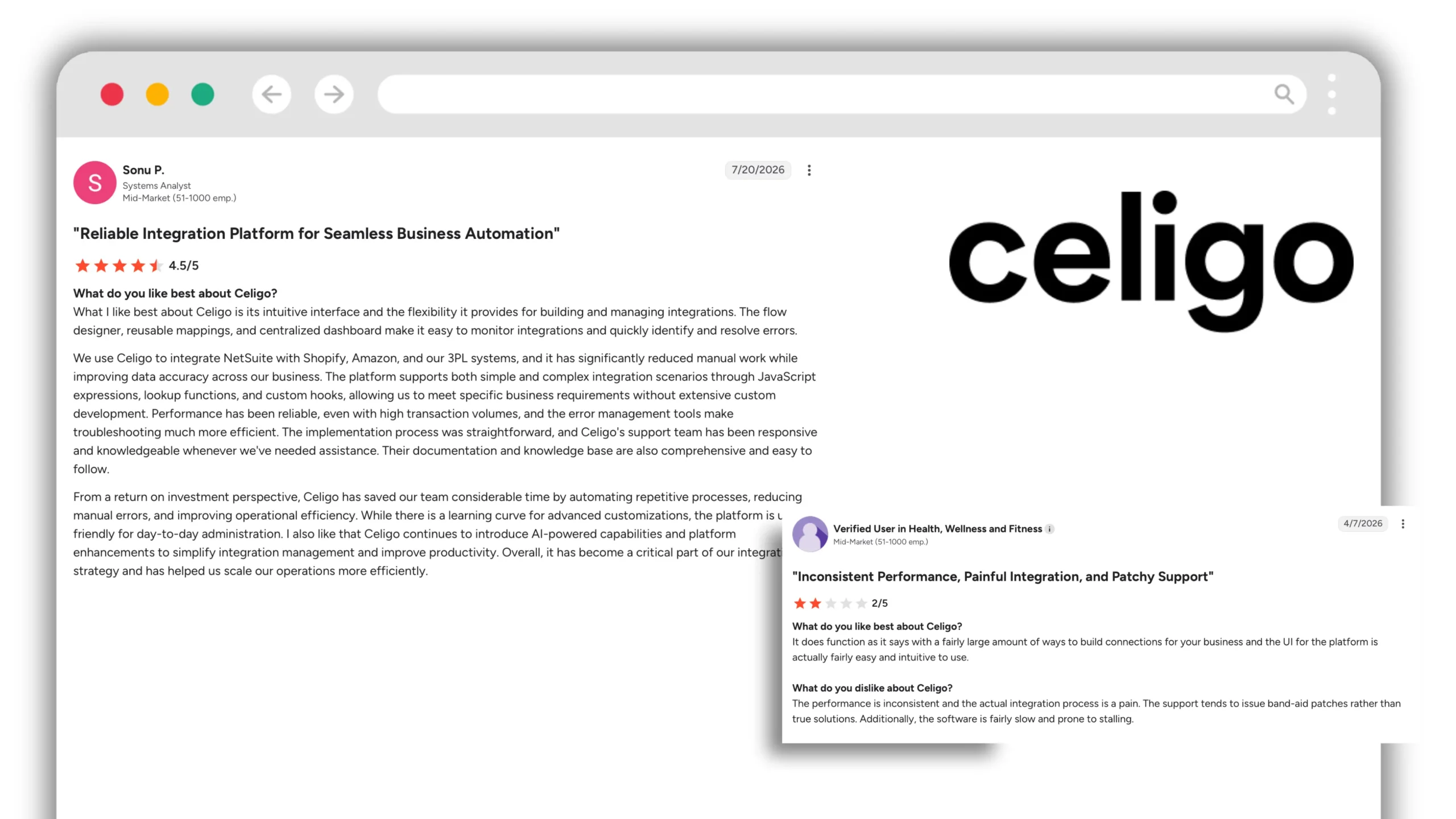
Both of the following come from the same reviewer, who rated Celigo 2
out of 5:
“It does function as it says with a fairly large amount of ways to
build connections for your business and the UI for the platform is
actually fairly easy and intuitive to use.”
“The performance is inconsistent and the actual integration process
is a pain. The support tends to issue band-aid patches rather than
true solutions. Additionally, the software is fairly slow and prone
to stalling.”
Group 2
No-code automation platforms
Lighter than Workato, broader app coverage, materially cheaper.
Choose from this group if the requirement is connecting applications
rather than integrating systems.
Zapier, Make and n8n are widely used and their trade-offs well documented,
so the assessments below reflect the general consensus rather than
individual reviews.
Zapier
The largest app catalog in the category, at more than 7,000
integrations. Straightforward to build, straightforward to maintain,
and usable by anyone.
Stronger than Workato at
app coverage, speed to a working automation, and cost at low volumes.
Weaker at
error handling, conditional complexity and data transformation. Costs
rise sharply with task volume, and actions within any single platform
are limited to what the connector exposes.
Make
Visual scenario builder with granular control over data flow, priced per
operation rather than per task, which usually works out cheaper at
volume.
Stronger than Workato at
value at scale, and more control over branching and iteration than
Zapier offers.
Weaker at
enterprise governance. The interface also has a steeper learning
curve than its positioning suggests.
Tray.io
Positioned between the no-code tools and enterprise iPaaS, with an
API-led approach and stronger developer tooling.
Stronger than Workato at
flexibility for teams with engineering capacity, and embedded or
customer-facing integration.
Weaker at
accessibility. It requires more technical ownership than the category
name suggests.
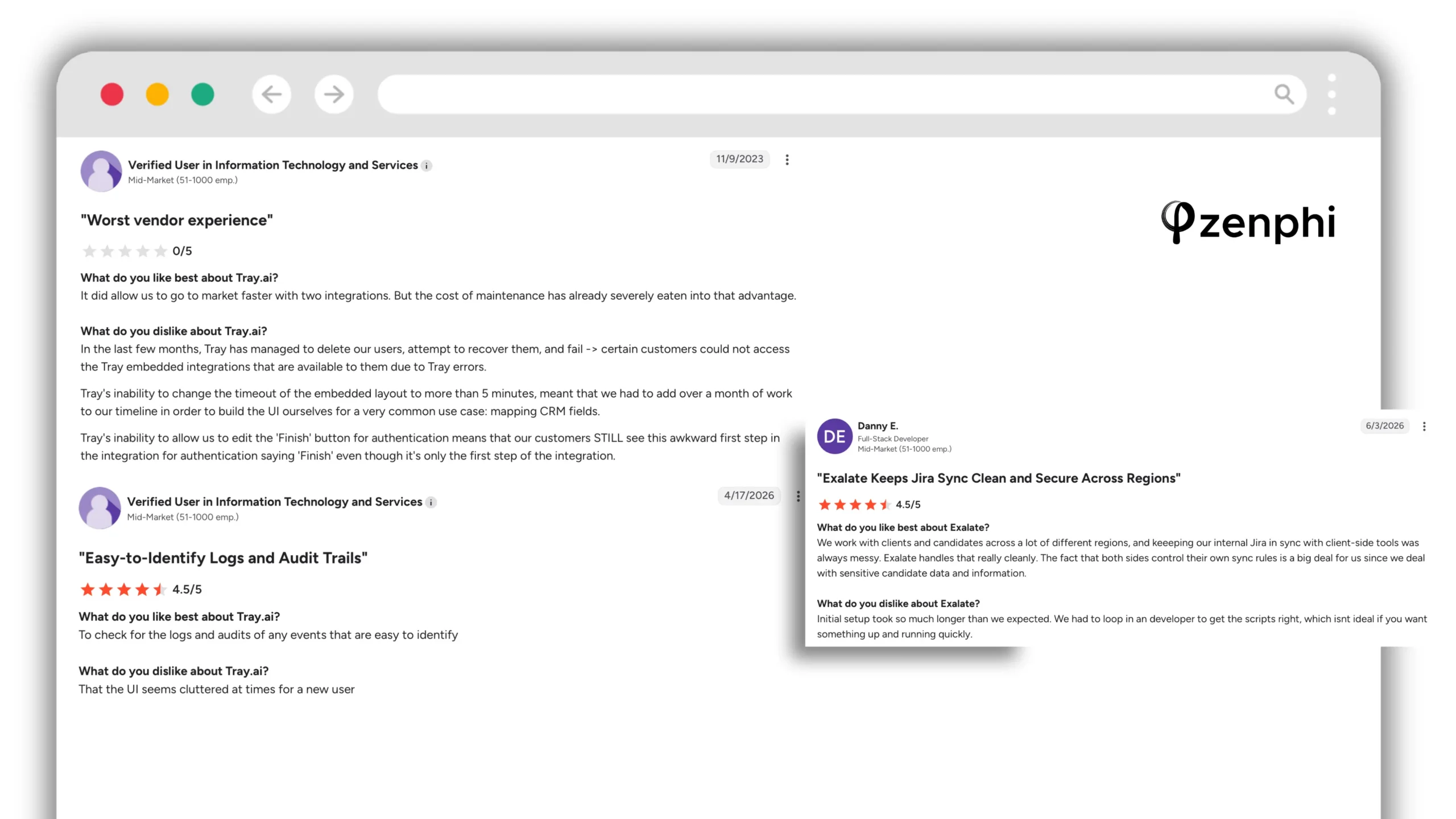
What users say
“To check for the logs and audits of any events that are easy to
identify. […] That the UI seems cluttered at times for a new user.”
An earlier reviewer raised support responsiveness, with his own caveat:
“We received great support from Jash, an architect who helped us build
out initial workflows. There are a lot of different connectors that
will allow you to integrate with lots of different services. […]
Customer support with the support team via email was not instant and
it was sometimes dragging on for days due to timezone differences.
This may have changed now as this was based on experiences a couple of
years ago.”
n8n
Open-source workflow automation, self-hostable, with a large and active
community. Increasingly the answer where data residency or cost rules
out SaaS platforms.
Stronger than Workato at
cost and control. Self-hosting removes per-task pricing entirely and
keeps data in your environment.
Weaker at
operational burden, which becomes yours. Support is community-led
unless you buy a cloud tier.
Built for one environment and deeper there than any general-purpose
platform. Choose from this group when the centre of gravity of your
automation falls inside a single suite.
Google Workspace native
Zenphi — Google Workspace native, with first-class Microsoft actions
A no-code automation platform built directly on the Google Workspace
and Admin APIs rather than reaching Google through a standard connector.
Every Gmail, Drive, Docs, Sheets, Calendar and Admin Console action is
available as a native workflow step — user provisioning, organizational
unit moves, Shared Drive permissions at a specified role, Google Group
membership, Gmail delegation, license assignment and reclamation, Vault
operations.
Beyond Google Workspace it covers multi-step approval chains with
escalation and full audit trails, document generation, AI steps with a
choice of model provider (Gemini, OpenAI or Claude) under central
governance, and workflows extending into HR, finance and legal
processes.
It also carries first-class Microsoft actions.
Microsoft Entra ID covers user hierarchy, group governance, security
and licensing operations, alongside OneDrive, SharePoint, Excel Online,
Teams and Outlook. Three situations make this matter:
Teams who have migrated to Google Workspace but still run some
processes in Microsoft
Holding structures and post-acquisition estates where both
environments remain active
Organizations running Entra ID as the identity provider with Google
Workspace as the collaboration layer
Recent releases have extended the Microsoft action set far enough that
teams use Zenphi to replace Power Automate rather than run alongside it.
Stronger than Workato at
depth inside Google Workspace, which no connector-based platform
matches. Pricing by workflow and operation rather than per user, so
cost does not scale with headcount. Workflows can be built and
maintained by the IT team without platform specialists.
Weaker at
enterprise integration. Where the requirement is connecting dozens of
enterprise systems with complex data transformation, high-throughput
data pipelines or B2B/EDI, Workato and Boomi are built for that work
and Zenphi is not. It also carries no backup or restore capability.
Pricing and target.
Priced by workflow and operation volume. Suits IT and operations teams
in organizations running on Google Workspace, including those with
Microsoft systems still in the estate, and particularly those
supporting multiple sites, business entities or approval structures.
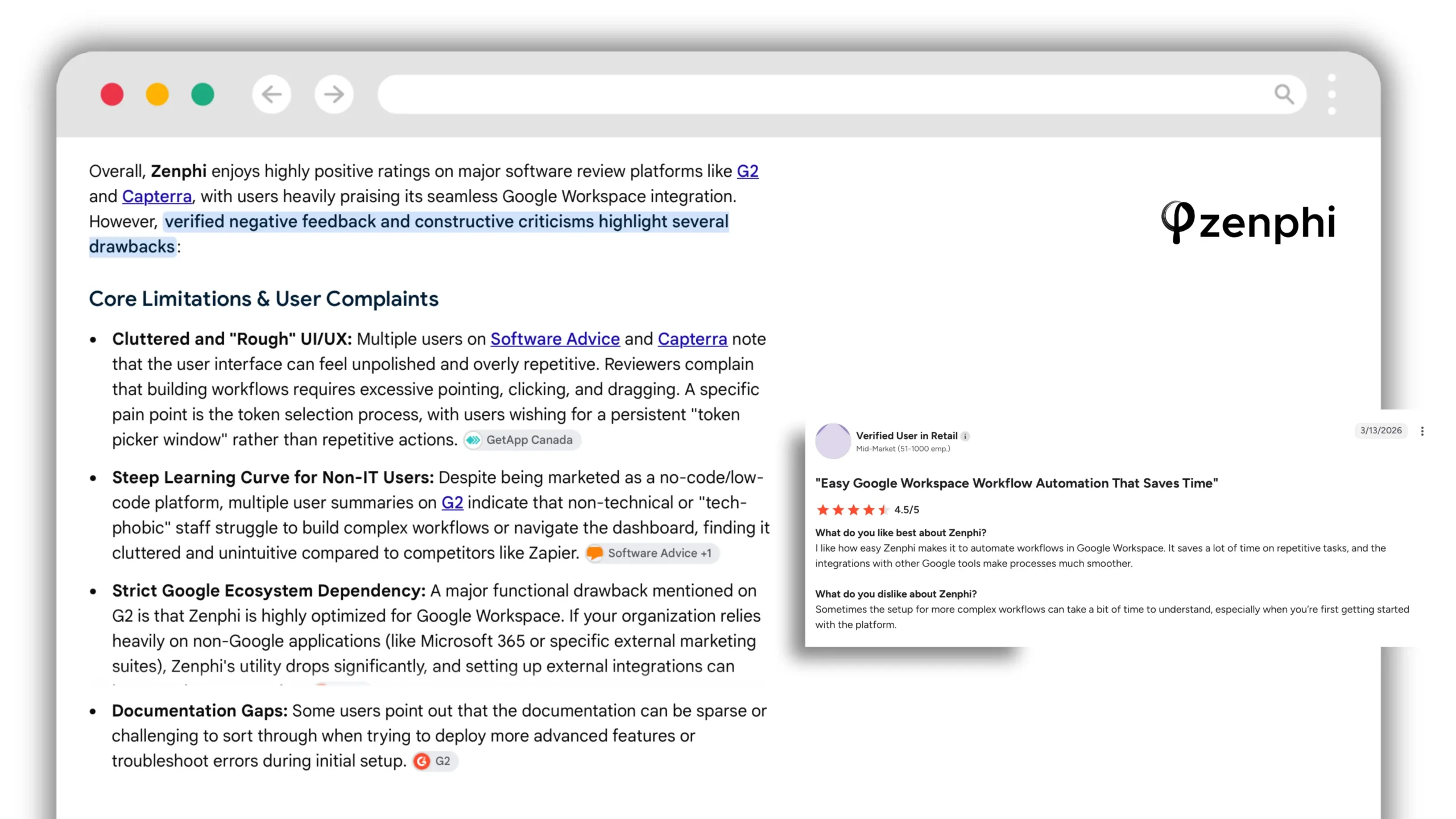
What users say
“I like how easy Zenphi makes it to automate workflows in Google
Workspace. It saves a lot of time on repetitive tasks, and the
integrations with other Google tools make processes much smoother.”
“Sometimes the setup for more complex workflows can take a bit of
time to understand, especially when you're first getting started with
the platform.”
Workato AIRO vs Zenphi ZAIA: AI workflow builders compared
Both Workato AIRO and Zenphi ZAIA turn natural-language instructions into working automations. Both can help create, analyse and modify workflows. The main difference is their scope: AIRO is geared towards enterprise integration engineering across Workato, while ZAIA focuses on creating and maintaining business and IT workflows, particularly in both Google Workspace and Microsoft environments.
Capability
Workato AIRO
Zenphi ZAIA
Create workflows from prompts
Yes
Yes
Build from process documentation
Yes, including requirements documents
Yes, including PDF descriptions and flowchart images
Analyse and fix existing workflows
Yes
Yes
Generate supporting assets
Recipes, APIs, AI agents and reusable Skills
Workflows, forms and tables
Help migrate existing automations
MuleSoft and TIBCO with CodePlus
Power Automate and Kissflow workflow exports
Review suggested changes
Blueprint reviews
Proposal Cards require confirmation before supported form or flow changes
AI-assisted production monitoring
Yes, through Acumen
Yes, through Admin portal
Where ZAIA stands out
ZAIA doesn't need a perfectly written prompt. Upload a process flowchart, a PDF description or an exported Power Automate or Kissflow workflow, and ZAIA can use it to generate an editable Zenphi automation. It can also create supporting forms and tables, analyse existing workflows, recommend improvements and help fix them. For supported changes to forms or flows, Proposal Cards let users review and confirm proposed modifications before they are applied.
Where AIRO goes further
AIRO has a broader enterprise engineering scope. Its blueprints can plan interconnected recipes, APIs, AI agents and reusable assets, while AIRO Acumen adds AI-assisted production monitoring, dependency analysis and troubleshooting. AIRO also connects to development tools such as Claude Code and Cursor through MCP.
Which is the better fit?
Choose AIRO for complex enterprise integration projects involving many applications, APIs and shared technical components. Choose ZAIA for operational and IT workflows without enterpise overhead and complexity, particularly when you already have process diagrams, need approval paths that don't fit into most templates, or want to migrate existing Power Automate or Kissflow processes without rebuilding them from scratch. In either case, review and configure generated automations before production deployment.
Microsoft's automation platform, included with many Microsoft 365
licenses and integrated across the Microsoft estate.
Stronger than Workato at
cost where licensing already covers it, and depth across Microsoft
365, Dynamics and Azure.
Weaker at
Google Workspace, which is connector-based and shallow. Governance
across a large estate of flows becomes difficult without additional
tooling, and premium connectors carry separate licensing that changes
the cost picture.
Built for one job: bi-directional synchronization between issue
trackers and service desks — Jira, ServiceNow, Zendesk, Azure DevOps,
GitHub — including across organizational boundaries where two companies
need to share tickets without sharing systems.
Stronger than Workato at
cross-company issue sync, with scripting control over exactly which
fields move in which direction. Workato can move data between
trackers; Exalate is built around the specific problems of
bi-directional sync — conflict resolution, entity mapping and
independent control on each side.
Weaker at
everything else. It is narrow by design and does not attempt to be a
general automation platform.
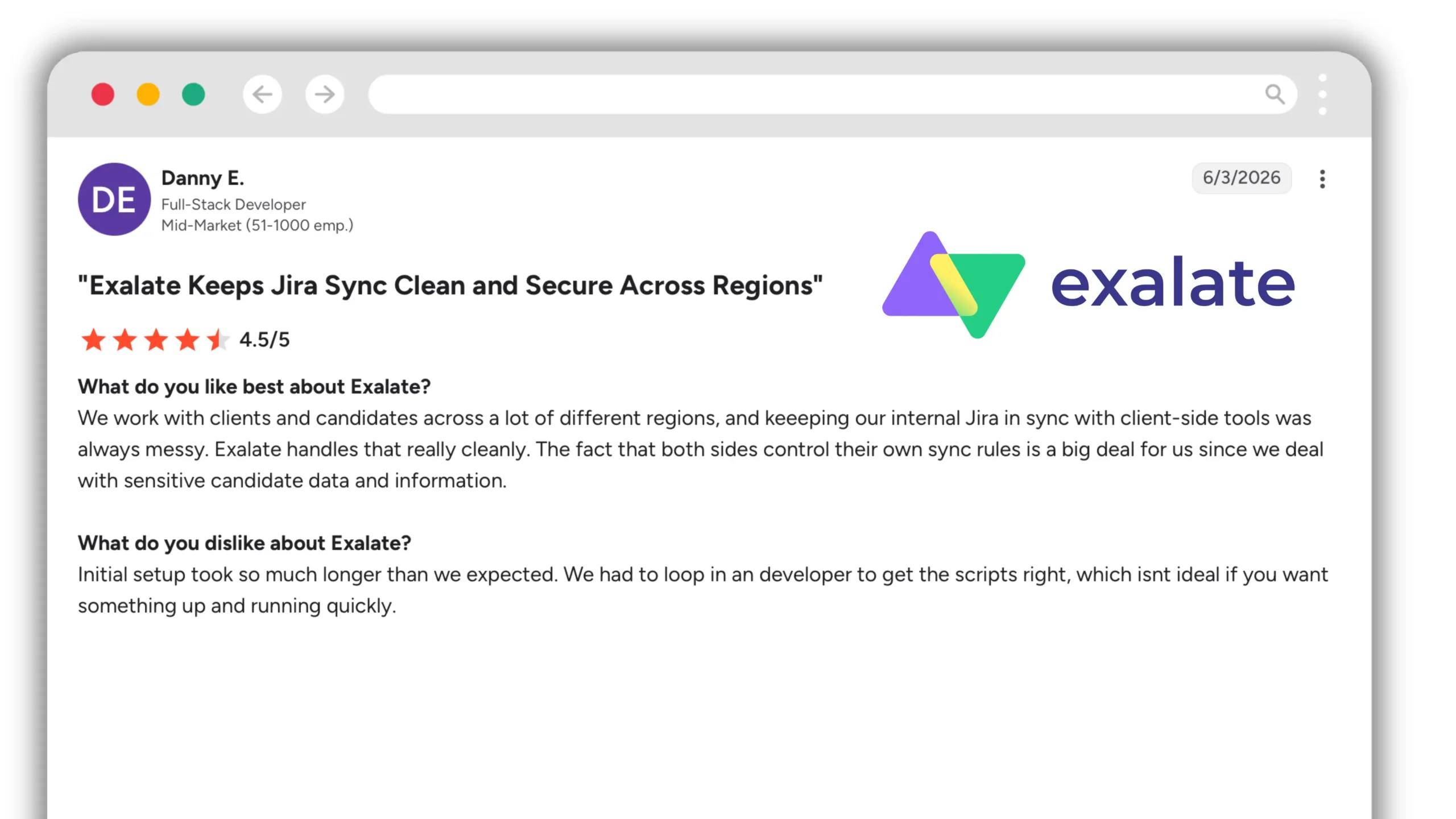
What users say
“We work with clients and candidates across a lot of different
regions, and keeping our internal Jira in sync with client-side tools
was always messy. Exalate handles that really cleanly. The fact that
both sides control their own sync rules is a big deal for us since we
deal with sensitive candidate data and information.”
“Initial setup took so much longer than we expected. We had to loop
in a developer to get the scripts right, which isn't ideal if you want
something up and running quickly.”
Reviews across G2 and the Atlassian Marketplace are consistently
positive. The recurring criticism concerns setup effort rather than
capability.
Workato vs Zapier
The most common direct comparison, and the two occupy opposite ends of the
category.
Dimension
Workato
Zapier
Built for
Enterprise integration at scale
App-to-app automation
App coverage
1,200+ connectors
7,000+ apps
Data transformation
Extensive
Basic
Error handling
Detailed, with retry and recovery logic
Limited
Conditional logic
Complex branching, loops, nested conditions
Straightforward paths and filters
Governance
Environments, version control, role-based access
Limited on lower tiers
Pricing
Quoted annually
Per task, from low monthly tiers
Typical owner
Integration specialists
Anyone
Time to first automation
Weeks
Minutes
Choose Workato
When integration is genuinely complex — multiple systems, meaningful
data transformation, high volume, and a requirement for governance and
error recovery a lighter tool cannot provide.
Choose Zapier
When the requirement is moving information between applications on a
trigger, the logic is simple, and you want anyone on the team to be
able to build and fix it.
Choose neither
If the work is concentrated inside a single platform. A tool built
natively for that environment will go further than either. For Google
Workspace that is Zenphi, which also carries first-class Microsoft
Entra ID, SharePoint, Teams and Outlook actions for estates running
both.
Which alternative fits your situation
Enterprise integration across many systems
Boomi, MuleSoft or SnapLogic. This is the group genuinely competing
with Workato for complex integration across large application estates,
data pipelines and high-volume system-to-system workloads.
NetSuite, e-commerce or finance operations
Celigo, particularly where a prebuilt integration app already exists
for the systems you need to connect.
Simple app-to-app automation
Zapier for broad app coverage and ease of use; Make when you need
more control over multi-step scenarios and operation costs.
Self-hosting or data residency requirements
n8n, particularly for technical teams that want to run and maintain
the automation infrastructure themselves.
Your organisation runs on Google Workspace — or is migrating to it
Zenphi. It is built directly on Google Workspace and Google Admin APIs,
so workflows can include administrative actions such as user lifecycle
management, Google Groups, Shared Drive permissions, Gmail delegation,
organisational units, licensing and approval processes without relying
on a generic Google connector. It also supports Microsoft actions for
organisations that still have parts of their estate in Microsoft 365
or Entra ID.
You need AI inside controlled business workflows
Zenphi is also designed for teams that want to use Gemini, OpenAI or
Claude inside governed workflows rather than give an AI agent open-ended
access to business systems. Administrators can control which models are
available, what data is passed into an AI step, how its output is
structured, what actions follow the result, and where a human approval
gate must remain before the workflow continues.
Your organisation runs primarily on Microsoft 365
Power Automate, particularly where Microsoft licensing already covers
the capabilities you need and the processes are centred on Microsoft
365, Dynamics or Azure.
Bi-directional ticket sync between organisations
Exalate, where the requirement is specifically to keep issue trackers
or service desks synchronized while allowing each side to control its
own mapping and sync rules.
Frequently asked questions
What is Workato AIRO and how it compares to other intelligent automation engines?
Workato AIRO is an AI-powered engineering assistant for Workato ONE. It can turn requirements into integrations, recipes, APIs and AI agents, and its Acumen capability helps teams monitor and troubleshoot production automations. Zenphi ZAIA offers an alternative for teams focused on business and IT workflows, especially in Google Workspace and Microsoft enviromments. ZAIA can generate editable workflows from prompts, PDF process descriptions and flowchart images, interpret Power Automate and Kissflow workflow exports, create supporting forms and tables, and analyse or fix existing flows. Its Proposal Cards let users confirm supported changes before they are applied. AIRO is particularly suited to broad enterprise integration environments; ZAIA is attractive when speed of automation and scalable pricing matter most — workflows built in Zenphi using ZAIA can be shipped to production in 7 days, and Zenphi doesn't charge per user or per flow run.
What are the main competitors of Workato in the automation platform market?
Workato's competitors fall into several categories rather than one
interchangeable group. Boomi, MuleSoft and SnapLogic compete most directly
with Workato on enterprise integration across multiple systems. Celigo is
particularly strong around NetSuite, e-commerce and finance integrations.
Zapier, Make, Tray.io and n8n serve teams looking for lighter-weight
application automation or more technical control. Platform-native tools
take a different approach: Zenphi is perfect for organisations using Google
Workspace or Google-Microsoft mixed environments, while Power Automate is closely integrated
only with the Microsoft 365 ecosystem.
How does Workato compare to alternatives like SnapLogic and Exalate?
They solve different problems despite appearing in the same comparison
lists. Workato is a general-purpose integration and automation platform
with broad connector coverage, data transformation and business process
orchestration. SnapLogic places greater emphasis on data pipelines,
analytics and application integration. Exalate is much narrower: it is
designed specifically for bi-directional synchronization between issue
trackers and service desks, including between different organisations.
The right comparison therefore depends less on feature count and more on
the integration problem you are trying to solve.
Are there any Workato alternatives for organisations in Australia?
Australian organisations have access to the same broad categories of
alternatives as teams in North America and Europe, including enterprise
iPaaS platforms, no-code automation tools and platform-native automation.
Zenphi was founded in Australia and is built for organisations using
Google Workspace, including teams migrating from Microsoft environments.
Organisations with specific data residency requirements should confirm
current regional hosting and processing arrangements directly with each
vendor, because these vary by platform and plan.
Is there a cheaper alternative to Workato?
Yes, but the right comparison depends on what Workato is currently doing.
Make and Zapier can be considerably less expensive for relatively simple
application-to-application workflows. n8n can be self-hosted, trading
software cost for infrastructure and maintenance responsibility. Zenphi
uses an operations-based workflow pricing model rather than per-user
licensing, which makes the economics different for organisations with
large user populations. Workato does not publish standard pricing, but community discussions and procurement benchmarking data put entry-level credit tiers at around $79 per month, and enterprise deployments in the range of $27,000 to over $150,000 per year, updated for 2026. Read more in
Workato Pricing Guide
Which Workato alternative is best for organisations using Google Workspace?
Zenphi is designed specifically for organisations that use Google
Workspace or are planning to migrate to it. Rather than treating Google
Workspace as another application reached through a generic connector,
Zenphi provides native workflow actions across Google Workspace and Google
Admin. These include user provisioning and deprovisioning, organisational
unit changes, Google Group management, Shared Drive permissions, Gmail
delegation, licensing, approvals and other administrative processes.
Zenphi also includes first-class Microsoft actions, which is useful during
migrations and in organisations where Entra ID, Microsoft 365 and Google
Workspace continue to coexist.
Is Zenphi only useful when most of a company's automation happens inside Google Workspace?
No. In practice, business processes rarely stay inside a single
application suite. The more relevant question is whether Google Workspace
is, or is becoming, part of the organisation's core IT environment. A
Zenphi workflow can start with a Google Workspace event, involve an HR or
finance system, request approval from a person, call an external API,
perform Microsoft Entra ID actions and then return to Google Admin. Its
Google-native depth matters because administrative actions do not have to
be reduced to whatever a generic Google connector exposes.
Which Workato alternative is suitable for controlled AI automation?
Zenphi is designed for organisations that want to use AI inside controlled
business workflows rather than give an autonomous agent unrestricted
access to company systems. AI steps can use Gemini, OpenAI or Claude, while
administrators retain control over which models are available, what data
is provided to the model, how the output is structured and what happens
after the AI returns a result. Deterministic workflow logic can then decide
which actions are allowed, and a human approval step can be inserted before
sensitive or consequential actions are executed. This makes AI one governed
component of the workflow rather than the system controlling the entire
process.
Does Workato work with Google Workspace?
Yes. Workato connects to Google Workspace applications and can automate
common operations across services such as Gmail, Drive, Sheets and Calendar.
The important distinction is how deeply you need to automate Google
Workspace itself.
Workato approaches Google Workspace as one of many systems connected through
an integration platform. Zenphi is built directly for Google Workspace and
Google Admin, so administrative actions such as user provisioning and
deprovisioning, organisational unit changes, Google Group management,
Shared Drive permissions, Gmail delegation, licence management and approval
workflows can be handled as native workflow steps.
If Google Workspace is part of your core IT environment — or your
organisation is planning to migrate to Google Workspace — Zenphi is therefore
worth comparing with Workato separately rather than treating both as
equivalent Google connectors. Zenphi also includes Microsoft Entra ID,
SharePoint, OneDrive, Teams and Outlook actions for organisations operating
mixed Google and Microsoft environments.
Can you replace Workato with a no-code platform?
In many cases, yes, but it depends on why you are using Workato. If the
platform is mainly moving information between applications using relatively
simple triggers and logic, lighter no-code tools such as Zapier or Make may
be sufficient. If Workato is handling complex data transformation,
high-throughput integrations or large numbers of enterprise systems, a
lighter automation tool may not be an equivalent replacement.
Organisations using Google Workspace should also look beyond general-purpose
no-code tools. Zenphi is a no-code automation platform built specifically for
Google Workspace and Google Admin, while still allowing workflows to connect
to external systems, APIs and Microsoft services. That makes it particularly
relevant when the processes being replaced include user lifecycle
management, access requests, approvals, Google Groups, Shared Drive
permissions, document workflows or other Google administrative operations.
Zenphi is also an alternative when AI is becoming part of the automation
strategy. Gemini, OpenAI and Claude can be used inside controlled workflows
where administrators determine what data is passed to AI, what actions can
follow its output and where a human approval gate is required. That is a
different model from giving an autonomous agent unrestricted control over a
business process. Finally, if speed of implementation is an important factor, Zenphi allows teams to move really fast — most workflows can be shipped to production within 1-2 weeks. And scalable pricing is a huge benefit — if you don't want to pay for high-volume automations and multiple tenants, as Zenphi charges only per workflow.
What should you check before switching from Workato?
Start with the Workato recipes that are actually running in production
rather than comparing platform feature lists. Identify which systems they
connect, how much data transformation they perform, the volume they handle,
their error-recovery requirements and who will own and maintain the
workflows after migration.
Then look at the environment your organisation is standardising on. If you
use Google Workspace or are planning to migrate to it, compare the depth of
Google Workspace and Google Admin automation rather than simply checking
whether the replacement has a Google connector. Zenphi is built directly for
this environment and provides native actions for Google Admin, Drive, Gmail,
Groups, licensing, user lifecycle processes and approval workflows, while
also supporting Microsoft services in mixed estates.
If AI is part of your automation roadmap, governance should be another
evaluation criterion. Check whether administrators can control which models
are used, what company data they can access, how AI output is structured,
which downstream actions are permitted, whether decisions are auditable and
where human approval must be inserted. Zenphi supports this model by placing
Gemini, OpenAI or Claude steps inside deterministic, governed workflows
rather than allowing AI to control the entire process independently.
Finally, consider how fast you want to move, and how much you're able to pay. If automations should have been shipped to production yesterday, and you don't want to be penalized for organizational growth, the most obvious choice would be Zenphi — with it's speedy deployments, and scalable per-workflow pricing.
Bring us the process with the awkward approval path.
Running on Google Workspace and evaluating alternatives to Workato? Bring
us one process your team currently handles manually — ideally the one
with the awkward approval path — and we will build it with you in 30
minutes. You keep the workflow either way.
Review sources.
User quotes are drawn from G2, Capterra, Software Advice, Reddit and the
Latenode community forum, with the reviewer's role, company segment, source
and date shown for each. Quotes are verbatim; […] marks
omitted text. Ratings reflect the review as published on the date given.