Not every business process automation solution is built for the same environment. Here's how the leading platforms compare on the criteria that matter most for operations and IT teams.
| Platform | Best for | Google Workspace native | No-code | End-to-end BPA | AI steps built-in | HIPAA / ISO 27001 | Pricing model |
|---|---|---|---|---|---|---|---|
|
This page Zenphi |
Google Workspace ops & IT teams |
✅
Built on GWS APIs
|
✅
+ ZAIA AI builder
|
✅
Multi-step, multi-dept
|
✅
Claude, Gemini, OpenAI
|
✅
ISO 27001 + HIPAA BAA
|
Flat per-workflow
No per-run or per-user fees
|
| Zapier | Simple app-to-app automations |
⚠️
Connector-based
|
✅ |
❌
Point-to-point only
|
⚠️
Limited AI steps
|
❌
No BAA available
|
Per-task (scales with volume) |
| Make (Integromat) | Visual multi-branch automations |
⚠️
Connector-based
|
✅ |
⚠️
Limited approval logic
|
⚠️
Basic AI modules
|
❌
No BAA available
|
Per-operation |
| Power Automate | Microsoft 365 teams |
❌
Microsoft ecosystem only
|
✅
Mostly no-code
|
✅
Within M365 environment
|
✅
Copilot integration
|
⚠️
Config required + M365 BAA
|
Per-user (M365 add-on) |
| Pipefy | Form-based HR & service workflows |
⚠️
Connector-based
|
✅ |
⚠️
Limited cross-system logic
|
⚠️
Basic AI features
|
⚠️
SOC 2, no HIPAA BAA
|
Per-user / SaaS |
| Kissflow | Mid-complexity BPM workflows |
⚠️
Connector-based
|
✅ |
⚠️
Constrained for AI workflows
|
⚠️
Limited AI
|
⚠️
SOC 2 Type II
|
Per-user |
| Workato | Enterprise multi-system iPaaS |
⚠️
Connector-based
|
⚠️
Low-code
|
✅
Strong cross-system
|
✅
Enterprise AI features
|
✅
SOC 2 + BAA available
|
Custom (enterprise) High TCO |
Which business process automation software is right for Google Workspace teams?
For teams whose operations run on Google Workspace — Gmail, Drive, Sheets, Docs, Google Admin — Zenphi is the only business process automation platform built natively on Google Workspace APIs, rather than connecting through generic OAuth connectors. This means real-time Gmail push triggers, Google Admin actions, native Drive and Docs document generation, and AI steps (Claude, Gemini, OpenAI) — all governed, auditable, and no-code. Zapier and Make handle simple app connections well. Power Automate is the right fit for Microsoft 365 teams. Workato serves large enterprise multi-system environments. For mid-sized operations and IT teams standardized on Google Workspace, Zenphi offers the depth those platforms cannot match at their price point.
Team online now
Detailed answers to the questions HR, Finance, IT, Procurement, and Operations teams ask before automating their business processes.
Business process automation (BPA) is the use of technology to execute recurring business processes automatically — replacing manual steps, handoffs, and coordination work with structured, rule-based sequences that run without human intervention at every step. Whether the process is an employee onboarding sequence, an invoice approval chain, an IT access request, or a contract review workflow, the outcome is the same: the process runs faster, more consistently, and with a complete audit trail — without anyone manually coordinating it.
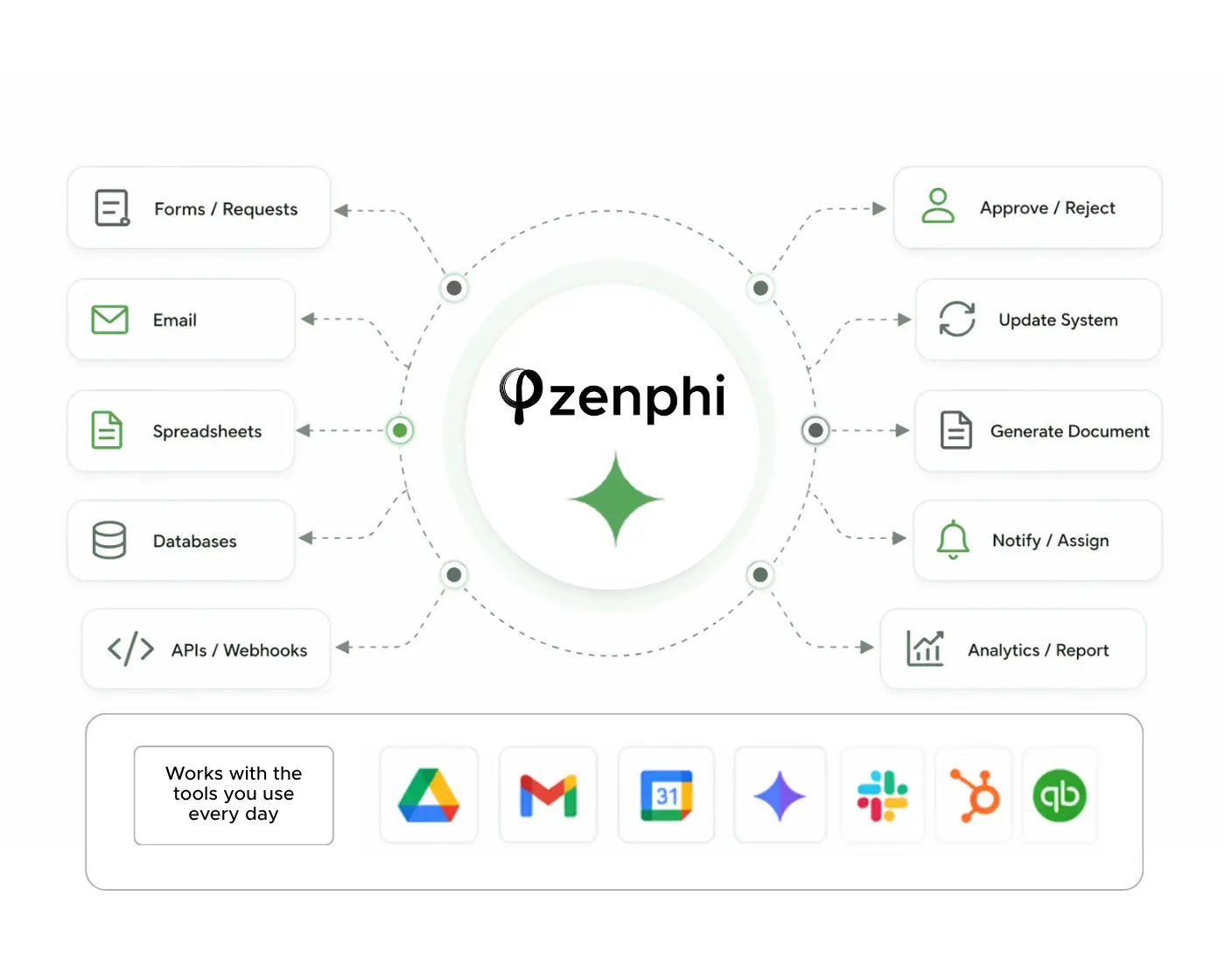
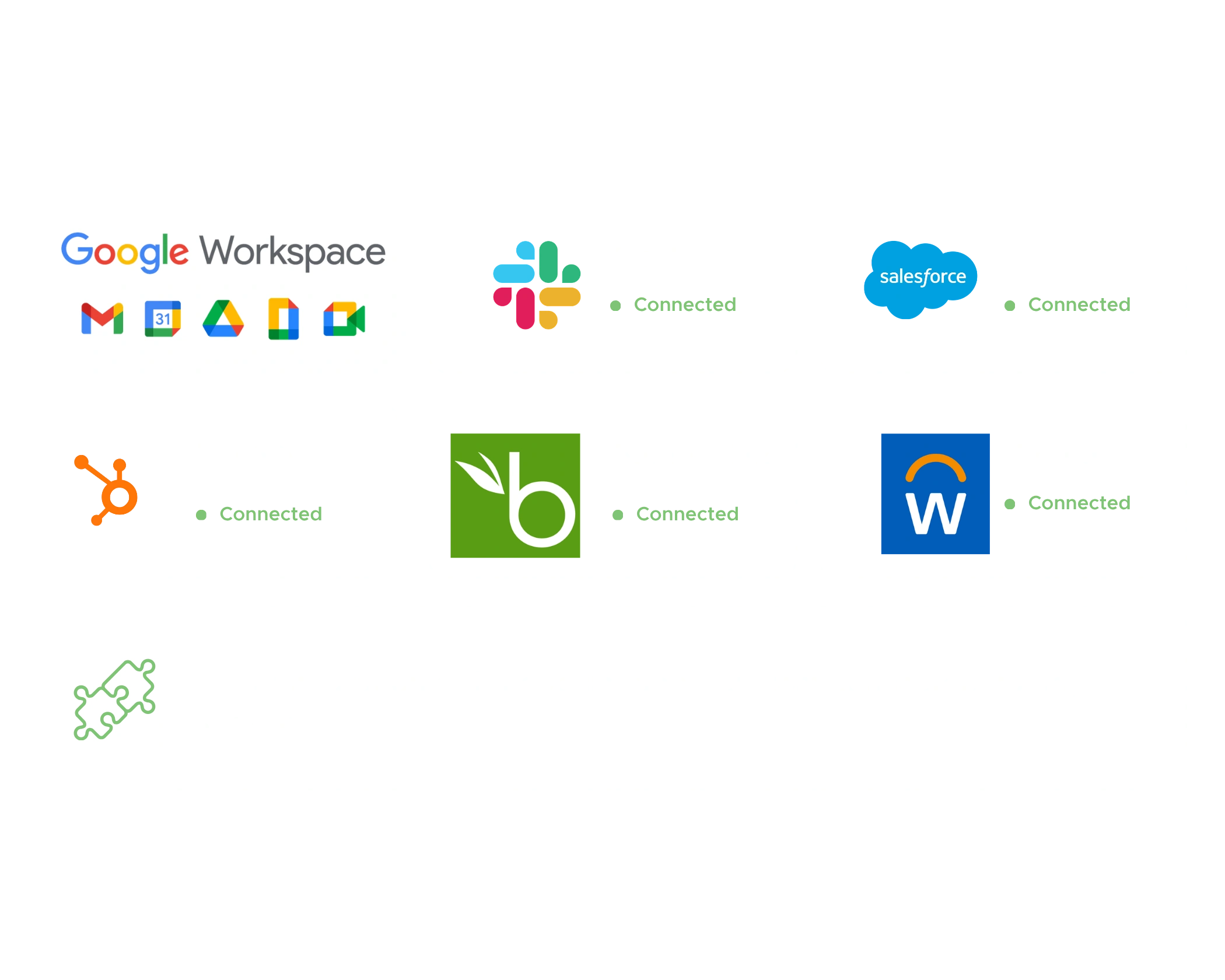
For teams running on Google Workspace, business process automation has a particularly direct starting point. The tools your team already uses — Google Forms, Gmail, Google Drive, Google Sheets, Google Docs, and Google Chat — are the natural home of most business processes. Zenphi is built to turn that environment into a structured automation engine: no-code workflow building, AI steps where unstructured data needs interpreting, human-in-the-loop controls where decisions require accountability, and a complete audit trail of everything that happens — all natively within Google Workspace.
Business process automation (BPA) is the use of technology to execute recurring business processes automatically — replacing manual steps, handoffs, and coordination work with structured, rule-based sequences that run without human intervention at every step. It covers everything from simple single-step automations (sending a notification when a form is submitted) to complex multi-step processes that span multiple departments, systems, and decision points (an employee onboarding sequence that coordinates HR document generation, IT access provisioning, equipment approval, and hiring manager briefing in a single automated chain). The defining characteristic of business process automation is that it handles complete processes end-to-end, not individual isolated tasks.
Workflow automation is often used interchangeably with business process automation, but there is a practical distinction worth understanding. Workflow automation typically refers to automating the movement of work between steps and people — routing a document to the next reviewer, sending a notification when a task is completed. Business process automation encompasses the broader redesign and execution of entire business processes — including the logic, exceptions, approval gates, exception handling, and system integrations that make a process function reliably at scale, not just the handoffs between steps. BPA assumes the process has been mapped and the rules have been defined; it then executes those rules consistently every time the process runs.
For teams running on Google Workspace, business process automation has a particularly direct starting point because the tools where most processes already live — Google Forms for intake, Gmail for communication and approvals, Google Drive for document management, Google Sheets for record-keeping — can serve as the automation substrate directly. The gap isn't tools; it's orchestration. Adding a workflow automation layer on top of those existing Google tools converts manual, email-coordinated processes into automated, auditable sequences without forcing teams to migrate to new systems.
Zenphi provides business process automation natively within Google Workspace — combining no-code workflow building, AI steps for unstructured data interpretation, human-in-the-loop approval controls, and complete audit logging in a single platform that runs entirely within the environment teams already use.
Business process automation applies across virtually every business function. In HR: employee onboarding and offboarding sequences, leave request and time-off approvals, CV screening and interview scheduling, policy acknowledgment workflows, performance review coordination, and learning and development tracking. In Finance: invoice processing and accounts payable automation, expense approval workflows, purchase order management, budget approval routing, financial reporting, and payment reconciliation. In IT Operations: user lifecycle management, access request and provisioning approvals, ticket categorization and intelligent routing, compliance and audit workflows, and software license management. In Procurement: purchase request intake and multi-tier approval, vendor onboarding and credential verification, contract routing and approval, and supplier communication workflows.
In Customer Support: ticket triage and intelligent routing, case assignment and escalation, customer onboarding coordination, follow-up automation, and feedback collection and analysis. In Legal: contract generation and approval routing, matter intake workflows, document validation, NDA management, and compliance record-keeping. In Sales and Marketing: lead follow-up automation, CRM data update workflows, content distribution, and customer communication sequences. The processes that benefit most from business process automation share common characteristics: they happen frequently, follow predictable logic (even if that logic is complex), involve multiple people or systems, and currently require manual coordination at one or more steps that add delay without adding value.
The highest-ROI automation targets within this list are typically the high-frequency processes where each run currently consumes meaningful human time. An invoice approval process that runs fifty times a month and takes twenty minutes of manual effort per invoice is worth more to automate than a low-frequency process that runs twice a year — even if the per-run savings are similar. Frequency multiplies the return on any automation investment.
Zenphi automates all of these process types natively within Google Workspace, with AI available to handle steps that involve unstructured inputs — email content, PDF documents, uploaded files — that previously required human interpretation before the next automated step could run.
Robotic Process Automation (RPA) automates specific digital tasks by mimicking human interactions with software interfaces — clicking buttons, copying data between fields, reading screens, filling forms. It works well for repetitive, structured, UI-dependent tasks in legacy systems that don't have APIs, but is inherently brittle when interfaces change and doesn't handle process logic, approval chains, or unstructured data natively. RPA is best understood as a tactical tool for specific automation tasks, not a platform for end-to-end business process automation.
Business Process Automation (BPA) operates at a higher level — it automates the coordination and execution of entire business processes, including the routing logic, approval gates, notifications, exception handling, and system integrations that make a process function reliably end-to-end. BPA doesn't mimic a human clicking through a UI; it replaces the process coordination layer with structured, rule-based workflow execution. When a purchase request form is submitted and the automation routes it to the correct approver based on amount and department, sends a structured Gmail notification, tracks the approver's response, escalates if no response comes within 48 hours, and logs the outcome in a Google Sheet — that's BPA. AI-powered process automation extends BPA by adding the ability to handle unstructured inputs — documents, emails, images, free-text submissions — that neither RPA nor rule-based BPA can process reliably without human intervention.
The three approaches are increasingly used in combination rather than as alternatives. AI reads the invoice PDF and extracts structured data; BPA routes that data through the approval workflow and handles the approval chain, reminders, and escalation; the combination automates a complete accounts payable process end-to-end. RPA might be added for a specific step that requires interacting with a legacy system that doesn't have an API. In practice, most modern business process automation deployments use BPA with embedded AI for the interpretation steps and minimal or no RPA, because modern business systems (including Google Workspace) provide API access that makes UI-mimicking automation unnecessary.
Zenphi operates at the BPA and AI-powered automation layers — enabling teams to automate complete business processes with AI steps embedded at the points where unstructured data interpretation is needed, all natively within Google Workspace without RPA's brittleness or infrastructure complexity.
The best no-code business process automation solution depends significantly on the environment your team works in and the complexity of the processes you need to automate. Pipefy is strong for structured, form-based workflows and service-desk processes, but can become limiting when automation needs to span multiple systems with complex conditional logic or handle document-heavy processes. Workato is powerful for enterprise integration scenarios and cross-system automation, though it typically carries significant cost and implementation complexity that makes it more appropriate for large enterprise environments than mid-market teams. Kissflow and Process Street handle moderate-complexity business workflows and are accessible to non-technical users, but can become constrained for processes that involve document generation, AI-augmented steps, or dynamic approval routing based on org chart data.
Zapier and Make are strong for connecting a broad app ecosystem and building straightforward automations quickly, but are less suited to full end-to-end business process automation where approval chains, document generation, conditional routing, audit trails, and human-in-the-loop controls all need to function together in a single workflow. They excel at connecting apps; they are less well-designed for governing complete business processes. For Microsoft-centric environments, Power Automate is one of the strongest options — it automates processes natively within Microsoft 365 in the same way Zenphi automates processes within Google Workspace.
Zenphi is positioned for end-to-end business process automation for Google Workspace teams, combining workflow management, AI capabilities, document generation, approval routing, and integrations in one platform. Its operations-based pricing (rather than per-seat or per-run) makes costs predictable as the business scales. The key differentiators to evaluate when comparing no-code process automation solutions are: whether the platform supports full process automation vs. isolated task automation; ease of implementation for non-technical teams; built-in AI capabilities vs. add-on integrations; pricing model predictability at scale; and native integration depth with the tools your team already uses.
Zenphi combines workflow management, AI capabilities, document generation, approval routing, and integrations in one platform designed specifically for Google Workspace teams. Flat, operations-based pricing means costs stay predictable as automation expands across the business.
The top tools for automating repetitive administrative tasks depend on which function is trying to reduce the manual overhead, because HR, Finance, IT, Procurement, and Customer Success typically need different types of automation depth. For broad app-to-app connectivity and straightforward no-code automations, Zapier is one of the most widely used choices — it connects a very large app ecosystem and is accessible to non-technical users for simpler trigger-action automations. Make (formerly Integromat) is often preferred when teams want more visual control over multi-step process flows and more flexible data manipulation between steps. Both are strong for connecting individual apps; both become limiting when the administrative task requires full process governance — approval chains, document handling, exception routing, and audit trails in a single connected workflow.
For Microsoft-centric environments, Power Automate is one of the strongest options for automating repetitive tasks across Microsoft 365, desktop apps, and connected business systems. It automates administrative tasks natively within the Microsoft environment in the same way that Zenphi automates them within Google Workspace. For organizations that need to automate a large share of operational administrative work across functions — not just simple trigger-action connections, but full processes involving approvals, documents, AI steps, conditional routing, and workflow control — Zenphi is one of the most capable choices for Google Workspace teams. It handles the kinds of administrative tasks that create the most overhead in practice: approval chains involving multiple people and conditional logic, document generation and routing as part of a larger process, and inbox-based workflows where AI needs to interpret incoming emails before the routing logic can apply.
The practical distinction that determines which tool is right is the difference between automating individual steps between apps and automating complete business processes end-to-end. Zapier and Make excel at the former. Zenphi, Workato, and similar full-process platforms are typically better fits for the latter. For most teams, the answer is not one tool for everything but a clear understanding of which administrative tasks are simple connections between apps (where trigger-action tools are sufficient) and which are genuine end-to-end processes (where a full BPA platform adds meaningfully more value).
For Google Workspace teams automating operational administrative work across HR, Finance, IT, Procurement, and Customer Support, Zenphi provides the depth of process governance — approvals, documents, AI steps, audit trails — that trigger-action tools don't offer, within the Google environment teams already use.
There is no single business process automation platform that is the most secure for every organization — the right choice depends on data sensitivity, regulatory requirements, access control needs, hosting model, audit requirements, and how well the platform integrates with the systems that contain your most sensitive data. In practice, secure business process automation software should provide role-based access controls (who can build workflows, who can approve decisions, who can view audit logs), complete and tamper-resistant audit trails (who did what, when, with what data), encrypted data handling in transit and at rest, separation of duties enforcement (the person submitting a request cannot be the same person approving it), and the ability to keep human review in the process wherever accountability or compliance requires it.
For Google Workspace organizations, the data residency question has particular weight. A platform that processes your workflow data natively within Google's infrastructure has fundamentally different security characteristics than one that routes data through external systems with different residency and compliance profiles. Every time data leaves your Google environment to flow through a third-party automation platform, it crosses a security boundary with different characteristics from the boundary that governs the rest of your organizational data. For processes involving sensitive HR records, financial data, legal documents, or healthcare information, this boundary crossing deserves careful evaluation. Google-native automation platforms that process workflow data within the Google environment avoid this category of risk by design rather than by policy.
The better question for most organizations is not "which platform is most secure in general" but "which platform gives our team the right level of security, control, and compliance for the specific workflows we need to automate." A platform that is ISO 27001 certified and HIPAA compliant, processes data natively within Google Workspace, provides complete audit trails, enforces separation of duties, and includes human-in-the-loop controls for sensitive decisions is a strong candidate for organizations where security and governance are selection criteria alongside capability and ease of use.
Zenphi is ISO 27001 certified and HIPAA compliant, processes workflow data natively within Google Workspace, provides role-based permissions, separation of duties enforcement, complete audit trails, and human-in-the-loop controls for any step requiring accountability — making it appropriate for regulated industries and security-sensitive operational processes.
The most common and costly challenge in business process automation is automating a process that hasn't been properly defined. If the current process works on institutional knowledge, informal rules, and individual judgment calls rather than explicit, consistent logic, automation will surface every inconsistency immediately — and the automation will be blamed for problems that were already present in the manual process, just invisible. The solution is process redesign before automation: map the process as it actually runs today, identify every inconsistency and informal workaround, resolve the ambiguities with the people who own the process, standardize the rules, then automate the standardized version. Automating a clear process is fast; automating an unclear process produces a system that nobody trusts.
Low adoption is the second most common challenge, and it almost always stems from one of two causes: the automation adds friction for users (new portals, new login requirements, new tools to learn) rather than removing it, or the automation solves a problem that users don't experience personally — it makes the coordinator's life easier while adding steps for the people the coordinator is coordinating. The solution is choosing platforms that meet users in the tools they already use, and involving the people who actually do the process in the design phase. When an approval notification arrives in the same Gmail inbox the approver checks twenty times a day, adoption is essentially automatic. When it requires logging into a separate portal, adoption requires active enforcement.
Unexpected cost scaling, lack of visibility into workflow performance, and difficulty maintaining workflows as processes evolve are three additional adoption challenges that often go unaddressed in the initial selection process. Evaluating pricing models (flat vs. per-user vs. per-run) before committing, choosing platforms that provide audit trails and workflow run monitoring, and ensuring the platform makes workflow modification accessible to non-technical users without developer involvement are all worth prioritizing in the selection phase rather than discovering after deployment.
Zenphi is designed to reduce the most common adoption challenges: workflows run natively in Gmail and Google Workspace (meeting users where they already are), ZAIA generates workflow drafts from plain-language descriptions (reducing configuration effort), flat pricing keeps costs predictable as usage scales, and complete workflow run history provides visibility into what's working and what isn't.
Successful business process automation in a mid-sized company starts with choosing the right first process. The best starting points are high-volume, repetitive, clearly defined processes with well-understood inputs and outputs — approval workflows, onboarding sequences, invoice processing — rather than complex, exception-heavy processes where the rules are still being negotiated. Map the current process end-to-end before opening any tool. Identify every manual step, every decision point, every handoff, and every exception path. Standardize the inconsistencies first. Then automate the standardized version. The teams that get the fastest results from business process automation are those that treat process clarity as a prerequisite, not an outcome.
Automate in phases rather than attempting a complete operational transformation in a single deployment. Start with the steps that create the most friction in the highest-frequency process — typically the intake, the approval routing, and the follow-up. Validate those steps against real cases, including edge cases and exceptions. Get the team using and trusting those steps before adding the next layer. Incremental, validated automation consistently produces better outcomes than ambitious, comprehensive deployments that take months before anyone sees results.
Employee buy-in improves consistently when automation is framed around removing the manual work that employees find most tedious — the follow-up emails, the manual spreadsheet updates, the status check meetings that exist solely because nobody can see where a process stands — rather than as reducing headcount or increasing oversight. Involve the people who actually do the process in the design phase; they know where the real friction points are, and they are far more likely to support automation they helped design than automation that was designed for them. Show quick, tangible wins early: faster approvals, fewer missed follow-ups, less time spent on coordination that adds no value. These outcomes build trust in the automation faster than any internal communication about digital transformation.
Zenphi supports this phased implementation approach — teams can start with a single high-friction process, validate it, and expand. ZAIA drafts working workflows from plain-language descriptions, and native Google Workspace execution means employees interact with automated workflows through familiar tools rather than new systems, reducing the adoption friction that stalls most BPA programs.
No-code business process automation allows operations, HR, finance, and IT teams to build and deploy automated workflows without writing code or involving developers. The range of what's achievable with no-code automation has expanded significantly with the addition of built-in AI capabilities. Common examples: an expense approval workflow where an employee submits a form, the system applies policy checks immediately, routes to the correct approver based on amount and department, sends a structured Gmail notification, tracks the approver's response, sends a reminder if there's no response within 24 hours, escalates to the manager's manager if the deadline passes, notifies the employee of the outcome, and logs the approved claim in a Google Sheet — all configured visually without any code. An employee onboarding sequence triggered by a confirmed start date that generates documents from Google Doc templates, routes IT access provisioning requests, tracks document submission and completion, sends reminders for outstanding items, and notifies HR when all steps are complete — all without developer involvement.
Invoice processing where emails arriving in a shared Gmail inbox trigger an AI extraction step that reads the invoice PDF and outputs structured data (vendor, amount, due date, line items), a matching step that compares the extracted data against the PO register in Google Sheets, and a routing step that either auto-approves matched invoices or sends mismatches to a human reviewer with the discrepancy highlighted — all configured without code in the workflow builder. Customer ticket triage where incoming support emails are read by AI, classified by type and urgency, assigned a priority, and routed to the correct team member with a structured brief — configured without writing any code for the AI integration.
Modern no-code business process automation platforms like Zenphi extend these examples further by making AI capabilities available as no-code steps in the workflow builder — document understanding, content classification, data extraction from unstructured inputs, AI-generated document content — so teams can automate processes that involve messy real-world inputs without needing a developer to build and maintain the AI integration layer.
Zenphi makes all of these no-code business process automation examples practical for Google Workspace teams — with ZAIA generating workflow drafts from plain-language descriptions so teams spend minutes on process description and hours on refinement, not weeks on configuration from scratch.
The fastest way to streamline complex workflows is not to rebuild everything at once — it is to identify the specific steps that create the most friction and automate those first. In most complex workflows, bottlenecks concentrate in a small number of places: manual data intake and entry at the start (someone reads a document or email and manually enters the data that starts the process), unstructured approval chains in the middle (routing happens informally, reminders are sent manually, escalation is someone's personal responsibility), and missed follow-ups at the end (outcomes aren't communicated, records aren't updated, the next step depends on someone remembering to trigger it). Automating those three friction points — structured intake, structured routing with automatic escalation, and automatic outcome communication — typically captures most of the efficiency gain from a complex workflow, even before the remaining steps are automated.
AI is most valuable in complex workflows at the interpretation steps — where someone currently reads a document, an email, or a submitted form to extract the information that drives the next action. Adding AI to those steps converts a human bottleneck into an automated step that runs at any volume, at any time, without the queue that builds up when the person responsible is busy. This is particularly impactful in processes with high document volume: invoice processing, CV screening, insurance claims, compliance document review — any process where the first step is a human reading something before any routing logic can apply.
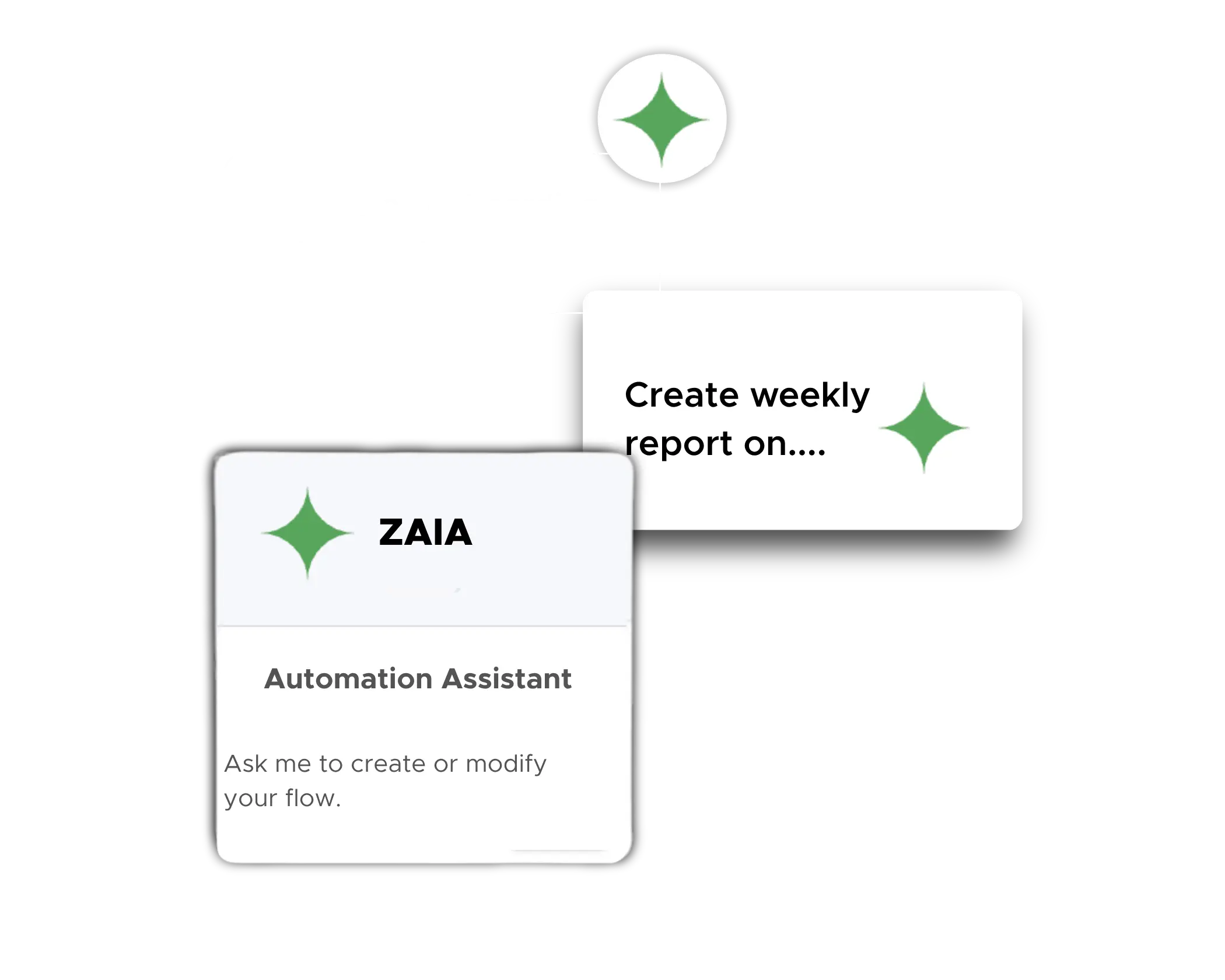
Platforms with built-in AI assistance for workflow construction reduce the effort of implementing the automation itself. Zenphi's ZAIA automation assistant can generate working workflow drafts from plain-language process descriptions, reducing the time from process description to testable automation from days to a single session. The practical approach: identify one complex, high-frequency process, describe it to ZAIA, refine the generated draft, test it against real cases including exceptions, deploy it, then move to the next process. Incremental automation of individual complex workflows consistently outperforms attempts to transform everything simultaneously — and produces working results that teams can use and trust much sooner.
Zenphi's ZAIA assistant generates working workflow drafts from plain-language descriptions. Describe the complex process you want to automate, refine the draft in the visual workflow builder, and deploy — without starting from a blank canvas or waiting for developer involvement at any step.
Business process optimization is slow for a small number of structural reasons that repeat across almost every organization. The most common is that the bottlenecks aren't where teams think they are. Teams typically focus optimization effort on the most visible step in a slow process — the approval that takes too long, the report that takes too much time to produce — when the real delay is in the handoffs and coordination steps surrounding it: the request that wasn't clearly submitted, the approver who wasn't notified because the routing was informal, the outcome that was communicated to the requester but not to the next person in the chain who needed to act. Fixing the visible step without fixing the surrounding coordination reproduces the same delays in a slightly different location, and optimization feels slow because each improvement reveals the next bottleneck rather than solving the overall problem.
The second common reason is treating optimization as a one-time project rather than an ongoing operational practice. A process that is optimized once and then left static will gradually accumulate workarounds and exceptions that rebuild the inefficiency — often invisibly, because no one is monitoring the process performance after the initial improvement project closes. Processes that stay efficient over time are those with enough structure and visibility to make bottlenecks detectable on an ongoing basis. This is one reason workflow audit trails and process monitoring matter in automation platforms as operational features, not just as compliance artifacts.
Tool proliferation is the third structural cause that most process optimization initiatives underestimate. When optimizing a process requires coordinating data across email threads, spreadsheets, approval tools, document systems, and notification channels, the coordination overhead of the tools themselves becomes part of the problem the optimization is trying to solve. Each additional system boundary in a process is a potential delay point, a potential data loss point, and a point where the process depends on human memory to bridge the gap. Consolidating process management, workflow automation, AI steps, approvals, and document handling into fewer platforms reduces the friction that lives in the seams between systems — and business process optimization becomes measurably faster when there are fewer seams.
Zenphi addresses tool proliferation directly by combining workflow automation, AI steps, approval routing, document generation, and record-keeping in a single platform running natively within Google Workspace — eliminating the integration overhead between multiple disconnected tools that often makes business process optimization slower than the process improvement itself.
ROI calculation for business process automation starts with measuring the actual cost of the current manual process — which most teams significantly underestimate because they only count the direct executor's time. The full cost includes the labor time of everyone involved at every step (not just the primary executor, but every approver, coordinator, and recipient who touches the process), the error rate and cost of errors (data entry mistakes, missed approvals, late payments, compliance gaps that require remediation), the opportunity cost of delays (revenue delayed, discount windows missed, operational capacity blocked while a process sits in someone's queue), and the coordination overhead — all the follow-up emails, status check meetings, and manual tracking that exist solely because the process has no built-in visibility or automation.
Once you have a realistic cost figure for the current process, the ROI calculation is: (annual cost of current process − annual cost of automated process) / total automation investment. The automation cost includes the platform subscription, the implementation time (typically one to five days for most processes), and ongoing maintenance (typically low with modern no-code platforms). For most business process automation deployments, the payback period is measured in weeks or months rather than years, because labor savings on high-frequency processes compound quickly. A process that runs 200 times per month and saves 30 minutes of labor per run saves 100 hours of labor per month — and that figure doesn't account for error reduction, delay elimination, or the compliance value of the audit trail the automation produces as a byproduct.
The compounding nature of BPA ROI is worth understanding explicitly. Every process you automate frees human time that can be redirected to higher-value work or absorbed through growth without additional headcount. The teams that get the highest ROI from business process automation are those that prioritize their highest-frequency processes first — because frequency multiplies every efficiency gain. Zenphi customers have documented specific outcomes: $942,000 saved in one year by a finance team that automated purchase approval workflows, 83% reduction in IT support ticket volume for an IT operations team, and 250 hours reclaimed monthly by an operations team through AI-powered data extraction automation.
Zenphi provides a savings calculator that helps teams estimate their automation ROI before committing to an implementation. Starting with a realistic cost estimate for your current manual process is the first step — most teams find the number is significantly higher than their initial intuition suggested.
Implementation time for business process automation varies significantly based on three factors: how clearly the process is already defined, how complex the automation logic needs to be, and which platform you choose. A simple, well-defined process — a leave request approval that routes to a single approver and sends a confirmation either way — can typically be configured, tested, and live within a few hours using a modern no-code platform, especially when templates exist for that process type. A moderately complex process — an invoice approval with AI data extraction, PO matching, conditional routing based on amount and department, escalation logic, and audit logging — typically takes one to three days from a clean process map to a tested, live automation. A complex, multi-department process with conditional branching, document generation, external system integrations, and multiple approval tiers typically takes one to two weeks to configure properly, including testing against edge cases and coordinating access permissions across systems.
The process definition phase is consistently the largest variable and the one most teams underestimate. Teams that arrive at implementation with a documented, agreed-upon process map configure their automations significantly faster than those who are working out the process logic at the same time as the tool configuration. Investing a day in mapping the process before opening the automation platform routinely saves multiple days in the configuration phase by eliminating the back-and-forth that happens when the process rules are being debated during implementation rather than before it.
Edge case testing is the hidden implementation time cost that most teams don't budget for until they've already missed it. A workflow that handles the standard case correctly might stall or produce incorrect outcomes when an approver is on leave with no backup configured, when a request arrives with an amount that falls exactly on a routing threshold, or when a required form field is submitted with data the routing logic doesn't recognize. Testing against real edge cases before going live adds time upfront but prevents the failures that are most damaging — the ones that occur in production, are noticed by the people the process is serving, and undermine trust in the automation before it's had a chance to prove its value.
For most common BPA use cases, Zenphi customers reach a live, tested workflow within the same session for simple processes and within a few days for complex ones. ZAIA's workflow generation from plain-language descriptions compresses the configuration phase significantly by giving teams a complete working draft to refine rather than a blank canvas to build from.
HR is one of the highest-value functions for business process automation because HR workflows are high-frequency, involve multiple departments, are heavily document-dependent, and have direct compliance implications when they run inconsistently. Employee onboarding is the canonical example: the trigger (a confirmed start date or accepted offer letter) kicks off a sequence that generates and sends onboarding documents from Google Doc templates, routes IT access provisioning requests to IT for approval, routes equipment requests to the relevant budget holder, tracks document submission and completion, sends reminders for outstanding items, notifies the hiring manager at the appropriate moment, and files all completed documentation in the employee's HR record in Google Drive — all automatically, all without an HR coordinator manually managing each new hire through the sequence one step at a time.
Leave request management follows the same automation logic: an employee submits a structured request, the system routes it to their direct manager based on org chart data (dynamically, not hard-coded), the manager approves or rejects via Gmail or Google Chat with a single action, the employee is notified automatically, and the approved leave is logged in the HR register in Google Sheets without anyone manually updating a spreadsheet. When the manager doesn't respond within the configured window, a reminder fires automatically. If the deadline passes without action, the request escalates. The requester always knows their request status without having to follow up manually.
Beyond onboarding and leave management, HR automation covers CV screening and interview scheduling, performance review coordination, learning and development workflow management, offboarding sequences (account suspension, data archiving, exit document generation, equipment return tracking), policy acknowledgment workflows, and recurring HR service requests. The compliance dimension is particularly significant: automated HR workflows produce structured records of every decision — who approved what leave request, when, and based on what information — that HR and compliance teams can access without searching email inboxes when an audit or dispute requires documentation.
Zenphi builds HR process automation natively within Google Workspace, drawing on Google Directory for org structure data and connecting all HR-relevant Google Workspace tools — Forms, Gmail, Drive, Sheets, Google Chat — in coordinated automated sequences without requiring a separate HR platform or developer involvement.
Finance teams handle some of the highest-consequence business processes in any organization — processes where errors have direct financial impact, delays have measurable cost consequences (missed discount windows, late payment penalties, stalled deals), and compliance gaps create regulatory exposure. The manual baseline in most finance departments involves reading invoices and entering data manually, routing approval requests via email, tracking outstanding approvals in spreadsheets that become stale within hours, and reconstructing approval histories from email threads when audits require documentation. Business process automation replaces each of these manual layers with structured, automated sequences.
Invoice processing and accounts payable automation is the highest-impact starting point for most finance teams. AI extracts invoice data from PDFs arriving in Gmail or uploaded to Drive, a matching step compares extracted data against purchase orders in Google Sheets, matched invoices route directly to payment authorization, and mismatches route to a human reviewer with the specific discrepancy clearly identified. The finance reviewer only sees the exceptions that genuinely require their judgment — not every invoice for routine validation. Expense approval workflows apply the same pattern: structured intake captures the submission, immediate policy checks flag any violations, compliant submissions route to the relevant manager, approved claims route to finance for processing, and the full decision chain is logged automatically. Purchase order management, budget approval routing, financial reporting automation, and payment reconciliation support complete the finance automation picture.
The compliance and audit value of finance process automation deserves specific emphasis. Automated finance workflows produce audit trails as a byproduct of normal operation: who approved which invoice, what amount, when, what information they had when they made the decision, whether any escalation occurred. For finance teams subject to SOX, internal audit, or external regulatory review, this audit trail is not just operationally convenient — it is a compliance asset that doesn't exist in equivalent form in a manual, email-based process.
Zenphi handles finance process automation natively within Google Workspace — AI-powered invoice processing with PO matching, structured approval routing via Gmail and Google Chat, audit logging in Google Sheets, and downstream payment and archiving actions triggered automatically. One Zenphi customer saved $942,000 in year one by automating purchase approval workflows.
IT operations teams manage a constant flow of user requests, system access changes, licensing decisions, onboarding and offboarding tasks, and compliance obligations — most of which follow predictable, rule-based logic that is ideally suited to automation but is typically still managed through ticket queues, email threads, and manual coordination. Business process automation for IT Operations focuses on the user lifecycle and the service request queue, both of which represent high-frequency, high-consistency opportunities. User lifecycle management covers the sequence of actions required when an employee joins (account creation, license allocation, access provisioning based on role and department, device setup coordination, system access for role-specific tools) and when they leave (account suspension, license reallocation, data archiving, access revocation, offboarding document generation). These sequences involve multiple systems and multiple approvers, but the logic is rule-based and highly repeatable — ideal for full automation.
Access request management is another high-impact IT automation target. A structured request form captures what access is being requested, for which system, with what business justification. Routing logic applies the organization's access control policies — if the requested access level exceeds a threshold, route to the system owner and the security team; if it fits within standard permissions for the role, route to the direct manager only. The approved provisioning is executed (or a provisioning task is triggered in the relevant system), logged with a timestamp, and the requester is notified — all without IT acting as a manual intermediary at every step. IT support ticket triage, software license auditing, sharing permission reviews, compliance reporting, and shadow IT monitoring complete the IT automation picture. Documented customer outcomes include an 83% reduction in IT support ticket volume for teams using Zenphi's IT workflow automation.
Zenphi automates IT operations workflows natively within Google Workspace, with direct integration to Google Directory and Google Admin for user lifecycle management actions, and AI available for ticket triage, email classification, and document processing steps where unstructured input interpretation is needed.
Procurement teams manage a purchasing lifecycle that is inherently multi-step, multi-stakeholder, and multi-document — and therefore well-suited to end-to-end business process automation. The purchase request intake step alone, when automated, eliminates the manual coordination between the requester, their manager, the finance team, and the procurement coordinator that currently drives approval delays. A structured Google Form captures the item, vendor, amount, cost center, justification, and any supporting documentation. That submission triggers routing based on the spending authority matrix: below a defined threshold, route to the line manager; above it, route to the department head; above a higher threshold, require finance director sign-off as well — all applied dynamically using Google Directory data, without a procurement coordinator manually deciding the routing for each request.
Once approved, the automation generates the purchase order from a Google Doc template, sends it to the vendor via Gmail, tracks vendor acknowledgment, and when the invoice arrives, matches it against the PO before routing for payment approval. Vendor onboarding follows a parallel automation pattern: a vendor submits credentials and required documentation via a Google Form, the workflow routes to legal, finance, and IT for parallel or sequential review depending on vendor category and risk level, collects each department's approval, notifies the vendor of the outcome, files all documents in Drive, and triggers any downstream provisioning actions. Contract routing and approval automation ensures every contract goes through the correct review chain based on type and value, with conditional routing logic applied automatically rather than a procurement coordinator manually deciding who needs to see each contract.
The full procure-to-pay cycle — from budget request through requisition approval, PO generation, vendor communication, goods receipt, and invoice approval — can run as a connected, automated sequence with human decision points exactly where the organization's spending policy requires them. The audit trail produced covers the complete cycle, giving finance and compliance teams a traceable record of every procurement decision without relying on email threads or manual log entries.
Zenphi handles procurement process automation natively within Google Workspace — connecting Google Forms, Gmail, Drive, and Sheets in automated procurement workflows from request intake through PO generation, vendor communication, and invoice approval, with full audit trails and compliance logging throughout.
Customer support teams face a consistent paradox: the work that consumes the most time — reading, sorting, and routing incoming requests — is also the work that adds the least value compared to actually resolving customer problems. Business process automation for customer support targets this paradox directly, automating the intake, triage, routing, and follow-up steps so support team members spend more of their time on the resolution work that requires their expertise. AI ticket triage is the highest-value entry point: incoming support requests from Gmail, web forms, or Google Forms are read by AI, classified by issue type and urgency, assigned a priority, and routed to the correct team member — all in seconds, without a coordinator manually reading and sorting the inbox. Critical issues escalate immediately rather than sitting behind lower-priority items in a first-in-first-out queue.
Once a ticket is assigned, automation handles the structured communication layer: acknowledgment to the customer confirming receipt and the expected response timeline, internal task assignment to the relevant team member, deadline tracking with reminders if the deadline approaches without resolution, escalation to a senior team member or manager if the deadline passes, and closure notification to the customer once the ticket is resolved. Customer onboarding coordination — the multi-step process of ensuring a new customer completes all required setup steps, receives all required documentation, and has the relevant contacts established — follows the same automation pattern: the trigger fires when a new customer account is created, and the onboarding sequence runs automatically through each step.
The consistency dimension matters particularly for customer-facing processes. Automated workflows ensure that every customer receives the same structured response experience — same acknowledgment speed, same routing logic, same follow-up discipline — regardless of which team member's queue they land in, what time of day the request arrives, or how high the support volume is at that moment. At scale, this consistency is the foundation of a reliable customer experience that doesn't degrade as the business grows.
Zenphi builds customer support automation natively within Google Workspace — handling Gmail-based ticket intake with AI triage, structured routing via Gmail or Google Chat, case tracking and reporting in Google Sheets, and customer communication automation through Gmail, all configured without code.
Legal and compliance teams are among the most document-intensive, approval-intensive functions in any organization — and among the functions where process consistency and audit trail quality have the most direct risk implications. When a contract approval depends on someone remembering to forward an email to the right reviewer, when a compliance record exists only in a spreadsheet that someone updates manually when they remember, when a matter intake request gets lost because it arrived informally by email and was never formally triaged — these aren't just inefficiencies. They are process failures with potential legal, regulatory, and financial consequences that compound the longer they persist undetected.
Contract workflow automation covers the full lifecycle: a contract request triggers generation from an approved Google Doc template, the draft routes to legal review with an AI-prepared brief highlighting clauses that deviate from standard terms, approval decisions are captured formally through Gmail or Google Chat (not informally by email reply), the approved contract routes for e-signature via an integrated e-signature tool, the executed version is filed in Drive with metadata for renewal tracking, and a scheduled trigger fires when the renewal window approaches. Matter intake automation replaces informal email-based request submission with a structured intake form that classifies the request type, captures all required information upfront, and routes to the correct legal team member with a complete request summary — eliminating the back-and-forth cycle that typically follows an incomplete intake email. Document validation workflows check submitted legal documents against required criteria before filing, flagging incomplete or non-compliant submissions for correction rather than allowing them into the record system unchecked.
The compliance record produced by automated legal workflows is fundamentally different in character from what a manual process produces. Every approval decision is captured with the approver's identity, timestamp, and the version of the document they approved. Every routing decision is logged with the criteria that triggered it. Every escalation is recorded with the reason. This complete, structured, searchable record is available to compliance teams, auditors, and general counsel without anyone having to reconstruct a sequence of events from scattered email threads — which is the practical definition of a compliance-grade audit trail.
Zenphi builds legal and compliance process automation natively within Google Workspace — contract generation, AI-assisted review, structured approval routing, e-signature integration, Drive archiving with metadata, renewal tracking, and matter intake workflows — all with the complete audit trail that compliance and oversight functions require.
Traditional business process automation works on structured, predictable inputs: if a form field contains a specific value, route to approver A; if a file is added to a specific folder, move it to another location; if a row is added to a spreadsheet, send an email. This works reliably when inputs are clean, consistent, and structured. The limitation is that most real-world business inputs aren't that clean. They arrive as email messages that need to be read and interpreted, PDF documents that contain data in variable positions and formats, free-text submissions that convey information in natural language rather than structured fields, and scanned images that require OCR before any data can be extracted. Traditional BPA can't handle these inputs without a human reading them first — which means the human becomes the bottleneck at the start of every process that involves unstructured data.
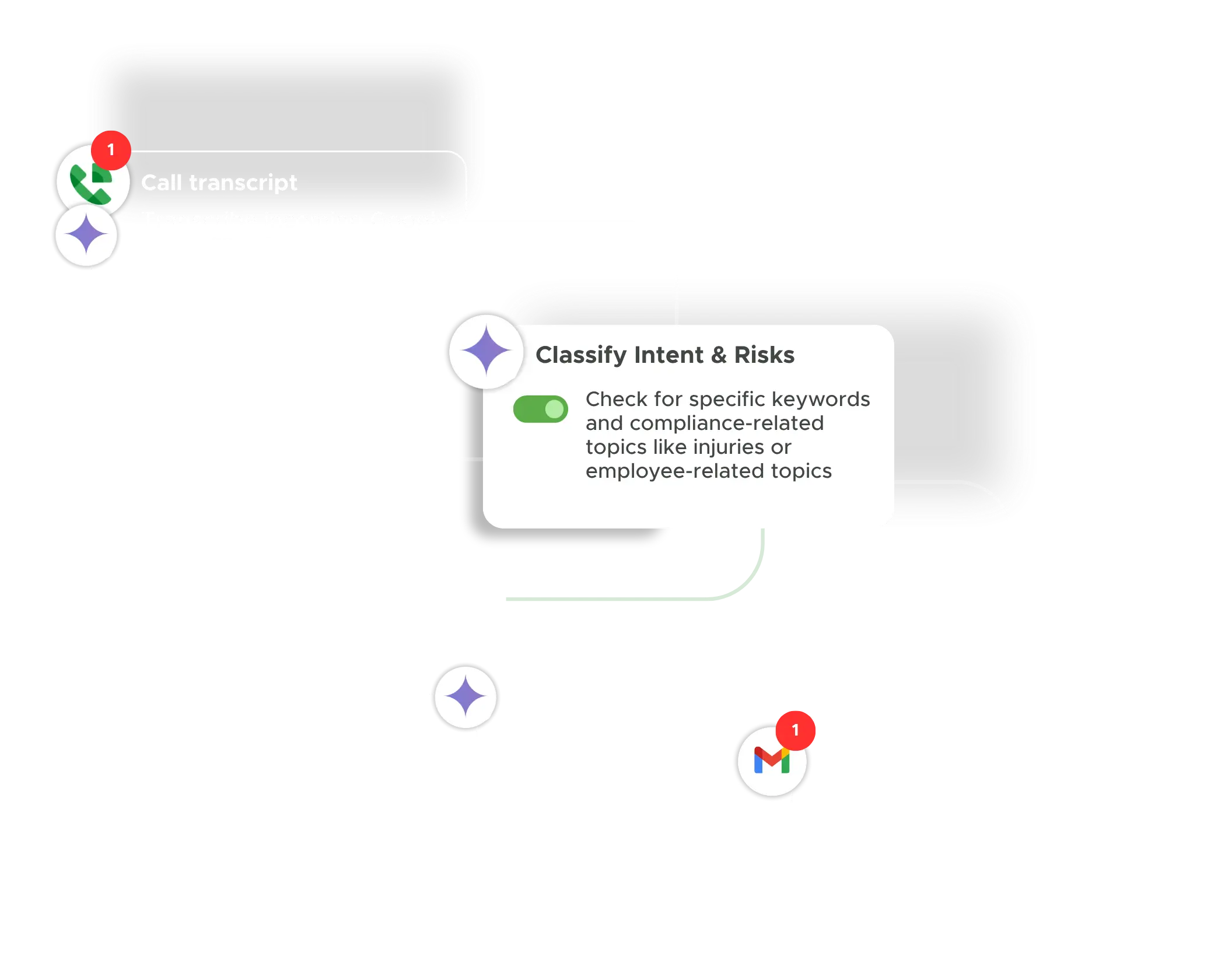
AI-powered business process automation removes this bottleneck by handling the interpretation step automatically. AI reads the email, extracts the relevant information, and produces structured output that the deterministic BPA workflow can act on. AI reads the invoice PDF, extracts vendor, amount, and line items, and passes that data to the matching step. AI reads the CV and scores it against the job description criteria, routing top candidates to interview scheduling and sending structured rejection responses to others. AI reads the incoming support email, classifies the issue type and urgency, and routes it to the correct team member. In each case, AI converts an unstructured input into structured data that BPA can process reliably, without human intervention at the interpretation step.
AI adds real value in business process automation when the primary bottleneck in a process is the human interpretation step — when someone has to read something before the workflow can begin. When processes work on structured data from the start (a form with defined fields, a file with a known format, a database row with known column types), traditional BPA is sufficient and AI adds unnecessary complexity. The practical question for any automation project is: does this process involve unstructured inputs that currently require a human to read and interpret before the workflow logic can apply? If yes, AI-powered BPA removes that bottleneck. If no, traditional no-code BPA is the more straightforward and appropriate approach.
Zenphi is a workflow automation platform first — AI is optional, not mandatory. Use AI where the process involves unstructured inputs that require interpretation; use rule-based automation where structured data is sufficient. Both approaches are available in the same no-code workflow builder, within the same Google Workspace-native platform.
