A full guide on when you can safely rely on Google Workspace Studio and when it’s time to seek a professional-grade alternative – based on our recent deep-dive comparison.
Table of Contents
Behind the Scenes: How We Battle-Tested Google Workspace Studio
You might think “where did you take all these use cases from”. And it’s a very valid question. The story is that our insights aren’t theoretical. They are forged in the trenches of daily automation requests. As a team that lives and breathes Google Workspace workflow automations, we handle a constant stream of inquiries from two primary sources:
Prospective Users: We receive frequent website requests from organizations asking various questions like “Can automate complex document workflows in Google Drive using Zenphi?”
Existing Customers: Through support tickets, our users also constantly ask us to provide guidance of various Google Workspace automation-related topics (like “How to leverage Gemini AI to summarize daily form submissions and generate automated reports for our leadership?”)
To give our community the most honest advice, we spent multiple hours attempting to replicate these exact, real-world business requests inside Google Workspace Studio.
Our "Simplification" Stress Test
Our methodology was rigorous. When a complex enterprise request failed in Studio, we didn’t stop there. We simplified the task and tried again. If it failed a second time, we simplified it even further to find the tool’s absolute baseline. The outcome of this exhaustive testing is the guide you see here: a list of solid, verified use cases.
Empowering Our Team (And Yours)
This research has transformed how we communicate with our users. Today, our Sales and Support teams can listen to a customer’s needs during a demo and immediately identify the right path:
- The Green Light: Knowing exactly when they can safely recommend Google Workspace Studio for personal productivity
- The Pivot: Knowing the precise moment an automation request requires the professional-grade power of Zenphi
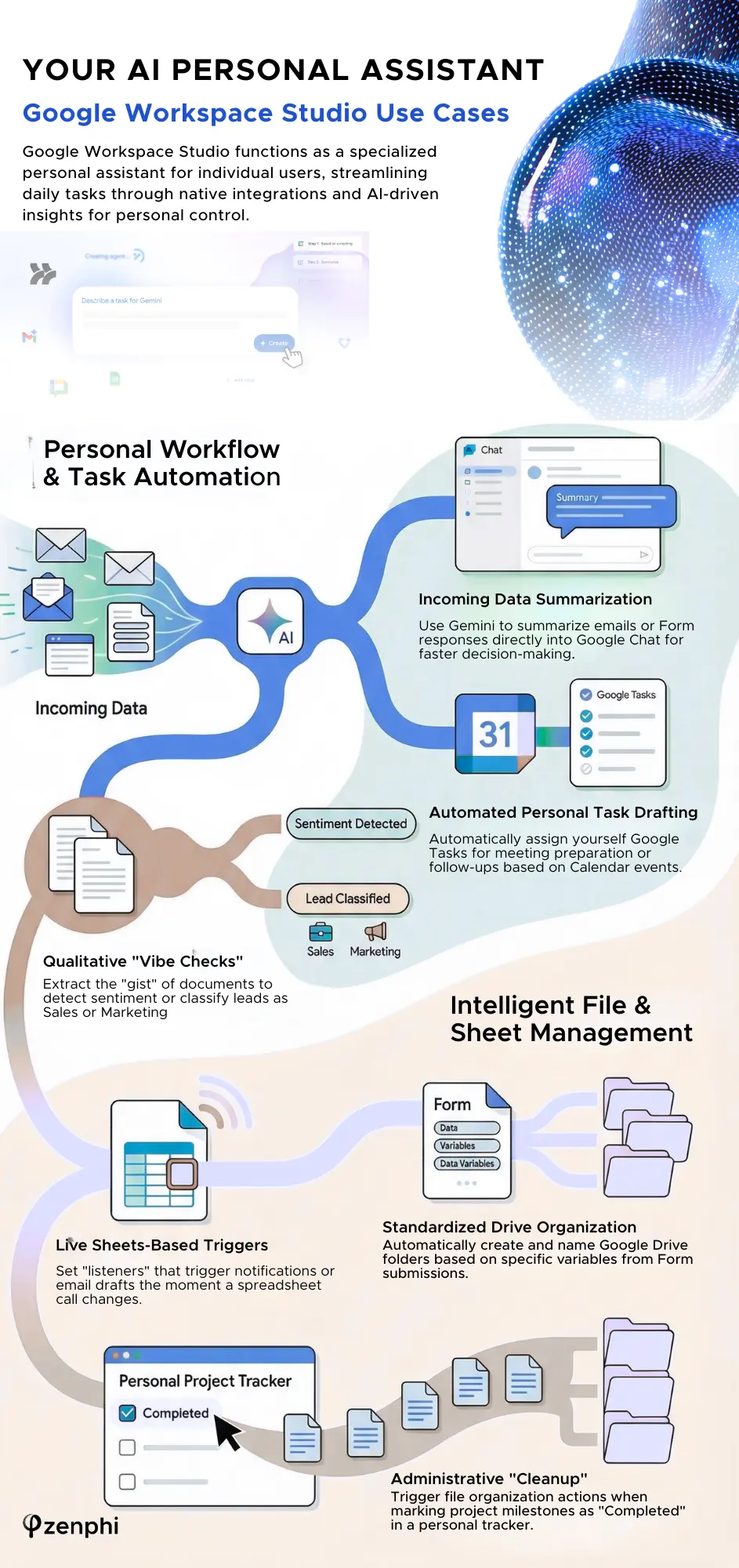
Google Workspace Studio Use Cases — Infographic
When Google Workspace Studio Is The Best Tool (Personal Productivity Use Cases)
Based on our on-depth research, we can safely conclude that Google Workspace Studio is an excellent “personal assistant” for individual users looking to streamline their own daily tasks. It shines in scenarios where the data and the actions remain within your personal control.
1. Incoming Data Summarization
If you need to summarize a Form response or an incoming email “Summarize“ action (part of the Gemini AI skills) is quite effective. It can take context from earlier steps to help you structure information and make decisions faster.
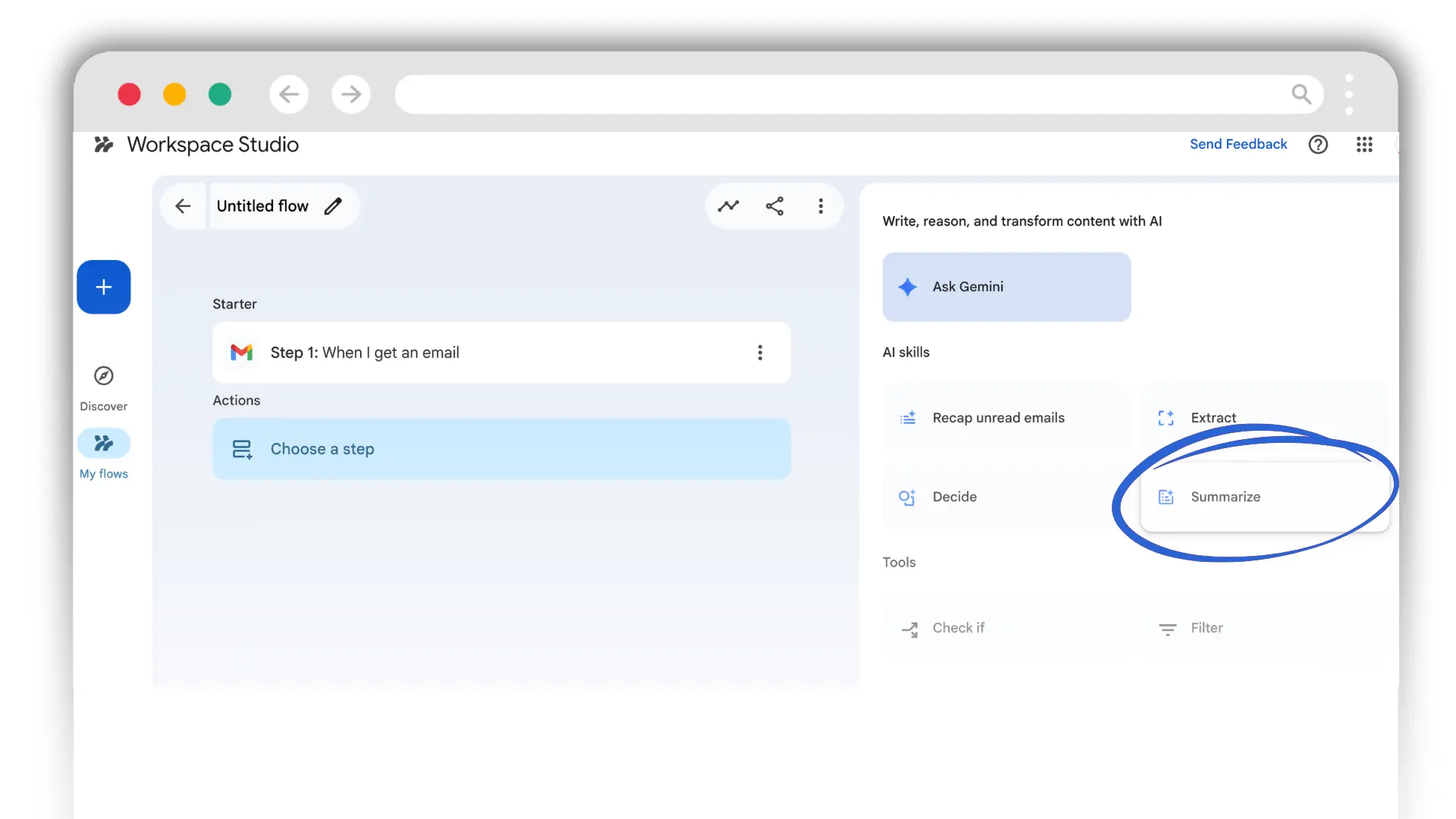
Real-Life Use Cases For Summarization
There are several scenarios when this can be really helpful:
Personal Assistant For Emails
- Whenever email from an important customer arrives, Gemini would summarize the content for you
- And share a summary in Google Chat
- You can decide if demands your urgent attention
2. Personal Tasks Drafting
Create a Task action also works great. Whenever you get an email or mention in Google Chat, or – here’s probably the most useful case – whenever a meeting is created in your Google Calendar, you can build an automation that would assign you a task to check the topic of the upcoming meeting or maybe do some prep work. Really helpful for personal productivity.
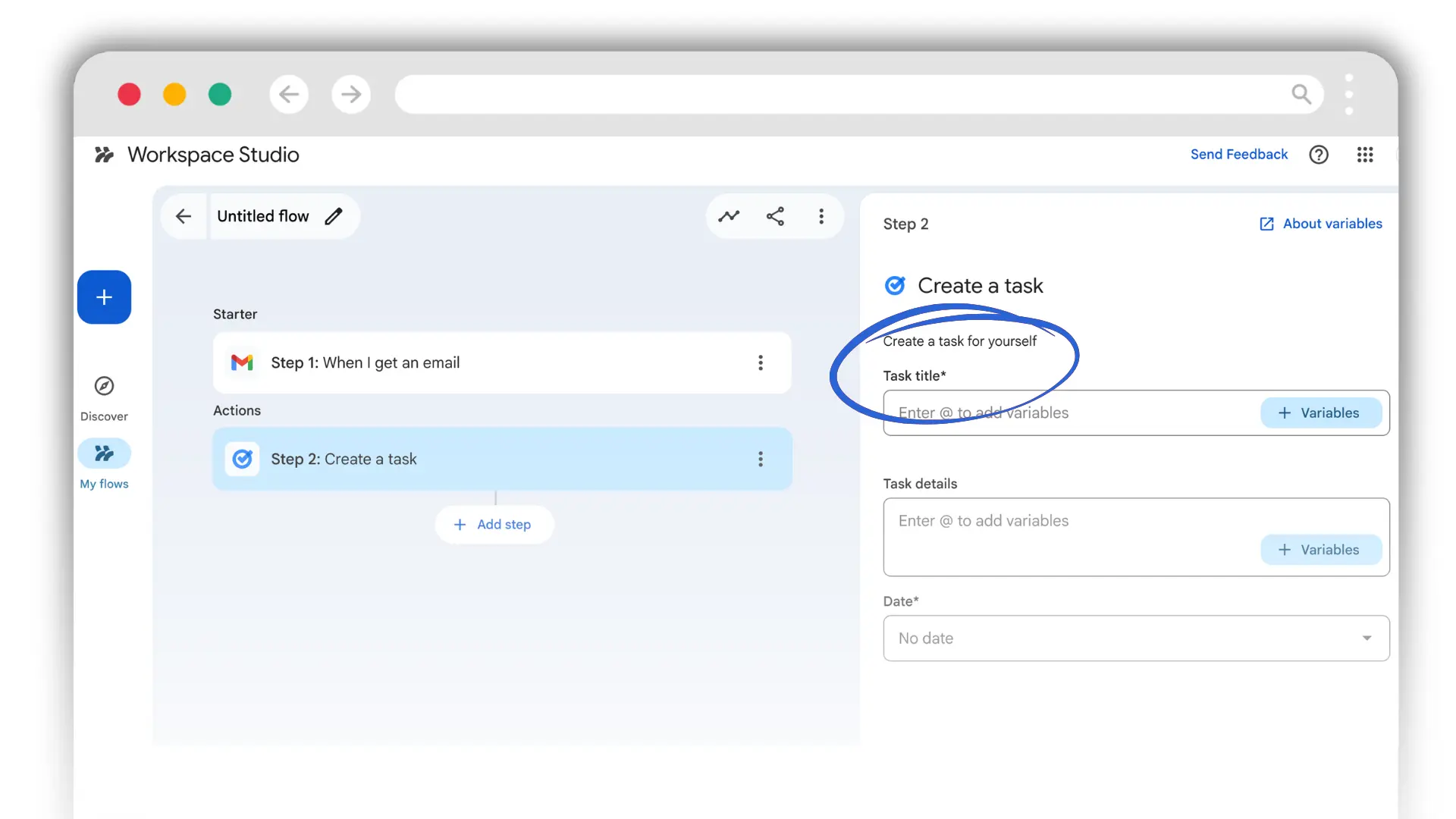
Real-Life Use Cases For Personal Tasks Drafting
There are several scenarios when this can be really helpful:
Meetings Prep Assistant
- Whenever a meeting is created in your Google Calendar
- Assign you a task to check the topic of the upcoming meeting 30 min in advance
Document Validation Assistant
- When a Form response is submitted
- Add an If condition to check is an answer to a certain question equals a certain variable
- If it does or if a variable is missing, assign yourself a Google Task to contact the Form submitter ASAP
There are two limitations you must keep in mind though:
- Google Workspace Studio doesn't allow you to assign task to someone else. For example, you can't create a task for your colleague or a team member to peerform an action whenever something happens in your personal Google Workspace environment.
- This is a standard Google Task — which means, no reminders, no follow-ups. You'll see the task when you open your Google Calendar. But if you keep ignoring it, automation won't be able to help.
3. Simple Sheets-Based Triggers
The most significant advantage Studio has over other tools is its native “listener” for Google Sheets.
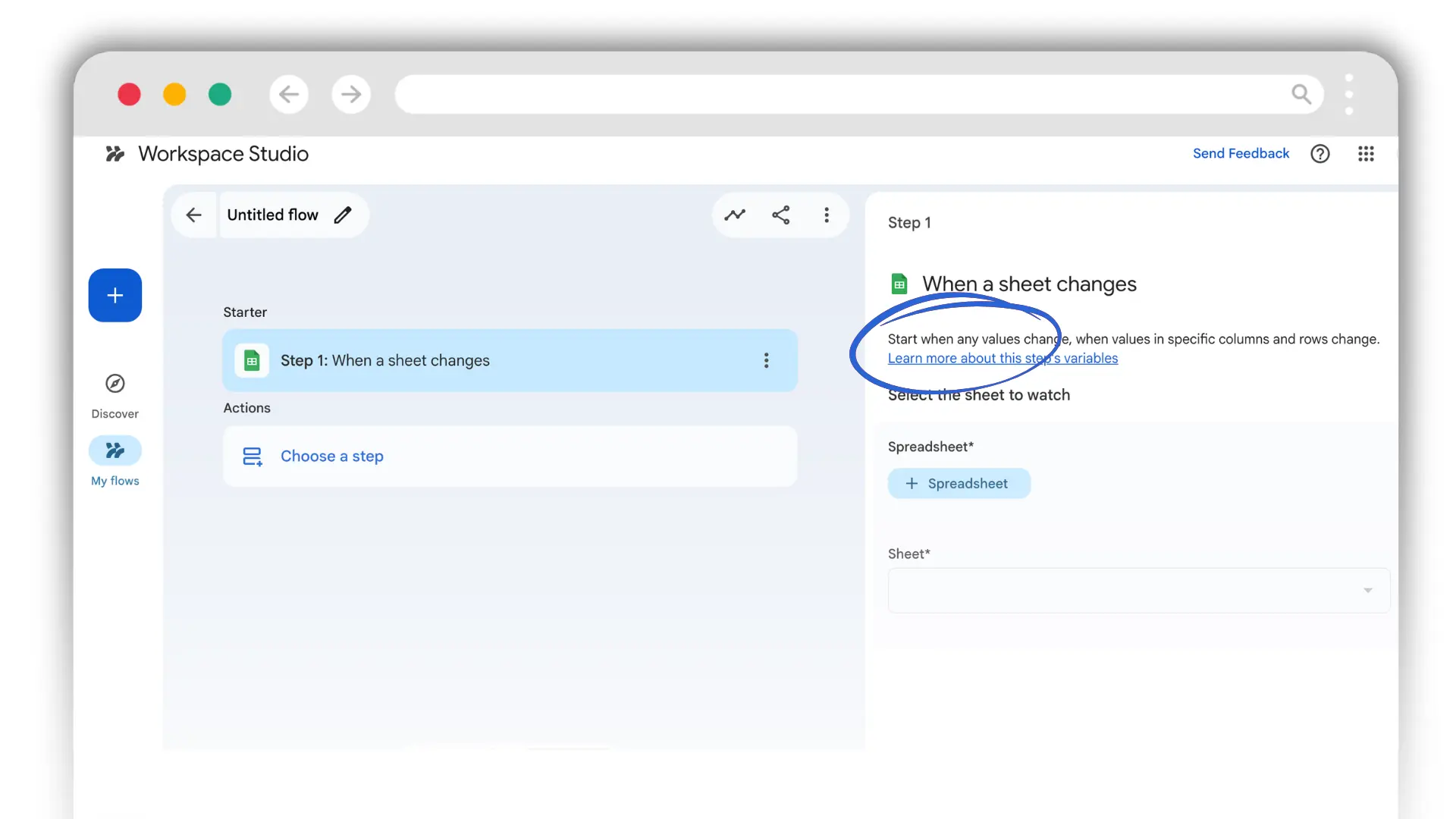
When This Can Be Helpful (Real-Life Use Cases)
There are several scenarios when this can be really helpful:
"Live Tracker" In Sheet
- You have a personal spreadsheet where you track project milestones or budget entries.
- Set a trigger for "When something in a Sheet changes." The moment you update a cell, Studio can instantly kick off a personal notification or a "Step 2" action, such as drafting an email summary.
- Allows for immediate, event-driven personal automation without waiting for a schedule.
Quick Personal Filing for "Closed" Items
- You mark a project as "Completed" in your personal project tracker Sheet.
- The change in the Sheet triggers an action to "Create a folder" in your personal Google Drive to house the project's final deliverables.
- It automates the administrative "cleanup" of your personal files, ensuring that your digital organization keeps pace with your actual work progress.
4. Basic File Organization
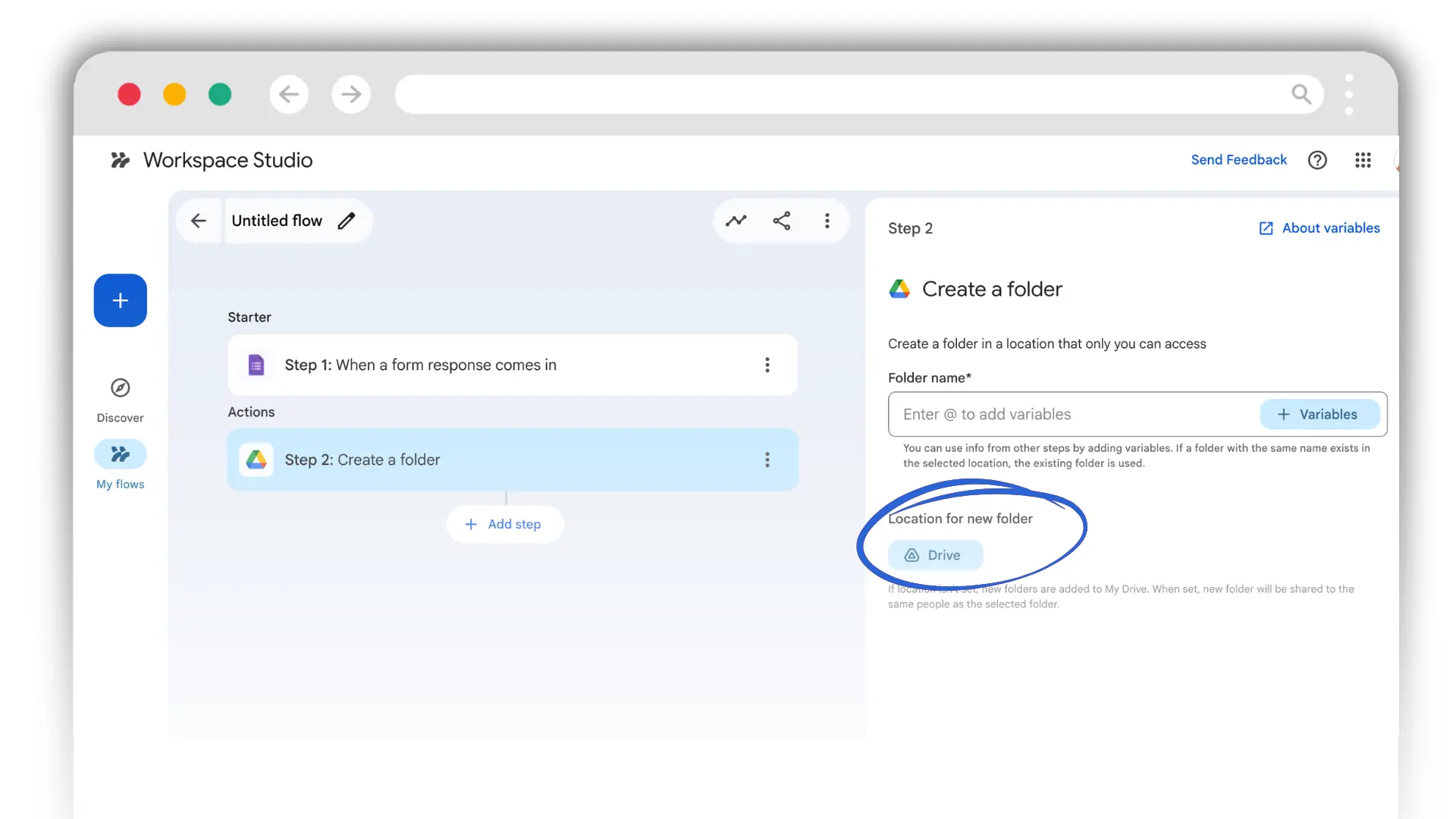
For simple “if-this-then-that” scenarios—such as creating a folder on a Google Drive after a Form submission—Studio is a quick and easy solution.
Real-Life Use Cases For Drive Organization With Google Workspace Srudio
Standardized Document Filing from Form Submissions
- If you collect specific documents or data via Forms, manually moving them into folders is a repetitive chore.
- Upon submission, Studio can automatically create a folder named after the project or the submitter's name using dynamic variables
- You can choose you Drive or Shared Drives — where you'd like the folder to be created
- This creates a predictable filing structure where every submission lives in its own "bucket," preventing your main Drive from becoming a cluttered list of miscellaneous files.
When Google Workspace Studio Can Deliver Unpredictable Outcome — Data Extraction Use cases
Most of the Google Workspace-related use cases we receive now involve — to some degree — data extraction. Can be data extraction from reports, ivoices, PDF files, voice notes, transcripts and photos. Unfortunately, in scenarios where data extraction is involved, Google Workspace Studio demontrates volatile performance. Meaning, it can extract data successfuly once, twice but fail on the third time. In some cases that involve handwritten notes, it can’t handle data extraction at all.
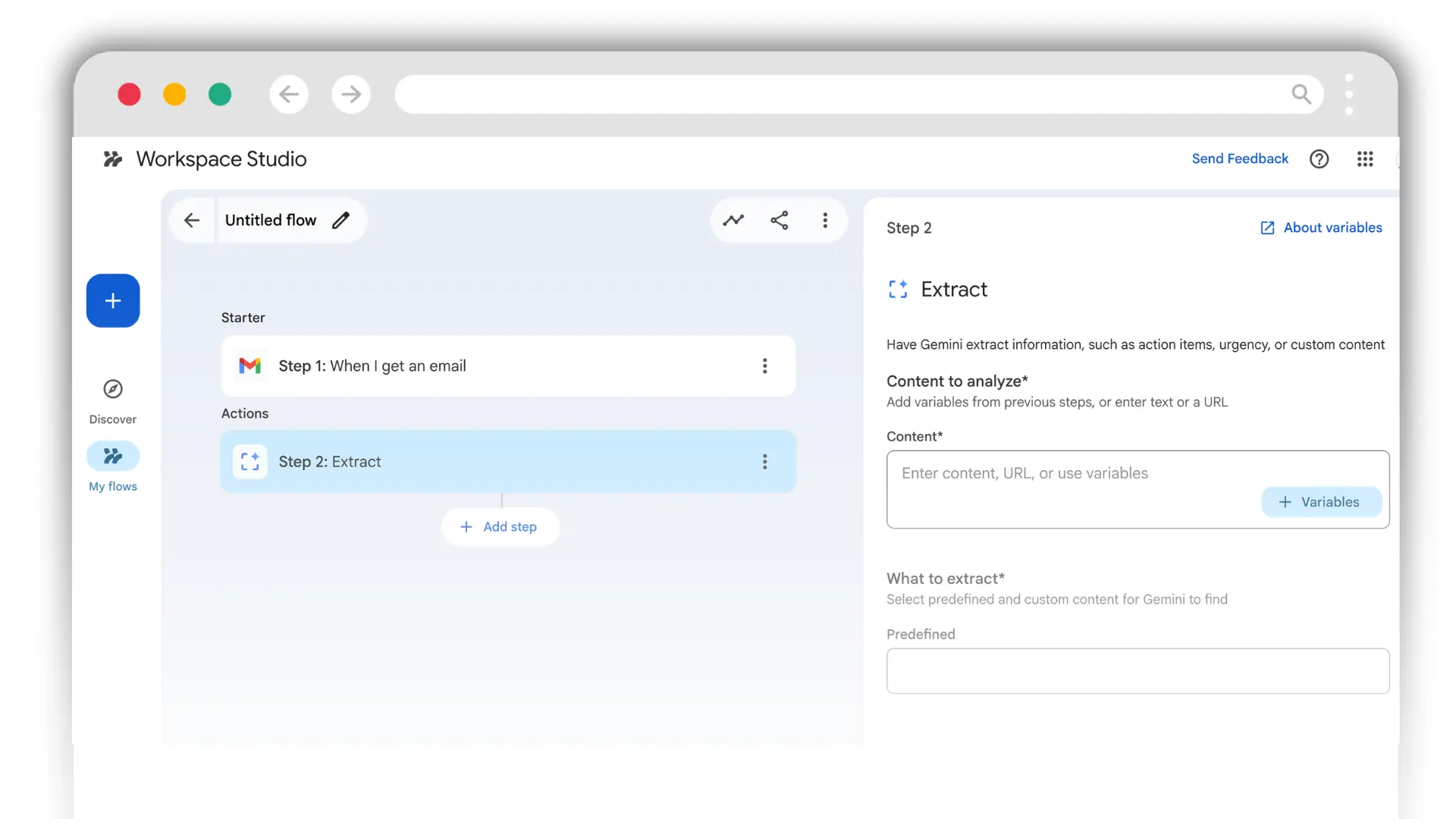
Where Workspace Studio Performs Well
Google Workspace Studio is most reliable when the extraction is qualitative rather than quantitative. It excels at “understanding” the gist of a document rather than pinpointing specific coordinates on a page.
Real-Life Use Cases For Data Extraction
The "Vibe Check"
- Sentiment & Urgency Detection works really well in Google Workspace Studio.
- For example, it can help you with analyzing the tone of incoming customer feedback forms to flag "Angry" responses for your personal review.
Lead Classification
- Content Categorization function also performs consistently.
- You can build an AI agent in your Google Workspace, using Studio, that would tag an incoming email (add labels) as "Marketing" or "Sales" based on the body text.
Where Workspace Studio Often Fails
The system struggles when it needs to be an “accountant”—extracting specific, structured data points from complex layouts.
- Tabular Data in PDFs: Trying to pull specific line items, tax amounts, or due dates from a table within an invoice or financial report.
- Handwritten Documents: Extracting text from photos of handwritten notes or physical forms.
Watch the video on the data extraction test we performed:
Your Ultimate Tool For Google Workspace AI Agents & Workflows
Zenphi is your professional-grade alternative to Google Workspace Studio . It allows you to design. deploy, monitor and manage your AI agents and AI workflows withing Google Workspace and beyond. Book a call to learn more.
Use Cases When Google Workspace Is Not Enough And When to Start Looking for Alternatives
As soon as a workflow involves shared resources, multi-step logic, or organizational administration, Workspace Studio hits a “functionality ceiling.”
Calendar & Task Management
Studio lacks direct actions to create Google Calendar events; it can only “suggest” the steps or use Gemini to draft text about it. Furthermore, as mentioned, it can only create Google Tasks for yourself, not for teammates.
Real-Life Use Cases When This Is Crucial
Customer Or Employee Onboarding
- As soon as a signed agreement hits the Google Drive you need your automation to create a kick-off meeting
- Generate a meeting link and send invites to the customer and relevant team members
- Assign a task to the account manager to take a certain action and make sure they will get automated email reminders until the task is completed
This is a job for a professional-grade automation solution like Zenphi. It can definitely help you automate end-to-end the workflow mentioned above – quickly and relibaly.
Dynamic Cross-Functional Tasks Assignments and Reminders
- You need to assign a task to a manger. But you don't want to "hard code" it. You want to automation to dynamically detect, who it should assign task to — based on your organizational chart or internal policies, it should lookup a manager for every single use case and create a task for them
- You need to set up multiple reminders of the task
- You also need to set up an expiration date and an escalation logic (what must happen if the task is not complete before the due date)
Again, something that Sudio can’t handle — and that can be automated with Zenphi in 2 clicks.
Complex Logic and Data Comparison
Studio struggles with “overlapping conditions.” For example, it cannot compare a leave request’s dates against a spreadsheet of staff availability to find a replacement. It also cannot perform calculations to see if a deal amount has increased or decreased between two different Sheets.
Real-Life Use Cases When Complex Logic Is Crucial
Relief Staff Assignment
- Your employee submits a leave request via a Google Form. To automate this, the AI agent must "read" a database of other staff members and their current schedules
- Compare the requested leave dates against the availability of every other staff member to find a "full cover" match.
- Select the first available person and automatically assign them a Google Task or send a notification
The “Check If” action in Studio cannot check for intersections between date ranges (e.g., is Staff Member A free from June 1st to June 5th?). Also, even if “Ask Gemini” identifies a replacement in text form, that result cannot be used as a dynamic variable to trigger the next step, such as assigning a Task to that specific person. And finally, as mentioned, you can’t assign a task to someone else in Google Workspace Studio.
No need to say, that this very same automation has been built hundreds of times by Zenphi users.
Gmail — Administrative Control & Sending Emails Automatically
While Studio can draft emails or add labels, it cannot automatically forward emails or actually send auto-responses on behalf of a mailbox. The only option it offers — is to draft an email for you. But you’ll have to manually check the draft and hit the Send button.
Real-Life Use Cases When Sending Emails Automatically & Gmail Admin Control Is Needed
Executive Out-of-Office (OOO) Management
- When an account manager goes on parental or annual leave,
- all incoming emails from VIP clients must be forwarded to a replacement, labeled "Executive Escalation," and
- receive an automatic OOO reply.
Company-Wide Signature Management
- You have created a standard company signature (in HTML), and you want when an employee changes a role, a department, their last name etc. these changes to be applied automatically
- You want them to submit a Google Form stecifying the change
- So that automation update their signature in seconds
Google Workspace Studio doesn’t have administrative controls to Gmail settings. The only tool that can handle automated Gmail signature management is Zenphi.