
Google Workspace Studio is now a capable no-code automation tool for user-owned workflows across Gmail, Drive, Docs, Sheets, Forms, Calendar, Chat, Tasks, Gemini, and selected third-party apps. It builds flows from natural-language instructions, applies conditions, repeats actions over lists, extracts structured information with Gemini, and creates Docs. Google lists it as available with eligible Business, Enterprise, and Education editions, and limits each user to 25 flows with up to 20 steps each. It is not Google’s Power Automate equivalent: formal multi-person approvals, shared-file processes, document generation from approved templates, Google Admin actions, and organization-owned workflows still call for a dedicated platform.
What’s in this guide
- What Google Workspace Studio is now
- Availability and plans
- Current Workspace Studio capabilities
- Three useful Studio automation patterns
- What changed since our December 2025 tests
- Official limits to know before you build
- Google Workspace Studio vs Power Automate
- Google Workspace Studio vs Zenphi
- FAQ
What is Google Workspace Studio — formerly Google Flows?
Google Workspace Studio is Google’s no-code automation environment for building flows across Workspace apps and selected external services. A flow has one starter — such as a schedule, a new Gmail message, a Google Form submission, or another supported event — followed by one or more steps that perform actions.
Gemini is deeply integrated into the product. You can describe the task you want to automate in plain English and let Gemini generate the initial flow, start from a template, or build the sequence manually. Within the flow, Gemini can analyze content, make a simple decision, extract named information, summarize, or generate text.
For teams exploring more advanced AI agents inside governed business workflows, the important distinction is how the AI step connects to approvals, documents, people, external systems, and audit requirements after the model produces its output.
For Google Workspace teams, that makes Studio a meaningful new option alongside Apps Script, general-purpose automation tools, and dedicated platforms such as Zenphi for Google Workspace workflow automation.
Which Google Workspace plans include Workspace Studio?
Studio is no longer an unreleased preview that requires joining an alpha program. Google’s access page lists the accounts below as eligible. Google gives access by edition or add-on rather than selling Studio as a standalone product, and administrators control whether users can reach it and its Gemini features.
| Account type | Eligible plans | Notes |
|---|---|---|
| Business | EligibleBusiness Starter, Business Standard, Business Plus | NotesAdmin must enable Gemini; flows are created on a computer with a supported browser. |
| Enterprise | EligibleEnterprise Standard, Enterprise Plus | NotesAdmin turns Studio on per organizational unit or group in the Admin console. |
| Education | EligibleEducation Fundamentals, Standard and Plus; Teaching and Learning add-on; Google AI Pro for Education | NotesSchool users under 18 cannot use AI steps. |
| Add-ons | EligibleA Google AI expansion add-on also qualifies a work or school account | NotesGoogle lists the edition or the add-on as the requirement. |
| Personal accounts | EligibleRequires Google Workspace Experiments | NotesSome starters and steps are work or school only. |
Source: Google’s “Access to Workspace Studio” help page, checked October 2, 2026. Smart features in Google Workspace must also be turned on for the user.
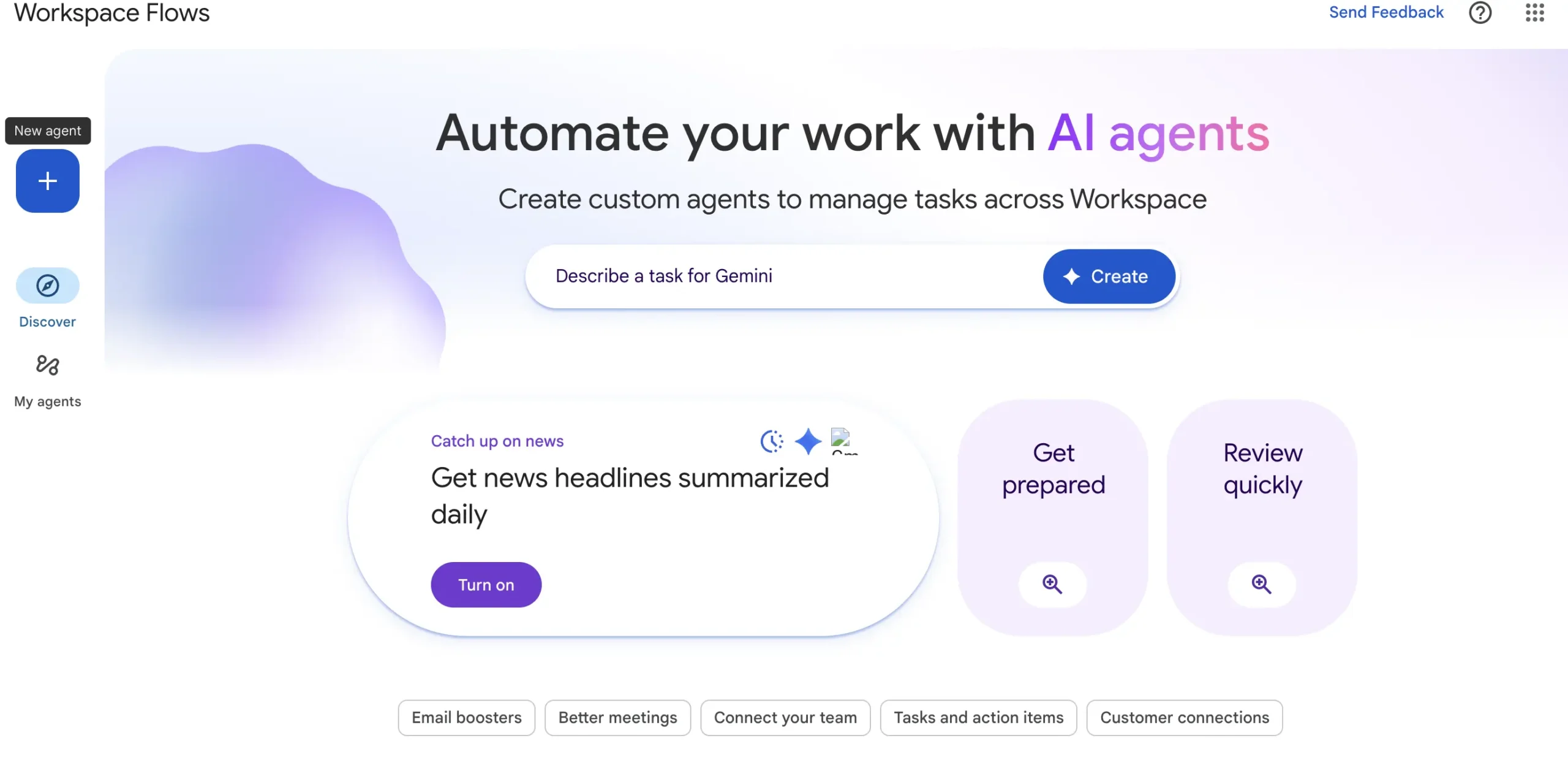
What Google Workspace Studio can do in 2026
The product has developed significantly since its early Flows demonstrations. Several limitations visible in late 2025 have since been addressed, so any comparison based only on the preview version is now incomplete.
Describe the starter, apps, and steps in natural language, then review and edit the flow Gemini generates.
Start flows from Gmail, Forms, Chat, Sheets, Drive, Calendar meetings, meeting outputs, schedules, and other supported events.
Ask Gemini, decide true or false, summarize content, and extract named values. Skills are rolling out to replace Gems.
Check conditions, filter lists, and use Repeat for each to process list items individually.
Create Docs, add content to Docs, add or update Sheet rows, create Tasks, save Gmail attachments, copy and move Drive files, and more.
Google’s steps guide lists Asana, Confluence, Jira, Mailchimp, and Slack as Beta integration steps for work or school accounts. Availability varies by account.
A Send a webhook step posts to a static URL with GET, POST, PUT, PATCH, or DELETE and returns the response as text for later steps.
Developers can build custom starters and steps with Apps Script or an HTTP add-on. Installed add-ons appear in the flow editor.
Create with Gemini produces a Doc or Slides deck, and Deep Research (Beta) builds a researched Doc. Gemini Notebook steps query and add sources.
Users test flows and read activity in Studio. Admins can review log events, set alerts, and stop a flow.
You can no longer add an “Ask a Gem” step. Existing flows keep working until March 2027, after which flows with that step stop. Google recommends replacing it with an “Ask Gemini” step, and skills in Studio start rolling out gradually on October 5, 2026.
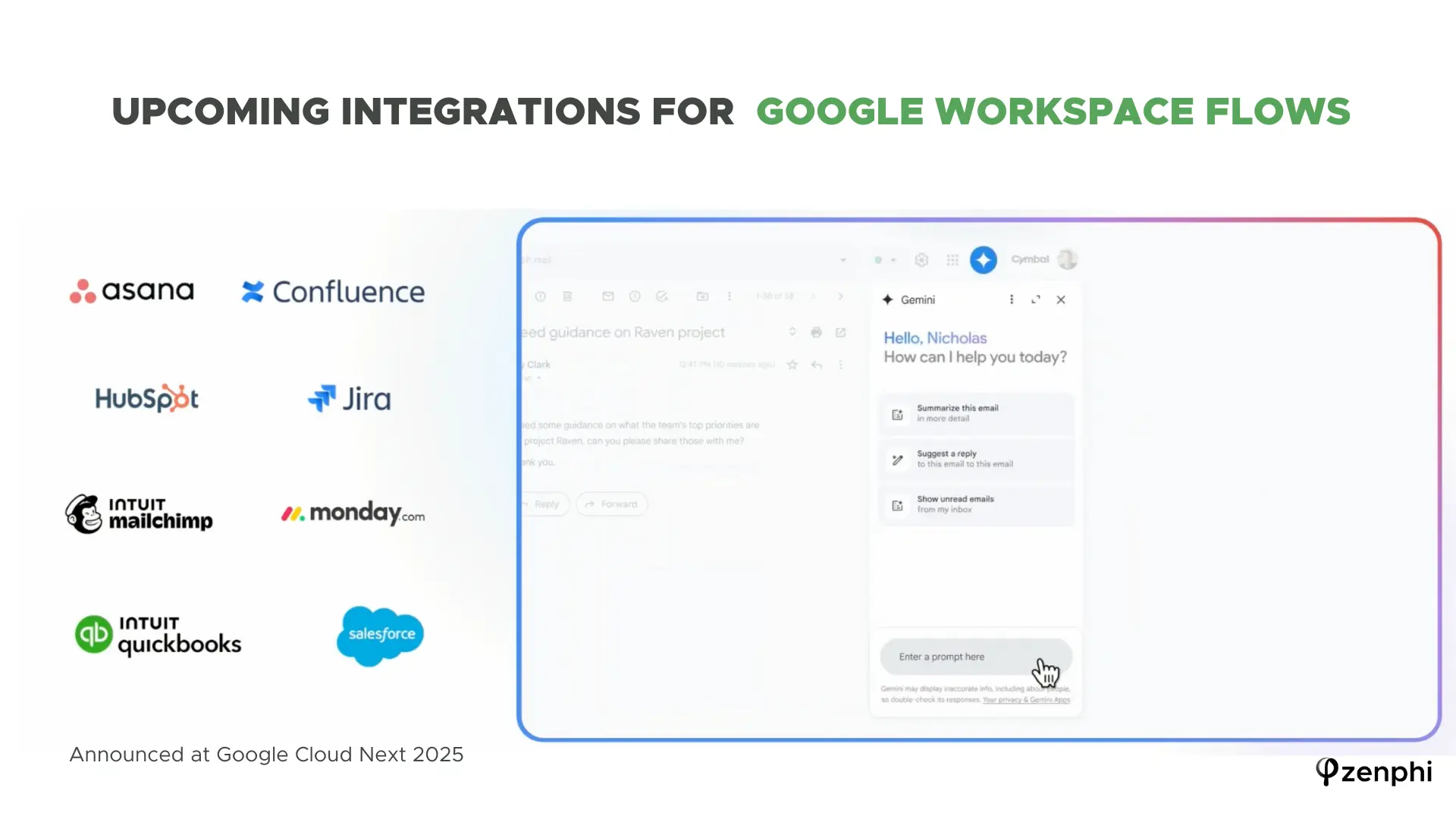
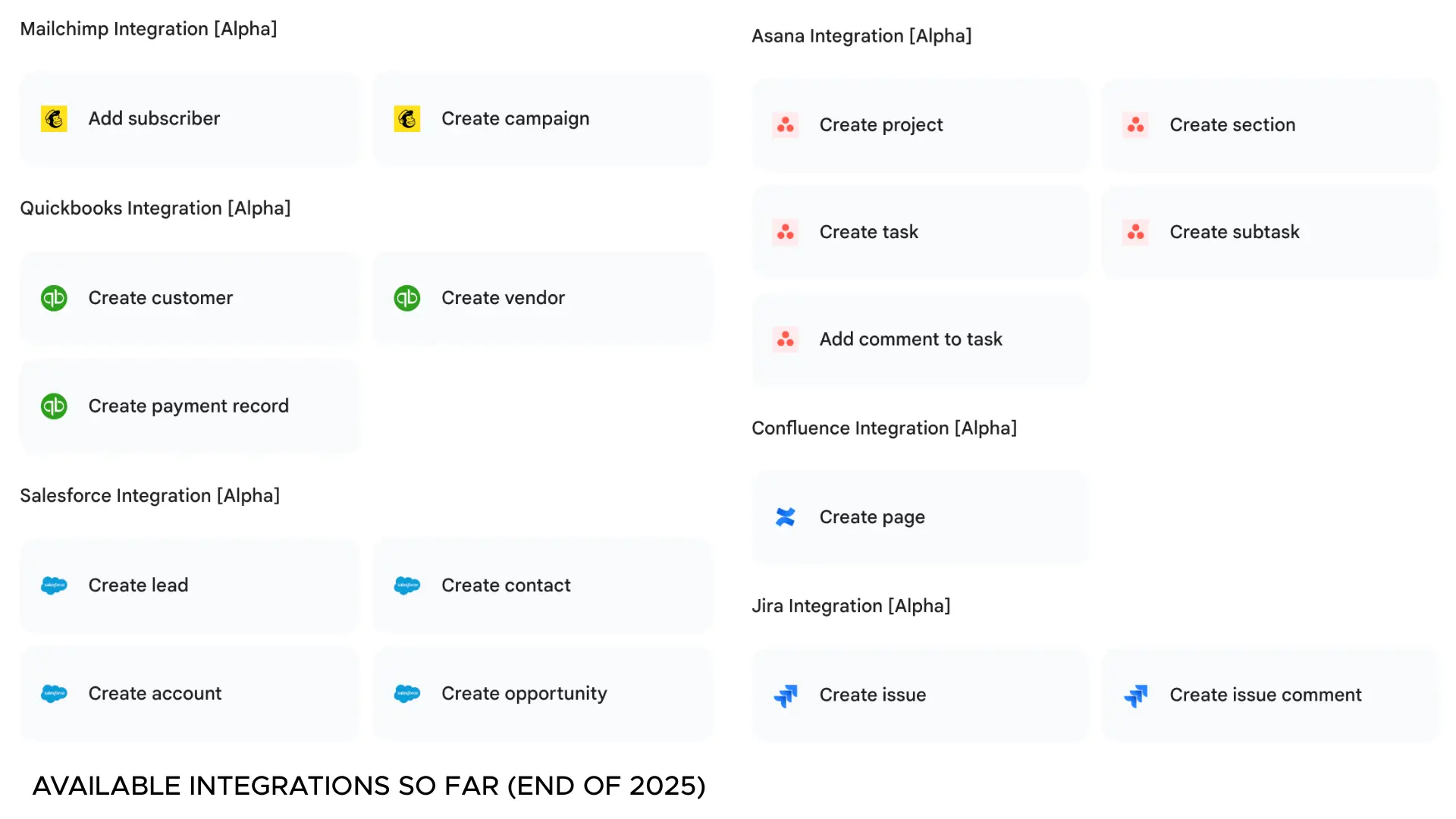
Three ways Workspace Studio can reduce everyday manual work
Prioritize customer feedback with Gemini
Form submission → interpret against guidelines → summarize → notify the team
A Google Form can collect customer feedback, while a Google Doc provides the prioritization rules. Gemini analyzes the submission against those guidelines, summarizes the issue, assigns a priority, and the flow sends the result to the team in Google Chat.
Draft personalized replies from incoming context
Analyze feedback → generate response guidance → prepare an email draft
Studio is well suited to cases where Gemini interprets a customer message and prepares a draft that a person can review. The workflow can use the message, supporting documents, or earlier AI output as variables in later steps.
Track important emails and surface what needs attention
Gmail event → filter or classify → summarize → notify or create a task
A Gmail starter can watch for specific messages, while Gemini or explicit conditions decide whether they require action. The flow can then summarize the message, star or label it, create a task, or notify the user in Chat.
Curious how the same kind of automation looks in Zenphi?
Compare Zenphi vs Studio →What changed since our December 2025 Workspace Studio tests?
At the end of 2025, Zenphi tested Workspace Studio against several document-heavy scenarios: approvals, document generation, AI analysis, and structured PDF extraction. Those tests are still useful because they show how the product behaved at the time — but several findings need to be updated now that Studio has a broader 2026 feature set.
Document approvals
Form → manager review → second approval → file handling → log → notification
The test asked Studio to identify the submitter’s manager, route a document through two approvals, move the approved file, log the outcome in Sheets, and notify the requester.
Studio now has stronger conditional logic than it did in the test, including Check if and Repeat for each. It also has approval prompts, but those are a security control: steps such as Send a reply, Reply to a message, Copy a file, and Move files can ask the flow owner to approve a run that involves people outside the organization, depending on admin policy. Google’s current starters-and-steps guide does not document a business approval step for sequential or parallel multi-person approvals, dynamic manager lookup through Google Directory, escalation, or decision audit trails. For lightweight review patterns, Studio can work; for formal approval chains, Zenphi approval workflow automation is designed around those requirements.
Document generation
Form → proposal → dynamic fields → PDF → Drive → notification
The 2025 test asked Studio to generate a proposal from a Docs template, merge dynamic fields, save the result as a PDF, place it in the correct Drive location, and notify the requester.
Studio now includes a Create a doc step that adds dynamic content from earlier steps, and a Create with Gemini (Beta) step that writes a Doc or Slides deck from a prompt. You can link a document as a template, but Google describes that as matching colors and fonts, not as a field merge. Google’s current Studio documentation does not describe a native equivalent to full document generation from an approved Docs template with field merge and PDF conversion as one workflow capability. For contracts, quotes, reports, and other template-driven documents, that distinction still matters.
AI-powered document analysis and report generation
File arrives → analyze → summarize → generate report → notify
This test used Gemini to analyze uploaded data and generate a report with risks, opportunities, and points for the sales team to review.
Studio’s AI steps are substantially stronger in 2026, and Gemini can analyze content and pass its output into later actions. File sharing is still an important architectural constraint: Google’s troubleshooting guide says the Sheets steps Add a row, Update rows, and Clear rows only work with spreadsheets that are private to you, and a flow fails if the file is shared with others, either when you build it or later. It also warns that a spreadsheet using IMPORTRANGE will not work. For organization-owned document processes, that can be a decisive limitation. Zenphi supports broader AI-powered document workflows in Google Workspace, including processes built around shared files.
Structured data extraction from PDF
PDF → extract named fields → map values → update Sheets → notify
The test used a Daily Delivery Status Report containing route number, driver name, truck number, fuel usage, delivery issues, and date. The goal was to extract each field separately and use the values in Sheets and email steps.
Studio now has a dedicated Extract AI step. It can pull named pieces of information from a piece of content, such as an email or document, and expose those results as variables for later steps, including adding data to Google Sheets. The December 2025 extraction failure should therefore not be treated as a current limitation. Zenphi still provides a different approach when the workflow needs schema-driven extraction, document processing at organizational scale, multiple AI models, or more extensive downstream process logic.
Need extraction, approvals, or shared files to actually work at scale?
Book a callWorkspace Studio can be extended — but custom starters and steps change the maintenance model
Google supports custom Workspace Studio starters and steps through Google Workspace add-ons. Developers define them in the add-on manifest and can build them with Apps Script or another runtime using HTTP add-ons. A custom starter can begin a flow when an event happens in an external app or service, such as an incoming webhook, while a custom step performs an action inside the flow. Add-ons can be shared privately with a team or published on the Google Workspace Marketplace.
The trade-off is the same one organizations face with other custom extensions: somebody now owns the code, deployment, versioning, permissions, testing, and ongoing support. Google also notes that Studio does not support manual test runs for custom starters, so you test by turning the flow on and triggering a real event.
Conditions, loops, extraction, webhooks, custom starters and steps, third-party integrations, and Gemini-assisted building have expanded its scope considerably. The more accurate dividing line in 2026 is whether the automation is primarily a user-owned workflow or an organization-level business process that needs formal governance, shared resources, structured human decisions, and broader systems integration.
Official Workspace Studio limits that matter for business workflows
Google’s limits page lists four numbers and states that limits are subject to change. The cards below add the restrictions that matter most for business processes, taken from Google’s help pages.
A user can create up to 25 flows, whether they are turned on or not. Some older help text still mentions 100, so check the limits page.
Each Studio flow has a maximum of 20 steps.
No more than 25 of a user’s active flows can start from Gmail events.
Google caps the total runs of all of a user’s flows per 24 hours, and does not publish the number. When it is reached, active flows stop until the limit resets.
Add a row, Update rows, and Clear rows only work with spreadsheets that are not shared with anyone, and fail if the sheet is shared later.
When a flow is shared inside an organization, the recipient gets a copy rather than co-owning one centrally managed flow.
The When I get an email starter filters by default Gmail labels only, not custom labels.
A flow that has not run for 6 months is turned off automatically and must be switched back on.
Sources: Google’s Studio limits page, admin setup guide and troubleshooting guide, checked October 2, 2026.
Workspace Studio is developing quickly. Before designing a business-critical process around a specific limitation or capability, check Google’s current starters-and-steps guide and account-specific availability.
What admins can control
Administrators are not locked out. They can turn Studio on or off by organizational unit or group, allow or block Workspace and Gemini steps, control flow sharing, restrict third-party integrations with the Marketplace allowlist, and require approval for flows that affect external users. They can also set activity alerts, review Rule log events in the audit tools, suspend a flow, and move a user to an organizational unit with Studio off to stop all of that user’s flows. These are admin controls over user-owned flows, not a central workflow catalog.
Google Workspace Studio vs Power Automate
Studio and Power Automate are built for different ecosystems. Studio automates work inside Google Workspace for the person who owns the flow. Power Automate automates cloud and desktop work across Microsoft 365 and other services, with its own licensing and admin model. If your team is moving from Microsoft to Google, Studio replaces some of what people built as personal flows, but not everything Power Automate was running.
| Capability | Google Workspace Studio | Microsoft Power Automate |
|---|---|---|
| Built for | StudioFlows owned by a user inside Google Workspace, started by Workspace events. | Power AutomateCloud and desktop flows across Microsoft 365 and other services. |
| Access and price | StudioAvailable with eligible Workspace editions or Google AI add-ons; no separate Studio price on Google’s help pages. | Power AutomatePremium is $15 per user per month and Process is $150 per bot per month, billed yearly. Many Microsoft 365 plans include standard-connector use. |
| Size limits | Studio25 flows per user, 20 steps per flow, and a daily run cap per user. | Power AutomatePremium lists unlimited cloud flows within Microsoft’s service limits. |
| AI | StudioAsk Gemini, Decide, Extract, Summarize, plus Create with Gemini and Deep Research in Beta. | Power AutomateAI Builder and Copilot features; Premium includes 5,000 AI Builder credits. |
| Connections | StudioNative Google steps, an outbound webhook step, Beta integrations for Asana, Confluence, Jira, Mailchimp and Slack, and add-on starters and steps. | Power AutomateA much larger connector library; premium connectors need a Premium license. |
| Desktop automation | StudioNo desktop or RPA steps in Google’s steps guide. | Power AutomateDesktop flows in attended mode with Premium; the desktop app runs on Windows. |
| Approvals | StudioSecurity approval prompts for external-facing steps; no business approval step is documented. | Power AutomateBuilt-in approval actions for business approvals. |
| Admin controls | StudioAdmin console settings, alerts, audit log events, and the ability to stop a flow. | Power AutomateManaged through the Power Platform admin center and Microsoft licensing. |
Power Automate prices from Microsoft’s pricing page and desktop requirements from Microsoft Learn, checked October 2, 2026. Studio details from Google’s help pages linked above.
If you stay on Microsoft 365, Power Automate remains the natural choice. If you are on Google Workspace, Studio is a reasonable starting point for personal and small-team flows. When the process needs approvals, shared files, document generation, or Google Admin actions, Zenphi is a third-party Google equivalent to Power Automate that covers that scope. For the full side-by-side, read Google Workspace Studio vs Power Automate, or see the wider list of Power Automate alternatives for Google Workspace.
Replacing Power Automate flows after a move to Google?
See the Google alternatives →Google Workspace Studio vs Zenphi: two tools for different automation scopes
Studio and Zenphi overlap in important areas: both can automate work across Google Workspace, both provide no-code building experiences, both can use AI, and both support conditions and repeatable workflow logic. The difference becomes clearer when you look at who owns the workflow, what resources it must access, and how much process governance it needs.
| Capability | Google Workspace Studio | Zenphi |
|---|---|---|
| Best fit | StudioUser-owned Workspace automation and AI-assisted productivity flows. | ZenphiCross-team operational workflows spanning people, systems, documents, and approvals. |
| How flows are built | StudioGemini prompt, templates, or manual no-code builder. | ZenphiNo-code designer plus ZAIA-assisted workflow creation and reusable process components. |
| AI | StudioGemini steps, with skills rolling out to replace Gems. | ZenphiGemini, OpenAI, Claude, and configurable AI steps inside governed workflows. |
| Conditions & loops | StudioCheck if, Filter a list, and Repeat for each are available. | ZenphiConditional branches, loops, parallel paths, subflows, error handling, and broader orchestration controls. |
| Structured extraction | StudioBuilt-in Gemini Extract step can expose named fields as variables. | ZenphiAI extraction with structured outputs that can feed larger document and business processes. |
| Document generation | StudioCreate a doc with dynamic content, or Create with Gemini (Beta) for a Doc or deck. | ZenphiGenerate Docs and PDFs from approved templates and route them through subsequent workflow steps. |
| Shared files | StudioSheets row steps need a spreadsheet that is not shared with anyone. | ZenphiBuilt for workflows that operate across shared organizational Drive resources and permissions. |
| Formal approvals | StudioNo dedicated business approval step for sequential or parallel multi-person approvals is documented. | ZenphiSequential, parallel, and conditional approvals with deadlines, escalation, and decision history. |
| External triggers | StudioBuilt-in starters are Workspace events; an outbound webhook step is built in, and inbound triggers need a custom starter from an add-on. | ZenphiWebhooks, APIs, schedules, Google events, and external-system triggers. |
| Google Admin / Directory | StudioNo broad Google Admin or Directory automation layer is documented in the current Studio steps catalog. | ZenphiGoogle Admin and Directory actions for provisioning, access, groups, licenses, and lifecycle workflows. |
| Sharing & operations | StudioSharing a flow gives colleagues a copy; admins can review log events, set alerts, and stop flows. | ZenphiDesigned for centrally managed organizational workflows with role-based access and execution history. |
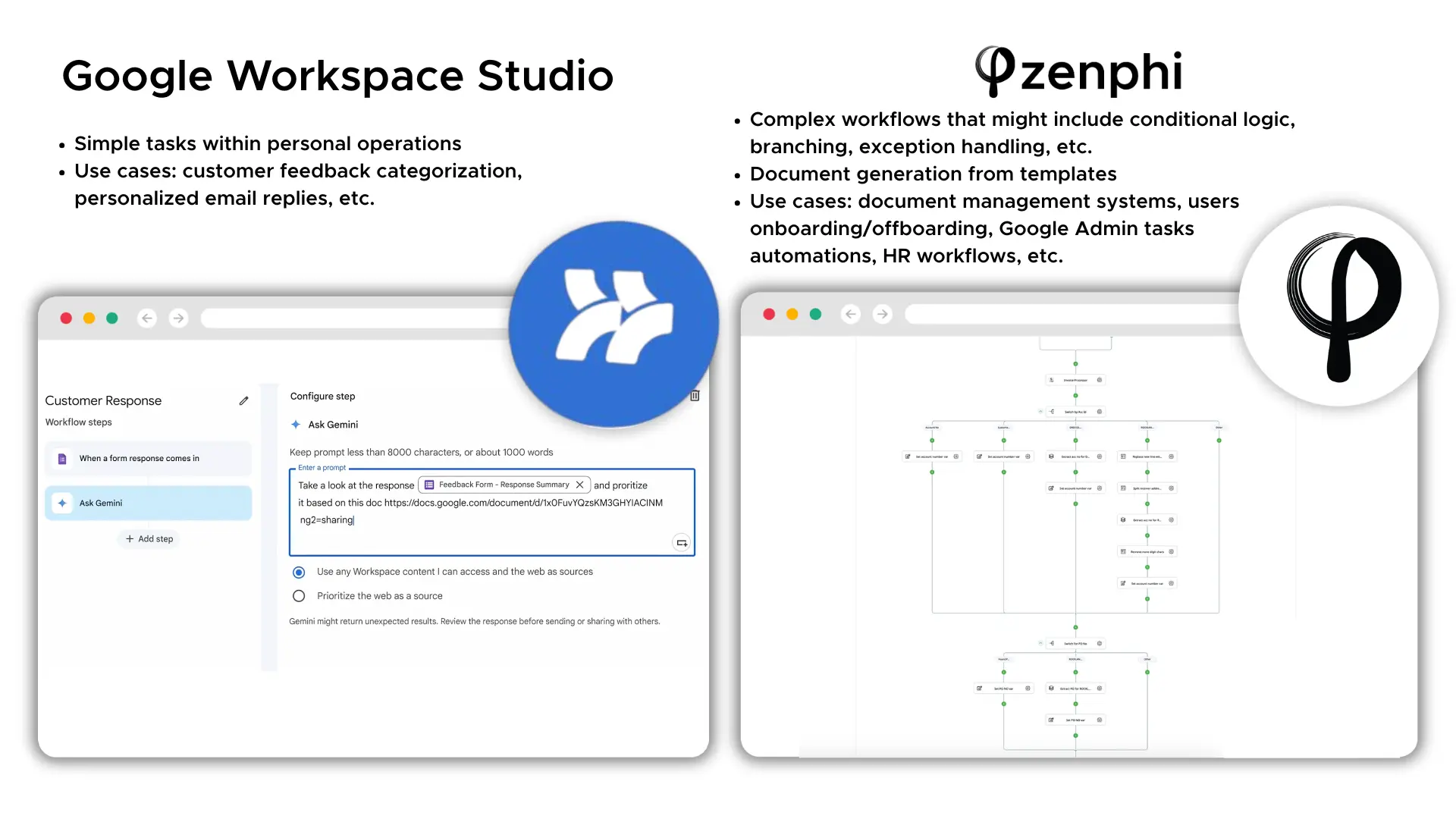
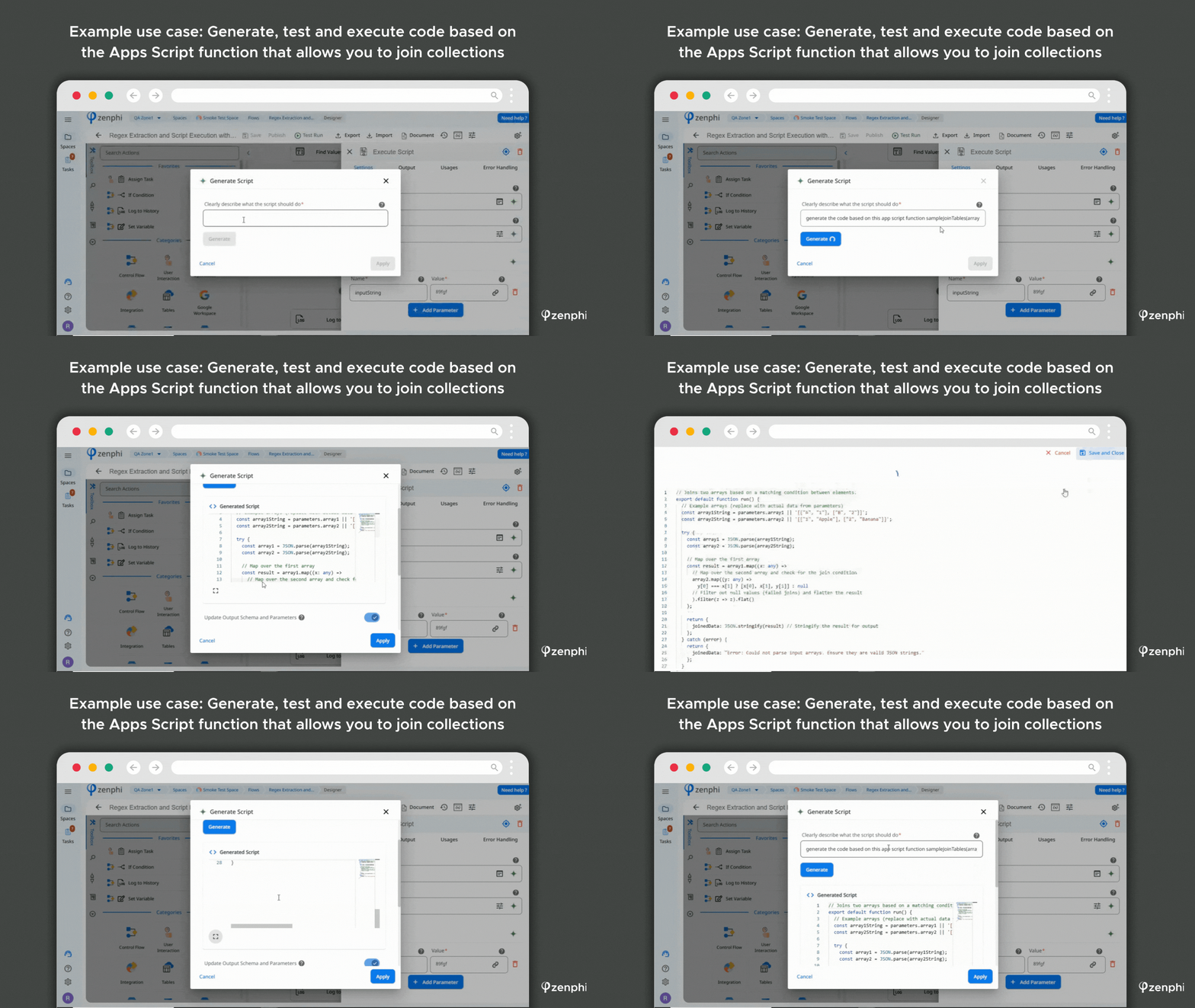
If you are evaluating the two products for a specific workflow, see the dedicated Google Workspace Studio alternative comparison and the Zenphi & Google Workspace Studio FAQ.
Studio handles the task. What happens when the task becomes a process?
If your workflow needs multiple people, formal approvals, shared files, document templates, Google Admin actions, external triggers, or auditable cross-team execution, show us the process you are trying to automate.
Use Studio for lightweight Workspace automation. Use a workflow platform when the process crosses organizational boundaries.
Google Workspace Studio is a strong fit when an individual user wants to reduce repetitive work inside the Google environment: summarize emails, process a Form response, create a Doc, update a Sheet, create Tasks, use Gemini to interpret information, or connect one of the supported external apps.
A dedicated platform becomes more relevant when the workflow is an operational process rather than a personal flow. Examples include building a document management and generation process, automating HR workflows, IT operations, or Google Workspace user lifecycle management.
Zenphi is built natively for Google Workspace but extends the process layer beyond one user’s flow: approvals, Google Directory and Admin actions, shared-file permissions, external APIs and webhooks, document generation, structured AI processing, and workflows that continue across departments and systems.
Google Workspace Studio: FAQ
What is Google Workspace Studio?
Google Workspace Studio is Google’s no-code automation builder for creating flows across Gmail, Drive, Docs, Sheets, Forms, Calendar, Chat, Tasks, Gemini, and selected third-party apps. Flows can be created with Gemini, from templates, or manually. Teams that need more extensive organization-level process automation can also use dedicated workflow platforms. Zenphi is the Google Workspace-native no-code option for processes that need formal approvals, shared files, Google Admin actions, external triggers, document generation, and cross-team governance.
Which Google Workspace plans include Workspace Studio?
Google lists Business Starter, Standard and Plus, Enterprise Standard and Plus, and Education Fundamentals, Standard and Plus as eligible work or school editions. The Teaching and Learning add-on, Google AI Pro for Education, and Google AI expansion add-ons also qualify an account. Personal accounts currently require Google Workspace Experiments, and administrators must enable Gemini for work or school users.
Studio is therefore a practical first option for lightweight automation already covered by a Workspace subscription. For larger operational workflows, organizations can add a dedicated platform; Zenphi is the Google Workspace-native no-code option for extending automation beyond the scope of user-owned Studio flows.
What are Google Workspace Studio’s limits?
Google’s limits page lists a maximum of 25 flows per user, whether turned on or off, 20 steps per flow, and no more than 25 active flows started by Gmail events. There is also a daily run limit across all of a user’s flows; when it is reached, active flows stop until the 24-hour limit resets. Google says these limits are subject to change.
Is Google Workspace Studio the same as Power Automate?
No. Studio automates user-owned flows inside Google Workspace, while Power Automate automates cloud and desktop work across Microsoft 365 and other services, including approvals and desktop flows. Studio does not document a business approval step or desktop automation. Teams moving from Microsoft to Google that need that scope often add a third-party Google equivalent to Power Automate such as Zenphi. See Google Workspace Studio vs Power Automate for the full comparison.
Can Google Workspace Studio automate approvals?
Studio can support lightweight review patterns using notifications, conditions, Tasks, Gmail drafts, Chat, and custom steps, and it can ask the flow owner to approve steps that involve people outside the organization. But Google’s current Studio action catalog does not document a dedicated formal approval engine for sequential or parallel multi-person approvals, dynamic manager routing, escalation, and decision history. Those requirements can be implemented with custom development or a workflow platform. Zenphi is the Google Workspace-native no-code option for structured approval chains with conditional routing, deadlines, escalation, and audit trails.
Can Google Workspace Studio extract structured data from PDFs and documents?
Yes. Studio now includes an Extract AI step that can ask Gemini to pull named pieces of information from supported content and expose the results as variables for later steps, such as updating Google Sheets. File restrictions still apply, including Google’s rule that Sheets row steps only work with spreadsheets that are not shared with others. For higher-volume or schema-driven document workflows, teams can also use document-processing or workflow platforms. Zenphi is the Google Workspace-native no-code option for structured extraction that needs to continue into larger document, approval, or operational workflows.
Is Zenphi better than Google Workspace Studio?
It depends on the workflow. Studio is a strong choice for lightweight, user-owned automation already inside Google Workspace, particularly when Gemini can handle the interpretation step and the flow fits within Studio’s supported apps and limits. A dedicated workflow platform is more appropriate when the process spans multiple people, shared resources, external systems, formal approvals, or organization-level governance. Zenphi is the Google Workspace-native no-code option designed for that broader operational scope.