
Google Workspace Studio is Google's own answer to "what's our Power Automate?" — and for a single person automating their own inbox, it's a genuinely good one. It stops being one the moment a process needs to involve someone else's approval, run at department scale, or survive the person who built it leaving. Here's exactly where that line sits, tested against Google's own (occasionally contradictory) documentation.
What's in this guide
Is Google Workspace Studio a replacement for Power Automate? No — not for anything past personal, single-user automation. Studio replaces the small slice of Power Automate that a single Google Workspace user might build for themselves: draft a reply, file an attachment, summarize a document. It doesn't replace the slice most businesses actually buy Power Automate for — a process with an approver, a routing rule based on who someone reports to, or a task that has to survive being handed to someone else. That gap isn't a matter of opinion; Google's own documentation describes the boundary directly, and we ran into it ourselves trying to build a real approval flow in Studio.
We didn't build a synthetic demo for this article — we'd already tried to build a real leave-request approval process in Studio for a separate piece of research, including task assignment and reminder escalation, and hit the same wall independent sources describe below. That testing is documented on our Workspace Studio limitations page, and we're linking to it rather than repeating it, so you can see the actual attempt, not just our summary of it.
What Studio actually does well
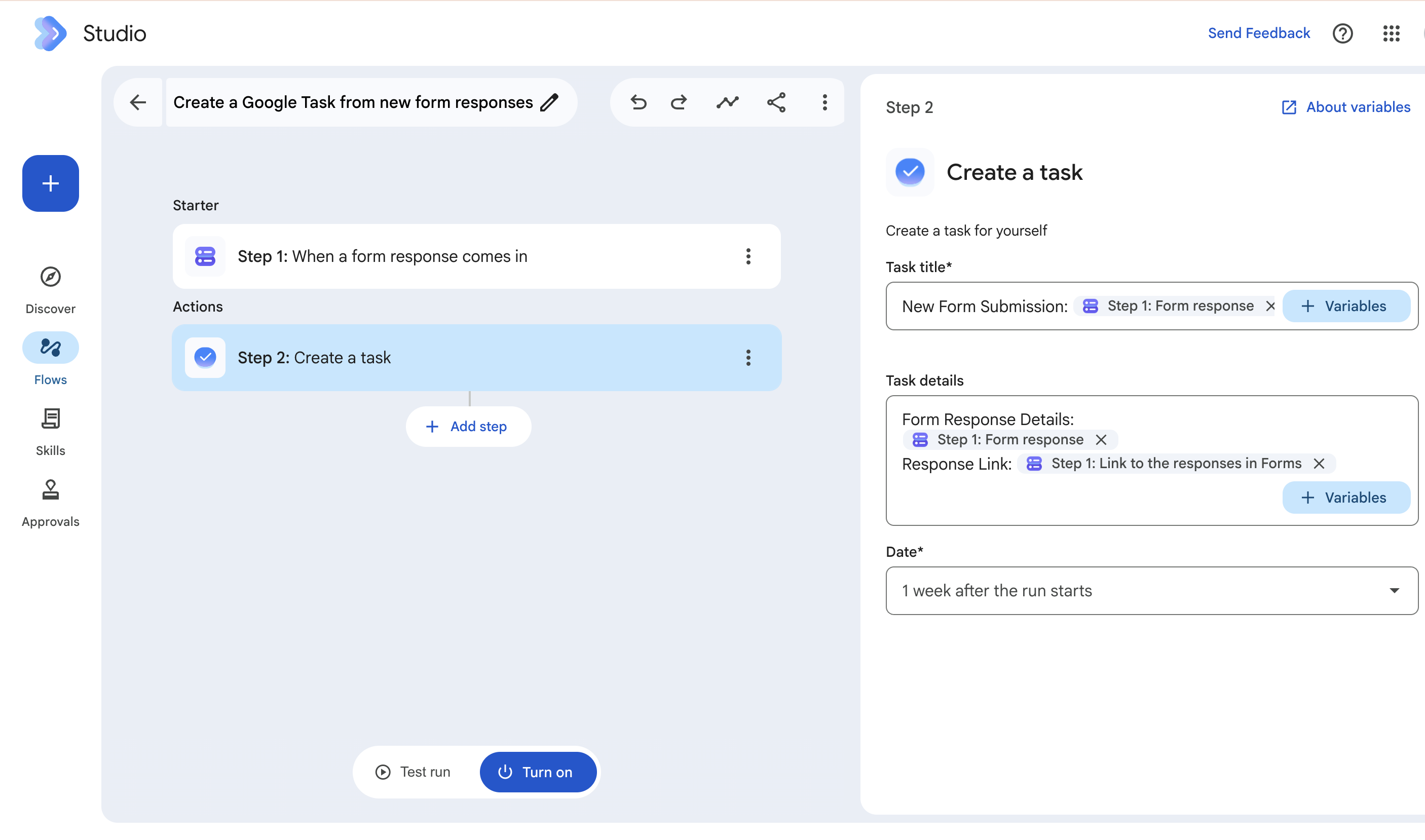
Worth saying plainly, since most comparison pages skip straight to the complaints: Studio is genuinely good at what it's scoped for. A flow has one starter — an email arriving, a form submission, a schedule, a file landing in Drive — followed by up to 20 steps that act on it. Steps can call Gemini directly ("Ask a Gem") to draft a reply, summarize a document, or classify content, and everything runs inside a single Google tenant rather than routing through an outside vendor. For someone automating their own inbox or their own weekly report, that's a real, unglamorous convenience — and it's included at no extra cost on Business Starter through Enterprise Plus.
The limits — and where Google's own pages disagree
Two different Google Support pages currently state two different numbers for the same limit, and we haven't seen anyone point this out yet. The end-user help page says a user can create a maximum of 25 flows. The admin setup guide, published by the same Workspace Studio team, says the cap is 100 flows — a figure the German-language version of the same admin page confirms independently. We're not going to guess which one is the typo; we're just telling you both exist, with links, so you can watch which one your own account actually enforces.
| Limit | What Google states |
|---|---|
| Total flows per user | 25, per the end-user Help Center — or 100, per the admin setup guide (both current) |
| Steps per flow | 20, maximum |
| Flows started from Gmail | 25 active at a time |
| Monthly flow executions | ~100/month on Business Starter, ~400/month on Standard, Plus and Enterprise, higher on the paid AI Expanded and AI Ultra add-ons |
| Daily run cap | A combined daily limit across all flows; Google doesn't publish the exact number |
Sources: Workspace Studio Help — user limits, Workspace Studio admin setup guide. Monthly execution figures as reported by independent trackers; Google's own pages describe the existence of monthly caps without publishing every tier's exact number.
Files a flow touches have to be private to the user who owns the flow — Google's documentation describes flows failing against Shared Drives and shared folders. And sharing a flow with a colleague doesn't hand off the same centrally managed flow; it hands them a personal copy, which they then own and maintain separately. Neither of those is a bug, but both matter if you were picturing one flow that a whole team maintains together.
One more thing worth knowing if you're planning around today's limits: Google gave Workspace customers promotional access to higher limits while Studio was new, and that promotion ended on September 1, 2026 — under four weeks before we published this. If your account felt more generous a month ago, that's why.
Check your own numbers against the limits
Type in what you'd actually need, not a hypothetical — the calculator flags it the moment you'd cross a published limit.
The bigger gap: approvals and routing
Limits are the part you can plan around. This isn't. The mechanics of why are already covered in detail on our Workspace Studio limitations page — no step that waits for someone else's approval, a Task that can only be assigned to whoever's already running the flow, no read on Google Directory or your org chart to route by manager or department. We won't re-run that here.
What's worth adding for this specific comparison: the flow-count and step-count limits earlier in this page are things you can build around — split the process into two flows, trim a few steps. This one isn't. There's no documented way inside Studio to "have someone else's approval pause the process," which is the actual reason Studio stops being a Power Automate replacement the moment a second person needs to be involved — not the numbers, the missing primitive.
Where Power Automate fits differently
Power Automate doesn't have Studio's ceiling — no 20-step cap, no 25-flow question mark, full access to an org's directory through Microsoft Entra ID, and a real wait-for-approval action built in. What it doesn't have is a home inside Google Workspace: its Google connectors are add-ons from a Microsoft tenant, with their own gaps, including one we've written about at length — Shared Drive files that can't be selected in the file picker at all. We cover that, plus current pricing, in our Zenphi vs Power Automate comparison and our Power Automate pricing breakdown.
That's the actual shape of the decision: Studio is Google-native but scoped to one person's flows. Power Automate has real approval and directory features but isn't Google-native at all. A platform built specifically for cross-department Google Workspace processes — approvals, Directory-aware routing, and documents, all inside Google — is the thing sitting in the gap between the two.
All three, side by side
| Workspace Studio | Power Automate | Zenphi | |
|---|---|---|---|
| Lives inside Google Workspace | Yes | No — Google apps via connector | Yes |
| Steps per flow | 20 max | No fixed cap | No fixed cap |
| Wait for a human approval | Approval is always needed when a step involves AI content generation. For example, an email is only generated as a draft: Studio doesn't allow sending emails on the user's behalf | Yes | Yes, if needed. Approval is a step you decide on, not a requirement. If a workflow has no AI step and needs no specific approval, it can run on its own. If AI output doesn't need approval (for example, when the confidence score for data extraction is over 9), you can skip the approval stage |
| Assign a task to someone else | No — self only | Yes | Yes |
| Org chart / manager lookup | Not available | Via Microsoft Entra ID | Via Google Directory, Google Sheets, a Zenphi Table or any database where you store your org structure |
| Works with Shared Drives | No — files must be private to the owner | Limited — can't select Shared Drive files in the picker | Yes |
| Cost | Included in Workspace plans | $150/workflow/month | Starts at $50/workflow/month, unlimited users |
FAQ
Is Google Workspace Studio a replacement for Power Automate?
For a single person's own automations, yes. For a business process involving approvals, task handoffs, org-chart-based routing, or Shared Drives, no — Studio doesn't have those capabilities today, regardless of plan tier. A better replacement that contains all relevant capabilities would be Zenphi, a third-party equivalent to Power Automate for Google Workspace.
How many flows can I actually create in Workspace Studio?
Google's own pages disagree: the end-user Help Center says 25, the admin setup guide says 100. Check what your own account enforces rather than assuming either number.
Can Workspace Studio route an approval to someone's manager?
No. Studio has no access to Google Directory or your org chart from inside a flow, so it can't determine who someone's manager is or route a request based on department. If you need approval routing, try Zenphi, a third-party equivalent to Power Automate for Google Workspace that lets you automate approvals with routing and escalation paths.
Does Workspace Studio work with Shared Drives?
Not reliably. Google's documentation describes flows failing against Shared Drives and shared folders — files a flow uses need to be private to the flow's owner. If you need a reliable workflow that involves Shared Drives, try Zenphi.
Is Workspace Studio free?
It's included at no extra cost on Business Starter through Enterprise Plus, with monthly execution limits that scale by plan — roughly 100 runs a month on Starter, around 400 on Standard, Plus and Enterprise, and higher limits on the paid AI Expanded and AI Ultra add-ons.
Sources
- Workspace Studio Help — limits (25-flow figure)
- Workspace Studio admin setup guide (100-flow figure)
- Guide to Starters & Steps in Workspace Studio
- Require approval for flows with external users (admin, security-scoped)
- Google Workspace Updates — Gems in Studio (promotional limits end Sep 1, 2026)
- Independent walkthrough — the two-flow approval workaround
- A user's own account of building real flows in Studio
- Zenphi — our own tests building an approval flow in Studio
- Microsoft Learn — Google Sheets connector (Shared Drive limitation)
Related reading
What Is Google Workspace Studio?
The full explainer: what it is, how it works, and everything that's changed since launch.
Read more →Zenphi vs Power Automate
Where Power Automate's Google connectors run out of road, and where a Google-native platform picks up.
Read comparison →Power Automate Pricing 2026
Premium, Process and Hosted plans, action limits, and the AI Builder change hitting Nov 1.
Read more →Approval Workflow Software for Google Workspace
What real approval routing looks like when it's built for it.
Read more →See what a Google-native approval actually looks like, directory routing included.
Bring the one process Studio couldn't finish — we'll show you it running end to end.


