
Need to extract table data from a PDF? Here are 5 real ways to do it — from a free manual tool to a fully automated pipeline that sends the data straight to your CRM or Google Sheets.
What's in this guide
If you just need to extract table data from a PDF, the fastest path depends on three things: whether the PDF is scanned or native, whether you need this once or every week, and whether the output needs to land somewhere else automatically — a CRM, a spreadsheet, a database. Copy-pasting doesn't scale past a handful of rows, and most basic OCR tools choke on real-world invoices and reports.
We put together 5 genuinely different ways to do this in 2026: one free manual tool, one desktop app most teams already own, one Microsoft-native option, one developer-first API, and one no-code way to make it fully automatic — including sending the extracted data straight to your CRM.
How we compared them: the same five questions for every option — price, whether it handles scanned/image-based PDFs, whether it sends the data anywhere on its own, whether you need to write code, and who it's actually built for. Zenphi is on this list because we built it. Where another tool is simply the better fit for a given need — free and occasional use, or you're already on AWS and building a custom pipeline — we say so below rather than bury it.
Quick Comparison
| Tool | Price | Scanned / image PDFs? | Sends data out automatically? | Coding needed? | Best for |
|---|---|---|---|---|---|
| Zenphi + Gemini | Flat, usage-based — no per-seat fee | Yes | Yes — Sheets, CRM, or any connected app | No | Google Workspace teams automating a recurring process |
| Tabula | Free | No | No — manual export/import | No | A one-off extraction with no budget |
| Adobe Acrobat Pro | From $19.99/mo (annual) | No | No — manual export/import | No | Occasional conversion of native (non-scanned) PDFs |
| Power Automate + AI Builder | From $15/user/mo | Limited | Yes — Dynamics 365, Excel, other MS apps | No | Teams already standardized on Microsoft 365 |
| Amazon Textract | ~$15/1,000 pages (Tables) | Yes | No — you build the pipeline | Yes | Developers building a custom extraction pipeline |
Use Cases for Extracting Table Data from PDFs to CRMs and Other Systems
Here are a few real-world use cases that benefit from extracting data from PDF automation:
- Invoice Processing: automatically extract line items from vendor invoices and log them in Google Sheets, QuickBooks, or NetSuite
- Order Management: capture customer purchase data from PDFs and sync it to your CRM or fulfillment system
- Shipping & Logistics: extract delivery details from packing slips and update your internal tracking sheet or supply chain dashboard
- Expense Tracking: pull expense data from receipts and populate an expense approval workflow
- Data Aggregation: use extracted table data to fuel dashboards, forecasts, or compliance reports
The #1 PDF Data Extraction Solution For Teams Using Google Workspace
Zenphi is the best tool for teams using Google Workspace looking to automate their PDF data extraction workflows. From inbox automation and email monitoring to assigning tasks to team members, Zenphi lets you embed PDF data extraction into end-to-end business process automations.
The 5 Ways to Extract Table Data From PDF
Zenphi + Google Gemini
Best for: Google Workspace teams that want this to run automatically, every time, without touching it.
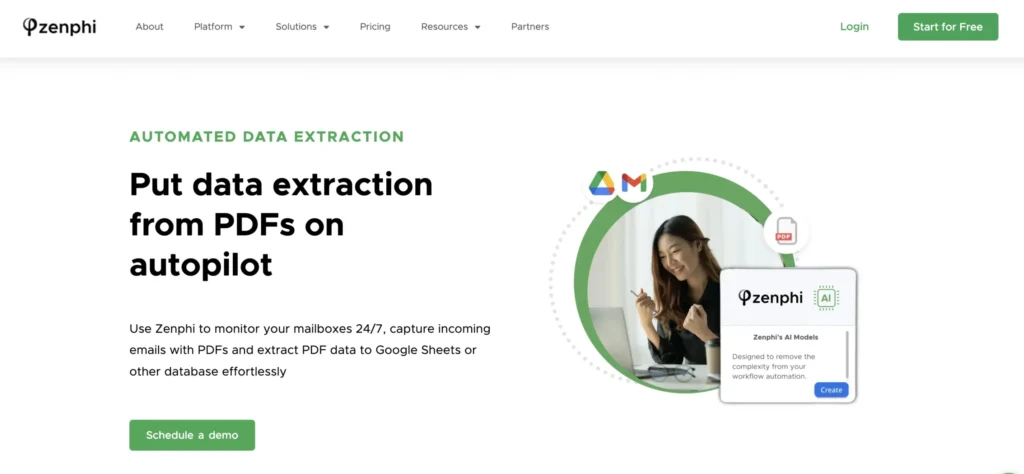
If you're using Google Workspace, this is the most powerful no-code option available. With Zenphi, you build a workflow that automatically reads PDF files from incoming emails, Drive, or form uploads, uses Google Gemini to detect and extract the table structure, and triggers whatever comes next — an alert, an approval, an email summary, or a row added to Google Sheets, a CRM, or any connected app.
A 5-minute walkthrough of the exact setup described above — building a workflow that extracts table data from a PDF and drops it into Google Sheets.
Pros
- Reads PDFs straight from Gmail, Drive, or form uploads — no manual upload step, ever
- Output can go to Google Sheets or, via a native integration or API connection, directly into a CRM (HubSpot, Salesforce, Monday.com)
- No-code setup — you don't need to be technical to build the automation
Cons
- Not built for a single, one-off extraction — the value shows up once this is a recurring process
- Flat usage-based pricing, so it's not a free tool for occasional use
Zenphi is used by lean Finance and Ops teams for automating invoice processing, by Customer Success and Sales Ops teams processing order PDFs, and by HR and Finance teams extracting data from payslips into a database. Before building a custom API connection to your CRM, check if Zenphi already has a pre-built integration with it.
Pricing: Flat, usage-based — no per-seat fee.
Tabula — Free, Open-Source PDF Table Extractor
Best for: A free, one-off extraction with no ongoing automation need.
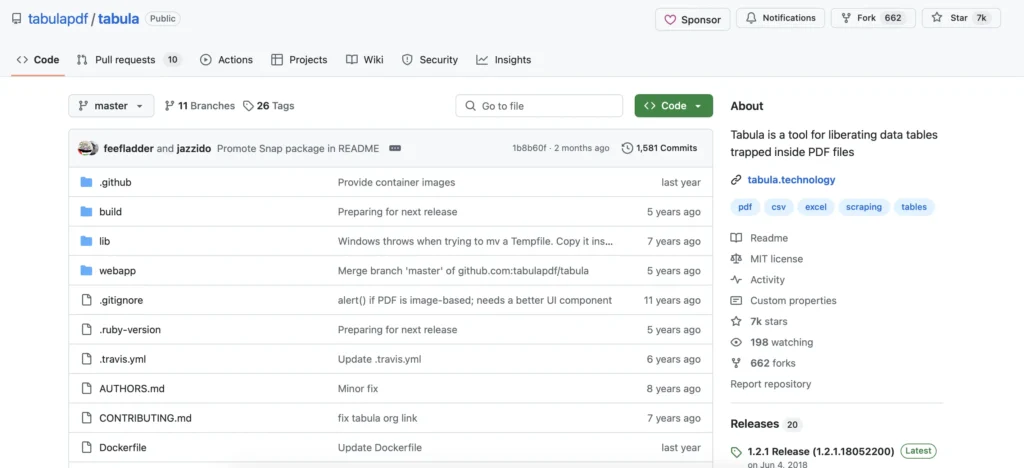
Tabula is a free, open-source tool built specifically to extract tables from PDFs. You manually select the region on the PDF where the table appears, and it's genuinely good for batch exports if someone is available to run it.
Pros
- Completely free and open-source
- Simple, direct manual selection — good for batch exports
Cons
- Doesn't work with scanned or image-based PDFs — no OCR
- No workflow automation: upload, extract, download, and import into your CRM or app manually, every single time
- Being open-source and self-hosted, compliance and audit trails are entirely on your team to build
If you're specifically evaluating options for a regulated environment (for example healthcare automation), it's worth knowing Tabula carries none of that out of the box — see what HIPAA-compliant automation actually requires.
Pricing: Free.
Adobe Acrobat Pro + Export to Excel
Best for: Teams that already have Acrobat Pro and need an occasional desktop conversion.
If you're looking for a desktop solution and need table data extraction to Excel, Adobe Acrobat Pro has long offered the ability to export table data from PDFs into Excel. It works well with native digital PDFs and preserves formatting for simple tables.
Pros
- A tool many teams already have a license for
- Preserves formatting well for simple, native (non-scanned) PDF tables
Cons
- Struggles with scanned or image-based PDFs, same as Tabula
- No CRM or workflow integration — export, then manually import wherever it needs to go
- $19.99/month per user billed annually (~$29.99/month billed month-to-month); team plans run $23.99/seat/month — adds up fast if several people do this regularly
Pricing: From $19.99/month per user, billed annually.
Ready to Embed PDF Data Extraction in a Company-Wide Workflow?
Whether you're looking for an invoice processing solution or need a HIPAA-compliant healthcare automation tool that extracts medical records, Zenphi will be a game changer for you. Book a call with a Zenphi automation expert to get access to special pricing.
Power Automate + AI Builder (Microsoft)
Best for: Teams already standardized on Microsoft 365.
Microsoft Power Automate users can tap into AI Builder to extract table data from PDFs and route it into Dynamics 365, Excel, or other Microsoft apps.
Pros
- Routes extracted data into Dynamics 365, Excel, or other Microsoft apps automatically
- Natural fit if the team is already standardized on Microsoft 365
Cons
- Requires Power Platform premium licensing on top of a standard Microsoft 365 plan
- Adding a single premium connector to a flow can trigger premium licensing for every user who touches that flow — an easy way to be surprised by the bill
- Very limited control over how AI Builder parses or cleans up a table — you can't retrain the model or fix a messy result from inside the tool
If being in control of your data and how it's processed matters to you, it's worth looking at Zenphi even as a Microsoft-heavy team — it's a genuine alternative to Power Automate, not just for Google Workspace users.
Pricing: Power Automate Premium from $15/user/month; unattended processes and add-ons (AI Builder credits, process mining) are priced separately.
Amazon Textract (via API)
Best for: Developers building a custom extraction pipeline, already on AWS.
Textract has a genuinely powerful OCR backend and doesn't struggle with images or scans. It's a real, capable option — but it's built for developers, not for a Finance or HR team to use directly.
Pros
- Handles scanned and image-based PDFs reliably — genuine OCR, no separate scanning step
- Pay-as-you-go: table extraction runs about $15 per 1,000 pages (first 1M pages/month) — cheap at low volume
Cons
- Output is structured JSON via API — there's no visual interface; your Finance or HR team can't use it directly
- Requires AWS setup (S3, IAM, and typically Lambda for automation) and someone who can build the pipeline
- Free tier is time-limited — 3 months for new AWS accounts, not an ongoing monthly allowance
Pricing: Pay-as-you-go — table extraction ~$15 per 1,000 pages (first 1M pages/month), OCR-only text detection from $1.50 per 1,000 pages.
Which One Should You Use?
- Free, occasional use, and your PDFs aren't scanned: Tabula.
- You already have Acrobat and just need an occasional native-PDF conversion: Adobe Acrobat Pro.
- You're on Microsoft 365 and want it routed into Dynamics or Excel automatically: Power Automate + AI Builder.
- You're a developer building a custom pipeline and need real OCR at scale: Amazon Textract.
- You're on Google Workspace and want this to run as part of a repeatable workflow into your CRM: Zenphi + Gemini.
FAQs About Extracting Table Data From PDFs
Can I extract tables from a scanned PDF for free?
Not reliably with the free options here — Tabula doesn't OCR scanned or image-based PDFs, and neither does Adobe Acrobat Pro's basic table export. Real OCR support on this list starts with paid tools like Amazon Textract or an AI-based option like Zenphi + Gemini.
What's the easiest way to get PDF table data into a CRM automatically?
Zenphi or Power Automate, depending on your ecosystem — Zenphi for Google Workspace, Power Automate for Microsoft 365. The other three tools on this list (Tabula, Adobe Acrobat Pro, Amazon Textract) require either manual export/import or custom development to reach a CRM.
Do I need to code to extract tables from a PDF?
No, for Tabula, Adobe Acrobat Pro, Zenphi, and (mostly) Power Automate — all have a visual interface. Amazon Textract is the exception: it returns structured JSON via API and is built for developers.
Which tool handles scanned or image-based PDFs best?
Amazon Textract and Zenphi + Gemini, since both use real OCR or AI vision under the hood. Tabula and Adobe Acrobat Pro's table export rely on the PDF already having a text layer, not just an image of a table.
Read More On Extracting Data From PDFs
Three-Way Invoice Matching Automation
How to automate one of the most important processes in accounts payable — 3-way invoice matching — using Google Sheets.
Read More →Process PDFs With AI Faster
Everything you need to know about AI-driven data extraction from PDFs: why you need it, the use cases, and the tools.
Read More →Automated Accounts Payable Video Guide
A step-by-step video guide on building an automated accounts payable process with tools you're likely already using — Google Sheets and Gmail.
Read More →Two-Way Invoice Matching
What 2-way invoice matching is, why it's critical for finance teams, and how automation tools like Zenphi simplify and scale it.
Read More →Success Story: 90% Cost Reduction
Case study: a children's camp using AI workflow automation in Google Workspace to enhance safety and save time.
Learn More →Stop exporting and re-importing PDF tables by hand
Zenphi reads the PDF, extracts the table with AI, and routes it to your CRM or Sheets automatically — no code, flat pricing, live in days.


