
Top 5 tools for automating Google Workspace tasks this year — featuring a mix of new releases, admin tools, and power platforms tailored for both IT and business users. Selected and reviewed by Google Partners.
What's in this guide
Top Tools For Google Automation For 2026: Our Selection Criteria
Choosing the right tool to automate Google Workspace isn't easy — especially in 2026, when the market is saturated with everything from native utilities to enterprise-grade platforms. We came up with this article to help you see a picture beyond marketing hype and widely advertised features.
First, we consulted a board of experts from top Google partners — including specialists from 66Degrees, CDW, InfoSys, SHI International Corp, and other market players — to get a first-hand look at the tools their clients ask for most.
Our review committee included:
These partners work daily with organizations of all sizes to implement Google Workspace and related solutions, giving them a unique perspective on what actually works in the field.
Based on our conversations with the experts, we rated tools suggested by them, based on the following criteria:
- Depth of Google Workspace integration
- Ease of use for IT and non-technical users
- Support for real-world use cases like user onboarding, access requests, and document workflows
- Scalability and security in enterprise environments
- Customer demand and partner feedback
Based on those criteria — and with expert validation — here are the top 5 Google Workspace automation tools to consider this year.
Ready to Automate Your Google Workspace?
No code. No disruption to what already works. Just faster, more reliable operations.
Top 5 Tools for Google Workspace Automation in 2026
Zenphi – Purpose-Built for Google Workspace Automation
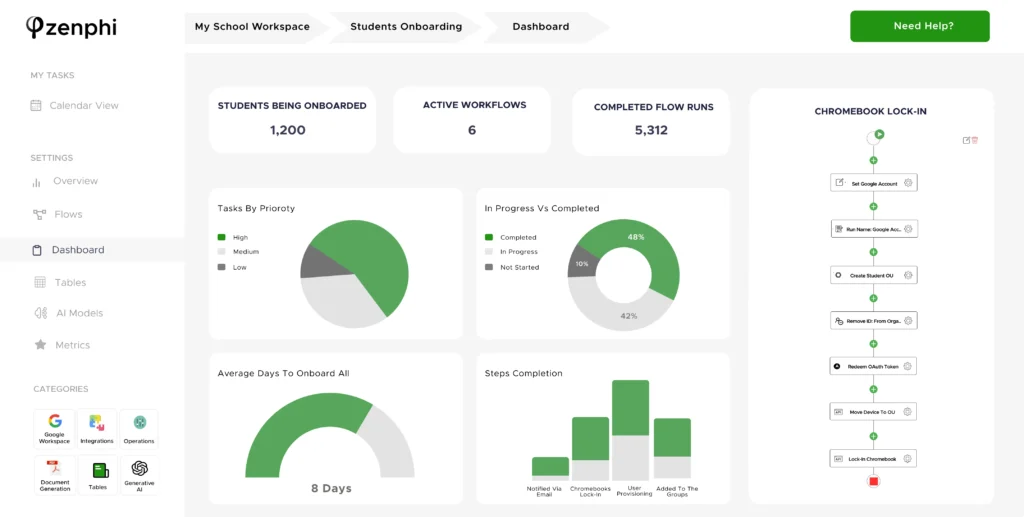
Best for: End-to-end, cross-functional workflow automation with no code. Zenphi is widely used in automating workflows for education (Google Workspace for Education), healthcare workflow automation, automation in retail, logistics and other verticals — enabling teams across departments to automate complex processes securely within Google Workspace.
Why it stands out: Zenphi remains the only enterprise-grade, no-code platform designed specifically for Google Workspace. It allows teams to build elaborate IT operations automation, natively, within Google Workspace, automate user lifecycle management, Google Workspace access control, employee onboarding (from a very basic onboarding flow to an advanced workflow that extracts data from HRIS), approval workflows, 2-way invoice matching, and so much more — all without writing a single line of code. Zenphi's drag-and-drop builder connects Gmail, Docs, Sheets, Calendar, Drive, and even Google Admin, as well as dozens of popular tools and applications.
2025–2026 highlights: In 2025, Zenphi updated its capabilities with advanced AI workflows, expanded the usage of artificial intelligence for IT operations automation, added templates for intelligent invoice processing, inbox automation, and customer support automation, created more out-of-the-box integrations, and made its pricing plans more scalable, allowing businesses to start small and scale automations whenever needed with minimal disruption to their existing processes. In 2026, Zenphi added new capabilities to build AI agents with a fully conversational interface — configure an agent that understands plain-language requests and executes them directly inside your Google Workspace processes. See what's new in the AI Agent Builder. Also, Zenphi is now available directly on Google Cloud Marketplace, which means your subscription can be billed through Google — simplifying procurement and invoicing.
Even better, if your organization has an existing Google Cloud spend commitment, your Zenphi purchase can draw down on that commit, helping you maximize the value of your current budget.
The #1 Google Workflow Automation Solution
Zenphi is the only Google workflow automation solution that allows you to build scalable and efficient workflows without disrupting your existing operations — completely code-free. Book a call to learn more.
Google Workspace Studio – Google's Native Automation Tool
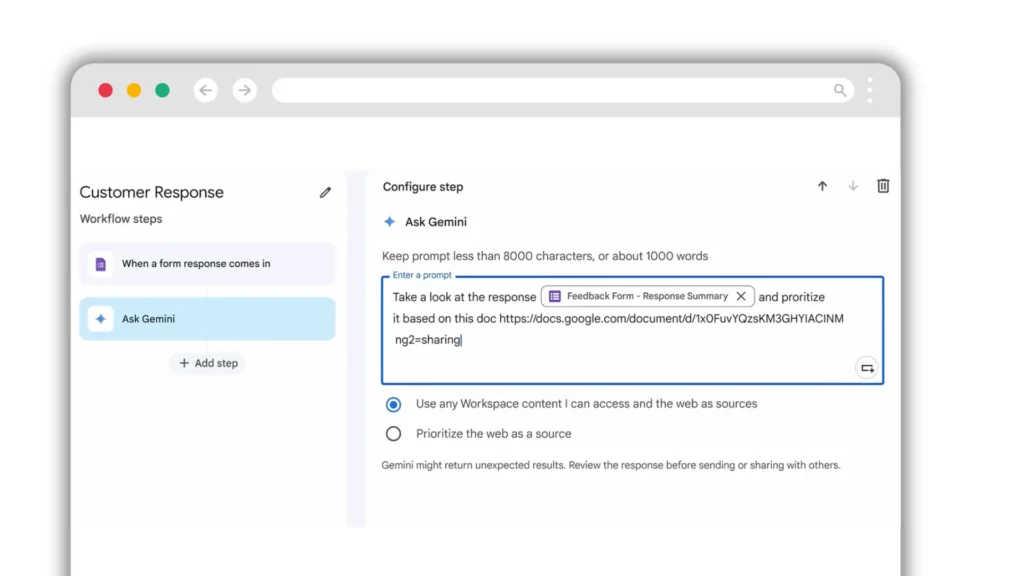
Best for: Simple, native automations within the Workspace UI and building simple autonomous AI agents.
Why it stands out: Workspace Studio is Google's own entry into the workflow automation space. It was launched at the end of 2025, and is aimed at simple automations across Gmail, Docs, Drive, Sheets, and Google Chat.
2025–2026 highlights: As of 2026, Workspace Studio does not support advanced automation scenarios, including:
- Document generation from templates
- Approval workflows
- PDF conversion and exports
- Loops — or actions performed on a list of objects
- Subflows
- Any workflows that include Google Directory or Groups
- Any workflows that are being triggered outside of Google Workspace (for example, your CRM)
For organizations needing scalable, end-to-end automation, Workspace Studio is best viewed as a complement — not a replacement — for platforms like Zenphi, which presents the strongest Google Workspace Studio alternative at the moment. Moving from Microsoft and comparing it with Power Automate? See Google Workspace Studio vs Power Automate.
BetterCloud – Automation + SaaS Management for IT
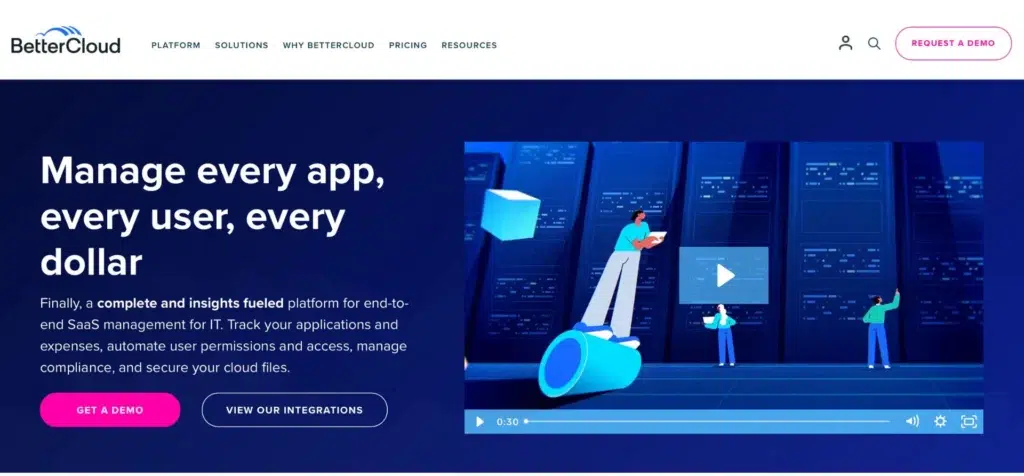
Best for: BetterCloud is best for IT and security teams managing user lifecycles and access policies. It is not specifically aimed at Google Workspace users, however Google admins and IT teams that utilize Google Workspace as their productivity environment use BetterCloud, as well as the BetterCloud alternative, quite heavily.
Why it stands out: BetterCloud focuses on SaaS management, offering powerful automations for user provisioning, access control, policy enforcement, and alerts. It's a favorite among IT teams looking to eliminate manual admin tasks and ensure compliance on a really high, enterprise level.
2025–2026 highlights: In 2025, BetterCloud significantly improved its offer to Google Workspace users. The team expanded its library of Google Workspace triggers, allowing for more precise automation workflows. For instance, administrators can now set up workflows that respond to specific events such as changes in user group memberships or modifications to organizational units. Notably, though, these very capabilities have been available for Zenphi users for over 2 years. Using Zenphi, IT teams have been successfully performing automated shadow IT detection, creating automated alerts on 2SV disablements, and taking automated actions on suspicious external file sharing. Check the list of use cases here.
BetterCloud has also strengthened its integrations with popular HRIS systems like BambooHR and ticketing platforms such as ServiceNow and Jira. These integrations facilitate seamless automation of user onboarding and offboarding processes. For example, when a new employee is added to the HRIS, BetterCloud can automatically trigger a series of actions: creating user accounts, assigning appropriate group memberships, provisioning necessary applications, and even generating tickets in ServiceNow for hardware allocation. Again, all similar actions have been available for Zenphi users since 2023. Read a tutorial on how to automate employee onboarding on Google Workspace while extracting data from HRIS using Zenphi.
GPanel by Promevo – Simplified Google Admin Automation
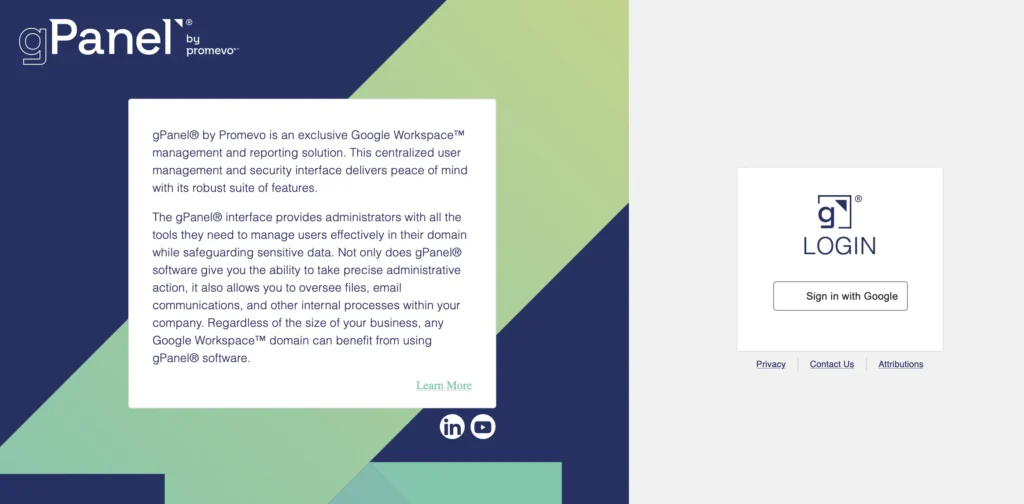
Best for: GPanel is great for automating Google admin tasks within mid-sized organizations.
Why it stands out: GPanel offers Google Workspace Admins a centralized interface to manage users, groups, and organizational units. It streamlines everyday admin tasks like resetting passwords, deactivating accounts, and auditing changes.
Limitations: GPanel is admin-focused and lacks capabilities for automating business workflows or multi-step processes across departments. Again, it's worth mentioning that Zenphi would be a great alternative to GPanel for your team, if you're looking into solutions that allow you to start with automating Google admin tasks, and eventually move to other functions and processes.
Google Apps Script – Custom Scripting for Power Users
Best for: Developers and tech-savvy teams that are not afraid of lengthy projects and automations built within months.
Why it stands out: Apps Script is Google's JavaScript-based scripting environment that lets you create custom functions, add-ons, and automations across Workspace apps. It's incredibly powerful and flexible — ideal if you want something tailored or need to extend what native tools can do. Apps Script is free and integrates deeply with Workspace, but it does require coding knowledge and a bit of time to maintain.
2025–2026 highlights and limitations: In 2024–2025 there were several major improvements to Apps Script. The integrated development environment (IDE) was improved for better debugging and code management. Modern JavaScript support was also added — with the V8 runtime, developers can now utilize contemporary JavaScript features, facilitating more robust and efficient scripting. Finally, new APIs have been introduced, allowing deeper integration with Google Workspace services and third-party applications.
That being said, it's clear that while Google Apps Script offers unparalleled flexibility for customizing Google Workspace, it's best suited for scenarios where the benefits of tailored automation outweigh the associated development and maintenance efforts. There are several things you have to keep in mind before choosing Apps Script for Google automations:
- Development time: Creating and maintaining Apps Script automations can be time-consuming, often requiring significant development effort.
- Specialized expertise required: Finding skilled Apps Script developers can be challenging, as many are employed by Google Partners who offer their services at premium rates.
- Maintenance and support: Organizations may become dependent on external partners for ongoing support, debugging, and updates, leading to potential vendor lock-in and higher long-term costs.
None of these five is a one-to-one Google version of Power Automate. Zenphi is a third-party Google equivalent to Power Automate, built for approvals, document generation, and Google Admin actions. See Power Automate alternatives for Google Workspace for the full list, or Google Workspace Studio vs Power Automate to see how Google's own tool compares.
How to Choose the Right Google Workspace Automation Tool
Finally, with several really solid automation tools available in 2026 — ranging from Google's own emerging solutions to purpose-built platforms and low-level scripting — it's important to step back and think strategically before making a choice. Here are some tips from automation experts on how to approach it.
Start by mapping out what you're trying to automate. Are you focused on IT processes (user onboarding/offboarding, license management, device compliance)? Do you need to automate general business workflows (approvals, document generation, internal requests)? Do you have some custom scenarios in mind that no off-the-shelf solution seems to cover? Knowing what you want to automate will immediately narrow your options (most probably, to Zenphi, as it allows you to automate IT operations, approval workflows, and any custom scenario you might think of).
Some tools — like Zenphi — are designed for teams with no coding experience. Others — like Google Apps Script — require deep technical expertise. Do you have someone in-house who can manage and maintain automation flows? Will you need to hire or rely on partners? How fast do you need to deploy and iterate? If you need a faster time to value and no internal coding experts, Apps Script will be off the table. Your company's IT budget is also important — with the recent price increase from BetterCloud, it's become less affordable for small and medium-sized companies.
Free or low-cost tools may seem appealing at first — but factor in developer hours required (especially with Apps Script), ongoing maintenance, partner support contracts, and costs associated with scaling automations across departments.
Your needs will evolve. Choose a platform that can grow with your organization and allows cross-functional collaboration without extra licenses — like Zenphi.
Need More Tips? Download Our Free eBook
The most detailed tips on how to choose the best process automation solution in 2026 (with and without asking ChatGPT).
No sales call required · Instant PDF download · 4,900+ organisations trust Zenphi
Comparing five tools when you only need one?
Zenphi automates the full breadth of Google Workspace admin, approvals, and cross-functional workflows — no code, no per-seat penalty as you grow.


