
Confirm the last day, departure type, final documentation, benefits and exit-interview process. HR is also the reliable trigger that tells downstream teams when the workflow should begin.
Use this employee offboarding template to coordinate HR, manager, IT, security and finance tasks before, on and after an employee's last day. The second half of the guide provides a detailed Google Workspace IT checklist and a launchable Zenphi Space template for automating deprovisioning.
An employee offboarding template is a reusable process for coordinating everything that has to happen when someone leaves. It should assign owners and timing for HR documentation, knowledge transfer, equipment return, access revocation, final pay, account and data handling, licence reclamation, retention and the final audit record. The checklist below is platform-agnostic; the Google Workspace section then shows how the IT and data steps work in practice.
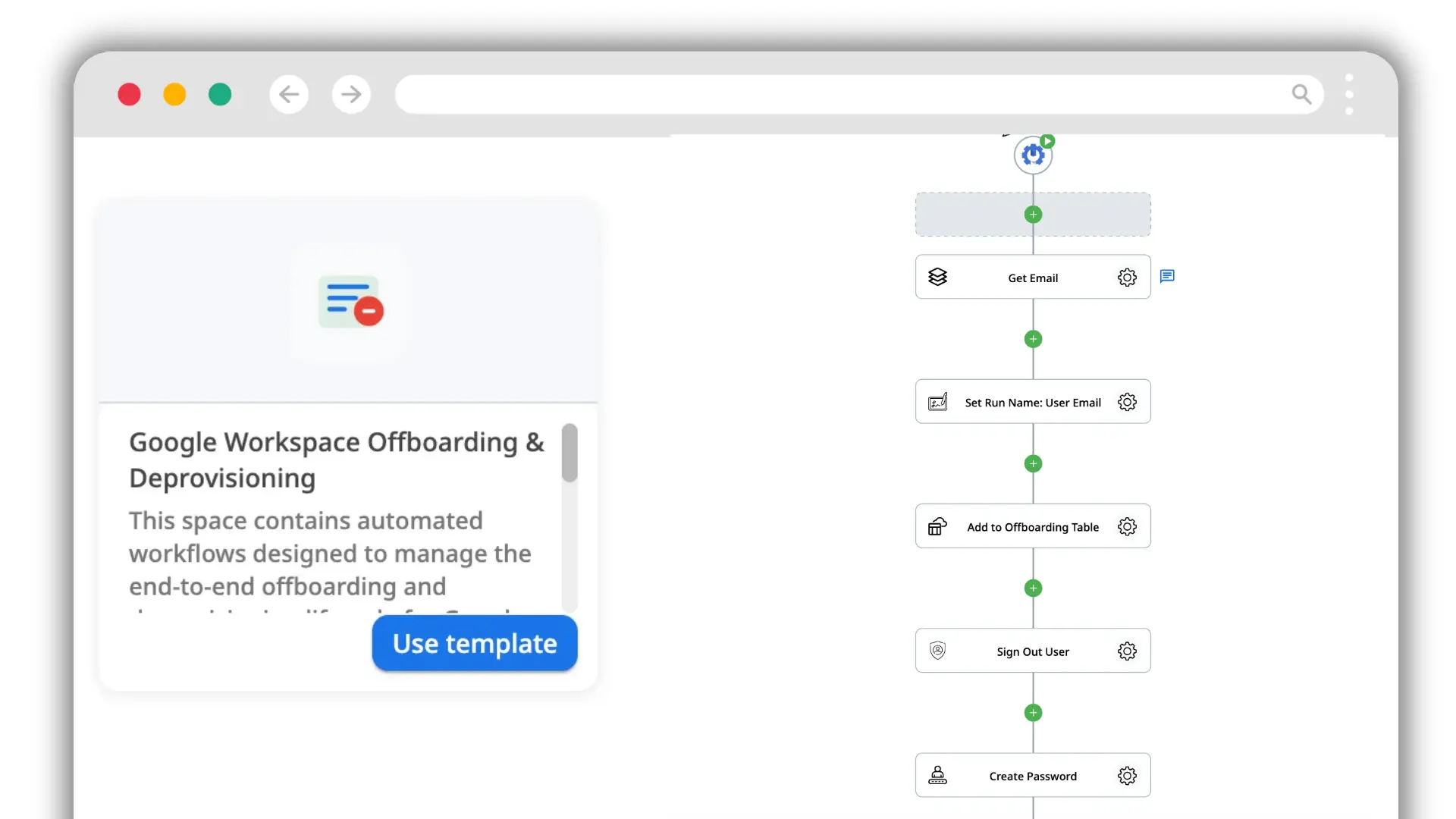
The Space template creates four configurable flows, a tracking table and a dashboard. Launch it in Zenphi, connect your Google services, then adapt the OUs, data-transfer destination, retention rules, Vault export and licence logic to your own offboarding policy.
Launch the template in your workspaceA useful employee offboarding template does more than list IT tasks. It gives each departure a repeatable structure: who owns each action, when it should happen, what evidence confirms completion and which steps depend on another team. The exact workflow varies by role and risk, but five owner groups appear in most offboarding processes.
Confirm the last day, departure type, final documentation, benefits and exit-interview process. HR is also the reliable trigger that tells downstream teams when the workflow should begin.
Identify open work, clients, files, projects and responsibilities that need a new owner. Managers also decide who should receive business data or ongoing communications.
Revoke access, invalidate sessions, remove group and SaaS permissions, transfer data, reclaim licences and move the account through the correct suspend, archive and deletion states.
Review privileged access, shared credentials, external sharing, security exceptions and retention requirements. Close the process with enough evidence to show what was changed and when.
Confirm final payroll and expense handling, then make sure paid software licences, corporate cards, devices and other assigned assets are returned or reassigned.
The work also falls into three timing phases. Before the last day, teams prepare the handover and schedule access changes. On the last day, access and assets are closed out. After departure, data retention, licence reclamation, records and evidence are completed.
This table is designed to be used as-is or copied into your own offboarding process. Add department-specific tasks where necessary, but keep the owner and timing columns: they prevent a checklist from becoming a list of actions that everyone assumes somebody else owns.
Enter your details below and we'll send you the employee offboarding checklist.
| Task | Owner | When | Done |
|---|---|---|---|
| Before the last day | |||
| Document the departure and reason or departure type | HR | On notice | |
| Confirm the employee's final working day and final access time | HR + Manager | On notice | |
| Create a knowledge-transfer plan and identify new owners | Manager | Before last day | |
| Hand over open work, files, customers and recurring responsibilities | Manager + Employee | Before last day | |
| Schedule the exit interview and departure communications | HR | Before last day | |
| On the last day | |||
| Collect laptop, phone, keys, cards and other company assets | IT + Manager | Last day | |
| Revoke identity, email, SaaS, VPN and other system access | IT | Final access time | |
| Rotate shared credentials, service credentials and shared secrets the employee knew | IT + Security | Last day | |
| Confirm final pay, expenses and benefits administration | HR + Finance | Last day / payroll cycle | |
| Complete the exit interview | HR | Last day | |
| After departure | |||
| Transfer account data, files, mailbox responsibilities and ownership | IT + Manager | Immediately after | |
| Reclaim or reassign software and Workspace licences | IT + Finance | After retention check | |
| Update HR, directory, asset and internal ownership records | HR + IT | After departure | |
| Retain or archive data according to policy and legal-hold requirements | IT + Security / Legal | After departure | |
| Close the audit record when all required steps are complete | IT / Security | Process close | |
The platform-agnostic IT portion should cover access shutdown, inherited permissions, data ownership and retention in a deliberate order. A compact IT offboarding checklist is:
Jump to the detailed Google Workspace IT checklist ↓
The same checklist should not execute identically for every departure. Keep one core process, then branch where timing, risk or retention changes.
Usually allow more time for knowledge transfer, ownership changes, customer handoff and scheduled access removal. The final access time can still be explicit rather than assumed.
Often require tighter coordination between HR, the manager, IT and security so session invalidation and access revocation happen at the agreed moment without advance technical notice.
Include external identity, shared folders, project tools, vendor portals and expiry dates. Contractors may have fewer HR tasks but more fragmented SaaS access than employees.
Add device-return shipping, remote wipe or device-management checks, home-office equipment, physical access items and explicit confirmation that company data is removed from managed devices.
Add legal-hold review, privileged-access checks, retention evidence, manager or compliance approval and longer post-departure monitoring where your policy requires it.
HR and IT have different responsibilities during offboarding. HR owns the employment process and communication; IT shuts down technical access and keeps business data under company control. Access can stay open after someone leaves without anyone intending it: a session that was never invalidated, a Google Group or Shared Drive membership, a third-party app that kept its authorization, or a skipped file transfer. Those gaps can become an information-leak risk in Google Workspace. For additional context, see the Google Workspace offboarding and data-leak research.
Google Workspace gives admins several account states and data-retention options. The right sequence depends on your retention policy, Vault or legal-hold requirements, licensing model, and whether data must be transferred to another employee before the account is removed.
Get a reliable HR trigger before changing access
Confirm the employee's final access time, manager, department, account identifier, and whether HR, Legal, Finance, or Compliance has any retention requirements. The trigger should be explicit enough that IT is not relying on an informal message or calendar reminder. If your offboarding process uses a dedicated Leaver organizational unit, Google's Admin documentation explains how to move users between organizational units.
For larger environments, this is where user lifecycle management in Google Workspace can connect the HR event to a governed offboarding workflow.
Stop continued access through existing credentials and sessions
Reset the user's password and reset sign-in cookies so active Google Workspace sessions are invalidated. Google documents both steps in its password-reset and sign-in-cookie guidance. If your organization uses a third-party identity provider or SSO, disable access there as part of the same departure event.
Remove ways the former employee could regain or extend access
Review account-recovery information and security methods that remain associated with the user. Depending on your configuration, this can include recovery details, security keys, app passwords, and other sign-in methods that should no longer remain valid. Google's user security settings documentation covers the Admin controls available for managed accounts.
Remove OAuth tokens, delegated rights, and elevated roles
Revoke third-party OAuth tokens and app passwords where applicable, and remove any administrative privileges, delegated access, or elevated roles assigned to the account. Google's security-settings documentation is a useful reference for managed-user credentials, while Admin role documentation covers removing elevated privileges. For external SaaS applications, revoke access in the systems your offboarding process is configured to manage rather than assuming every account is discovered automatically.
Block sign-in while you complete the data and retention work
Suspension is useful when IT needs to block access immediately while preserving the account for follow-up work. Archiving is a separate option for former employees when your Workspace edition and licensing support Archived User accounts. Archived users cannot sign in, while their Workspace data can be retained according to the organization's configuration. See Google's Archived User guidance for edition, licensing, and retention details.
Clean up permissions that live outside the user account itself
Remove the employee from Google Groups and Shared Drives, then review direct file access and any delegation the user held. Google documents removing members from Groups and how access works in Shared Drives. Shared Drive files remain owned by the organization, but membership and directly granted permissions still need to be reviewed so the former employee no longer has access through the account or another identity.
This step is closely related to ongoing Google Workspace access reviews, because stale group and file permissions are easier to prevent when access is reviewed regularly rather than only during offboarding.
Keep company-owned information before deletion or licence changes
Transfer business files the departing employee owns in My Drive to the appropriate owner before deleting the account. Google confirms that Workspace administrators can transfer Drive ownership in bulk. Also decide how Gmail, Calendar, and other service data should be retained, migrated, exported, or archived under your organization's policy.
Files in Shared Drives are different: they belong to the organization rather than to the individual user, so they remain in the Shared Drive after the employee leaves. Google's Shared Drive documentation explains this ownership model.
Decide what happens to incoming communication after departure
Depending on the role, you may need to route incoming email, establish a temporary delegate, configure an out-of-office response, transfer calendar ownership, or notify external contacts. Treat these as business-continuity decisions rather than leaving the former employee's active account in place simply to receive messages.
Do not remove a licence before deciding what data must remain available
Licence changes should follow the data-retention plan. Google notes that removing a user's Workspace licence can put data at risk; an Archived User licence is designed for retaining former-employee data when supported by your edition. Cloud Identity Free can be useful for identity-only scenarios, but it should not be treated as a universal substitute for an offboarding archive strategy. For licence administration, see Google's assign, remove, and reassign licences documentation and its Archived User guidance.
Deletion is the final lifecycle step, not the access-control step
Delete the account only when required data has been transferred or preserved and any Vault retention, legal hold, or compliance requirements have been cleared. Google's user-deletion documentation explains what happens to account data and which data can be transferred during deletion. Google allows a recently deleted user to be restored for a limited period, but that recovery window should not be used as a retention strategy.
Blocks the user from signing in while leaving the account and data in place. Useful during the transition while IT completes transfer and review steps.
Designed for former employees when Archived User licensing is available. The user cannot sign in, while organizational data can remain retained.
Removes the account. Transfer or preserve required data first, and check Vault or legal-hold obligations before deletion.
Repetitive offboarding administration can be automated once the policy is clear. Automation makes sure the agreed steps run in the right order and routes exceptions to a person instead of skipping them silently.
HR or IT trigger intake, password and session actions, suspension, group removal, Shared Drive membership changes, file transfer, licence actions, notifications, data logging and scheduled deletion checks.
Retention periods, legal holds, mailbox preservation, the new data owner, exceptional access and final deletion timing should be defined by policy and reviewed where necessary.
For a deeper Google Workspace implementation, see how to automate employee offboarding in Google Workspace.
The video shows how to create the Space, authorize the connections, configure the four flows, and use the tracking table and dashboard.
Launch the template in your workspace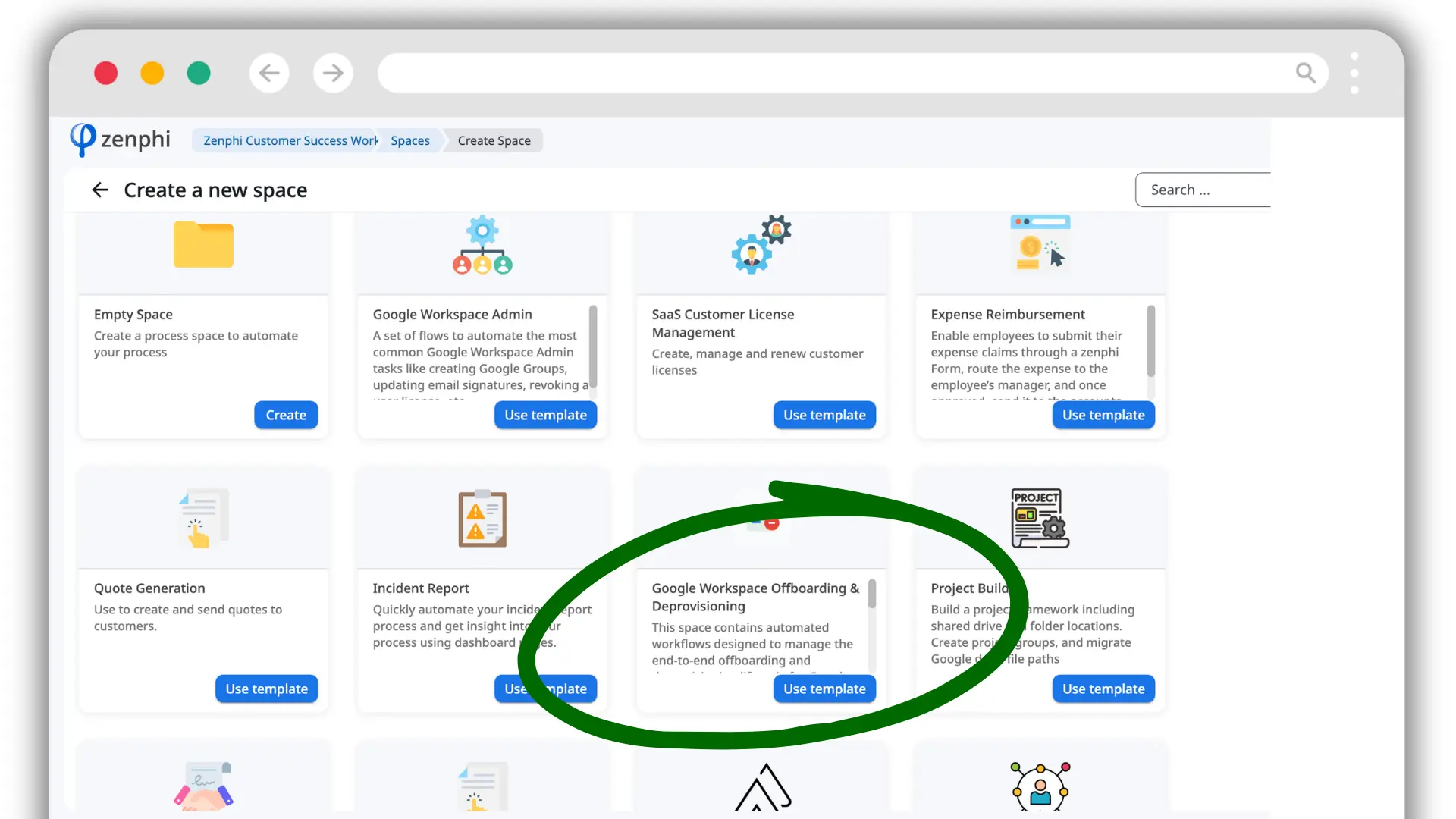
In Zenphi, select Create new space, choose Google Workspace Offboarding and Deprovisioning, name the Space and create the required connections. Each connection can be private or shared; authorize the permissions requested for the Google services used by the flows. Completing setup creates four flows, a table and a dashboard.
The main orchestrator starts when a user is moved into the OU configured as the trigger. Update the trigger OU, the destination email for transferred data and the path of the final OU before using it in production.
This flow finds the Google Groups associated with the departing user, revokes the memberships and writes the result back to the Zenphi tracking table so the process status stays visible.
This flow creates a Google Vault export for the departing employee and copies the resulting archive to the configured Google Cloud Storage bucket. Select a valid Vault matter and replace the example bucket with the production archive destination used by your organisation.
This flow removes the targeted Google Workspace licence so it can be reclaimed. If your organisation uses different Workspace tiers or add-ons, update the product ID and SKU ID to match the licence you want the workflow to remove.
The generated table records email addresses, dates, export IDs, and the status of group removal, Vault export and licence deletion so the individual flows can share one process record.
The dashboard includes log and completion-status widgets. Teams can customize the widgets and reporting around the information they need to monitor.
Configuration instructions are stored with the flows in their notes section / notes panel, so the settings that need to be changed remain next to the workflow itself.
Why a Space template? Offboarding needs several coordinated workflows plus shared process data and reporting, so the package is delivered as a Space rather than as one standalone workflow.
The template is a starting point that teams adapt to their own policy. You can change the OU names, data owner, group logic, retention destination, waiting periods, licence rules, notifications, approvals and the order or number of actions in each flow.
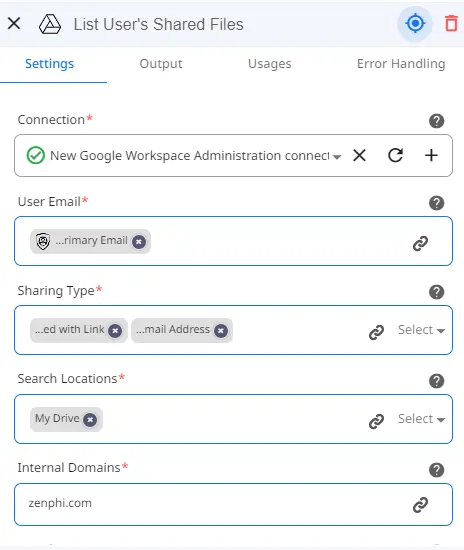
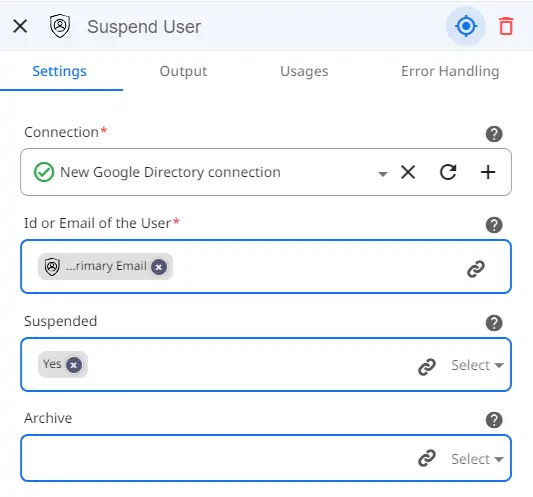
The Vault flow creates the export, waits for Google Vault to prepare it, and copies the archive to the configured Google Cloud Storage bucket. The licence-removal flow is separate so teams can control exactly when a paid Workspace licence is released and which product ID and SKU ID are targeted. For the archive side of the process, see archiving a departing employee's data.
Launch the Space template, connect your Google environment, then adapt the flows to your OUs, data owners, retention rules, licences and approval requirements.
Deletion can create data and retention problems. Block access first, then complete handover and retention work before deletion.
Groups, delegated mailboxes, Shared Drives, SSO apps and third-party OAuth access can survive a simple password change.
Licence reclamation belongs after the retention decision, especially where Vault, Archived User licensing or exports are part of the policy.
Managers should identify the new owners of files, projects, customer relationships and recurring responsibilities before the final day where possible.
A completed process should show which actions ran, which exceptions were approved, who owned them and when the account reached its final state.
An employee offboarding template should cover departure documentation, the final working day, knowledge transfer, open-work handover, asset return, access removal, shared credentials, final pay and benefits, data transfer, licence reclamation, retention and a completed audit record, with an owner and timing for each task. Zenphi's Google Workspace Offboarding and Deprovisioning template covers the IT and data side with four configurable flows, a tracking table and a dashboard.
An offboarding checklist is the list of tasks that have to be completed; an offboarding template is the reusable version of that process, usually including owners, timing, dependencies and fields that are filled in for each departure. Zenphi turns the Google Workspace IT portion into a reusable Space template whose workflows can be configured to your own policy.
For most offboarding processes, immediate access control and final deletion should be treated as separate decisions. Suspension can block sign-in while IT transfers data and completes the checklist. Archiving can be appropriate when former-employee data must be retained and Archived User licensing is available. Deletion should happen only after required data and retention obligations have been addressed. Zenphi can automate the sequence if you want those state changes tied to a governed offboarding workflow.
Files owned by the user in My Drive should be transferred or otherwise preserved before deletion if the organization needs to keep them. Files in Shared Drives are owned by the organization rather than by an individual user and remain in the Shared Drive. Zenphi can include file-transfer and Drive-permission actions in a broader offboarding workflow so those steps are not left to memory.
Google recommends resetting the user's sign-in cookies after a password reset to invalidate active sessions. Offboarding should also cover other authentication and authorization paths such as OAuth tokens, app passwords, SSO, security keys, and delegated access. Zenphi can automate the Google Workspace actions that are available in the workflow while routing exceptions or external-system steps to the appropriate owner.
Many repetitive administrative steps can be automated, but the policy decisions still need to be defined by the organization. Retention, legal holds, ownership of transferred data, exceptions, and the timing of deletion may require human or policy-driven decisions. Zenphi is a no-code option for orchestrating those automated and human steps in one workflow, including Google Workspace actions and connected systems.
Do not remove a Workspace licence until you have decided how the user's data will be retained. Google warns that licence removal can affect data availability and recommends archiving former employees when retention is required and Archived User licensing is supported. Zenphi can include licence changes later in the offboarding sequence after data-transfer and retention conditions have been checked.


