
GAM is free, powerful and command-line first. This guide compares nine practical options for teams that need broader access, approvals, decision records, bulk administration or a more maintainable operating model.
What's in this comparison
The main alternatives to GAM (Google Apps Manager) depend on what problem you are trying to solve. If you want to stay on the command line, the first step for an older GAM or GAMADV-XTD3 installation is now GAM7. For occasional manual administration there is the Google Admin Console; for custom code, Apps Script; and for teams that need approvals, audit trails or broader access there are platforms including Zenphi, Patronum, GAT, Promevo gPanel, BetterCloud and CloudM.
GAM itself remains free and exceptionally capable for bulk administration by someone who knows it. So the useful question is rarely “what replaces GAM?” It is usually “what covers the parts a command-line administration tool was never designed to cover?”
What GAM does well
Worth stating plainly, because most comparison pages skip it.
GAM7 is free and open source, with very broad coverage across Google Workspace administration APIs. It is fast: a CSV-driven bulk operation across large user populations can be launched from one command. It also avoids commercial vendor lock-in — there is no subscription price to renegotiate and the source is publicly available.
For an administrator who knows it, GAM remains one of the most efficient ways to operate Google Workspace at scale. Teams do not move work away from GAM because it is bad.
Where teams outgrow it
They usually outgrow it in four specific places.
Only technical admins can operate it safely
A manager cannot submit a governed request in GAM, and a tier-one helpdesk user normally cannot perform a narrow action without being given the command, credentials and operating context.
There is no native approval step
GAM executes commands. It does not pause a request while a manager, resource owner or security approver decides whether the action should happen.
Admin logs are not a decision record
Google audit logs can show that an administrative action occurred. They do not, by themselves, capture the request, business justification, approver decision and expiry policy around that action.
Scripts can become single-owner assets
If GAM scripts live with one administrator and are not held in shared source control with documentation, the organisation can inherit automation that nobody else can safely change when that person moves role.
GAM alternatives compared
| Tool | Interface | Bulk operations | Approval workflows | Decision / audit record | Who can use it | Public cost model |
|---|---|---|---|---|---|---|
| GAM / GAM7 | Command line | Yes, CSV-driven | No native workflow approval | Google admin logs, not request decisions | Technical admins | Free / open source |
| GAM7 / GAMADV-XTD3 lineage | Command line | Yes | No native workflow approval | Google admin logs, not request decisions | Technical admins | Free / open source |
| Google Admin Console | Web UI | Limited; some CSV/bulk tools | No general request-and-approval workflow | Admin audit logs | Admins / delegated admins | Included with Workspace |
| Apps Script | Code | Yes, custom | Build it yourself | Build it yourself | Developers / technical admins | No separate licence; quotas apply |
| Zenphi | Visual workflow builder | Yes; Foreach / Parallel Foreach | Yes, native | Yes; workflow run + approval history | IT builders; requests can start from non-admin users | Organisation subscription; no per-user or per-run fees |
| Patronum | Web UI | Yes | Yes; policy workflows can require approval | Policy execution logs | Admins / assigned roles | $8/user/year; Plus $16/user/year |
| GAT | Web UI | Yes | Yes; Security Officer approval in workflows | Strong audit + workflow details | Admins / security | From $16/user/year |
| Promevo gPanel | Web UI | Yes | General human approval not clearly documented | Audit logs and activity reporting | Admins / delegated roles | $15–$30/user/year; Enterprise custom |
| BetterCloud | Web UI | Yes, multi-SaaS | Yes; Wait for Approval / Response | Workflow history and approval events | IT team | Custom; based on licence count, apps, modules and add-ons |
| CloudM | Web UI | Yes; lifecycle/bulk offboarding | Yes, within lifecycle/offboarding workflows | Workflow history + exportable audit logs | Admins / role-based access | From $18/user/year; Enterprise custom |
GAM7 / GAMADV-XTD3
GAM7 is now the official unified GAM line. The GAM team states that GAM7 incorporates the commands and features from Ross Scroggs’ advanced GAM work, and that for GAMADV-XTD3 users GAM7 is effectively the same source with project and packaging changes.
Who it suitsTeams already fluent in GAM, especially those on an older Legacy GAM or GAMADV-XTD3 installation that want the current supported codebase.
Where it is strongerBroad command coverage, active maintenance and a familiar operating model. If the problem is simply that an older GAM build cannot do something, upgrading to current GAM7 is the first thing to check.
What it does not change. It is still a command-line administration tool. It does not turn an admin command into a request process with a submitter, approver, business justification, expiry and human-readable decision history.
Google Admin Console
The built-in Google Workspace administration interface handles user creation, organisational-unit moves, group membership, licence assignment, security settings and many other routine admin tasks through a browser.
Who it suitsSmall teams, occasional changes, and organisations that simply need a second administrator to act without learning a CLI.
Where it is strongerNo additional installation, vendor or management layer. For a handful of straightforward changes a week, the Admin Console is often the sensible answer.
Where it falls short. Its bulk tooling is narrower than GAM and it is not a general workflow engine for request intake, conditional routing, multi-stage approval, escalation and downstream actions across other systems.
Apps Script
Google’s built-in scripting platform can automate Workspace services directly and reach additional Google APIs through advanced services or HTTP requests. If you are evaluating whether to keep building in code or move repeatable processes into a visual workflow layer, see our Google Apps Script alternative guide.
Who it suitsTeams with development capability that want automation shaped exactly to their process and are comfortable owning the code.
Where it is strongerComplete implementation freedom, no separate platform licence and native execution in Google’s environment.
Where it falls short. Approval state, conditional routing, expiry, retries, audit history and ownership conventions all have to be designed deliberately. As the process grows, maintenance risk often shifts from “only one person knows the GAM commands” to “only one person understands the code.” For a direct comparison of the two approaches, see Zenphi vs Apps Script.
Zenphi
Zenphi is a no-code workflow platform built around Google Workspace administration. It is relevant in a GAM comparison because it handles many of the same administrative operations while adding the process layer GAM does not attempt: request intake, conditions, approvals, human tasks, audit history and cross-system orchestration. For the broader category, see our Google Admin tool pillar page.
Coverage
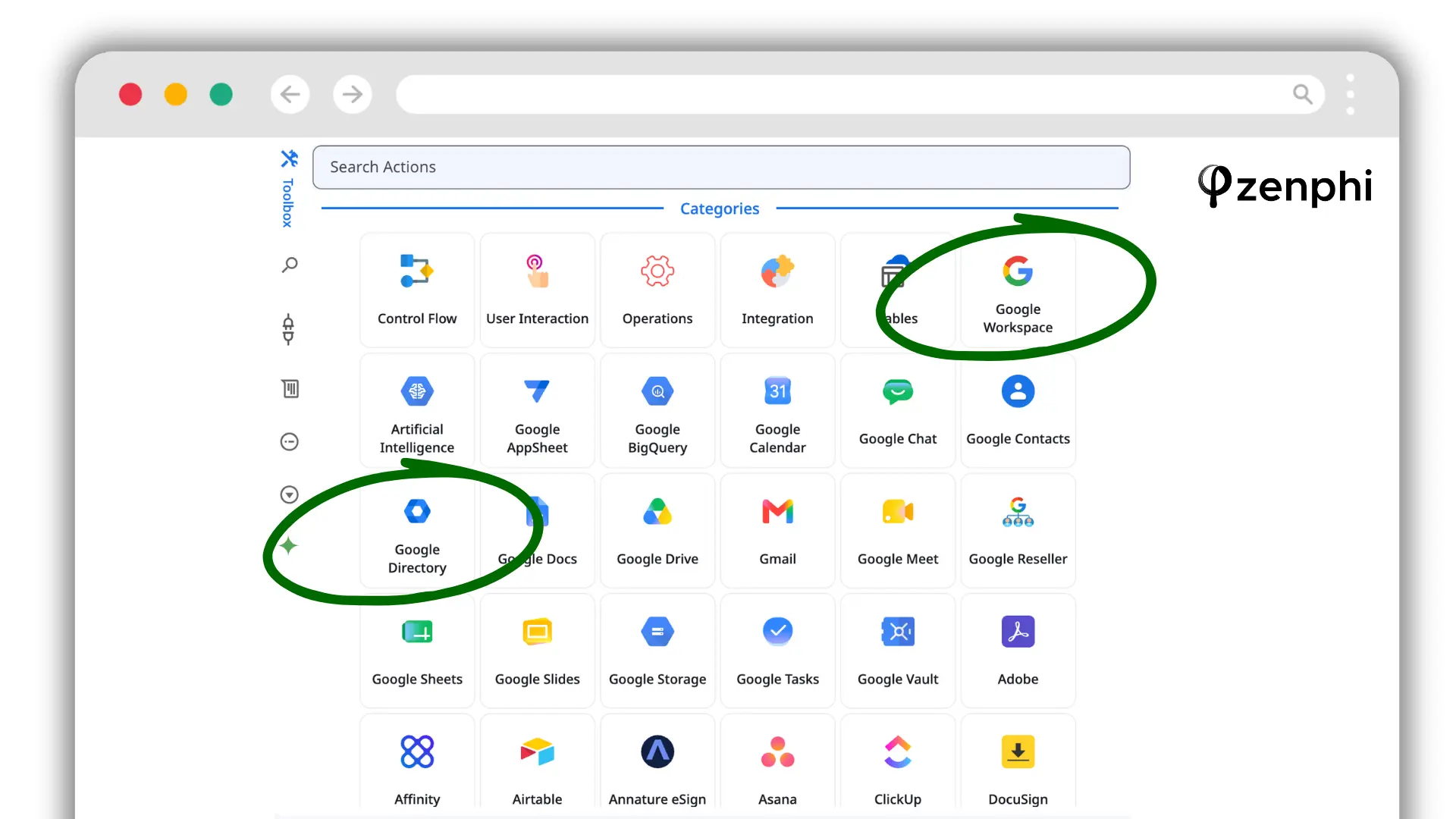
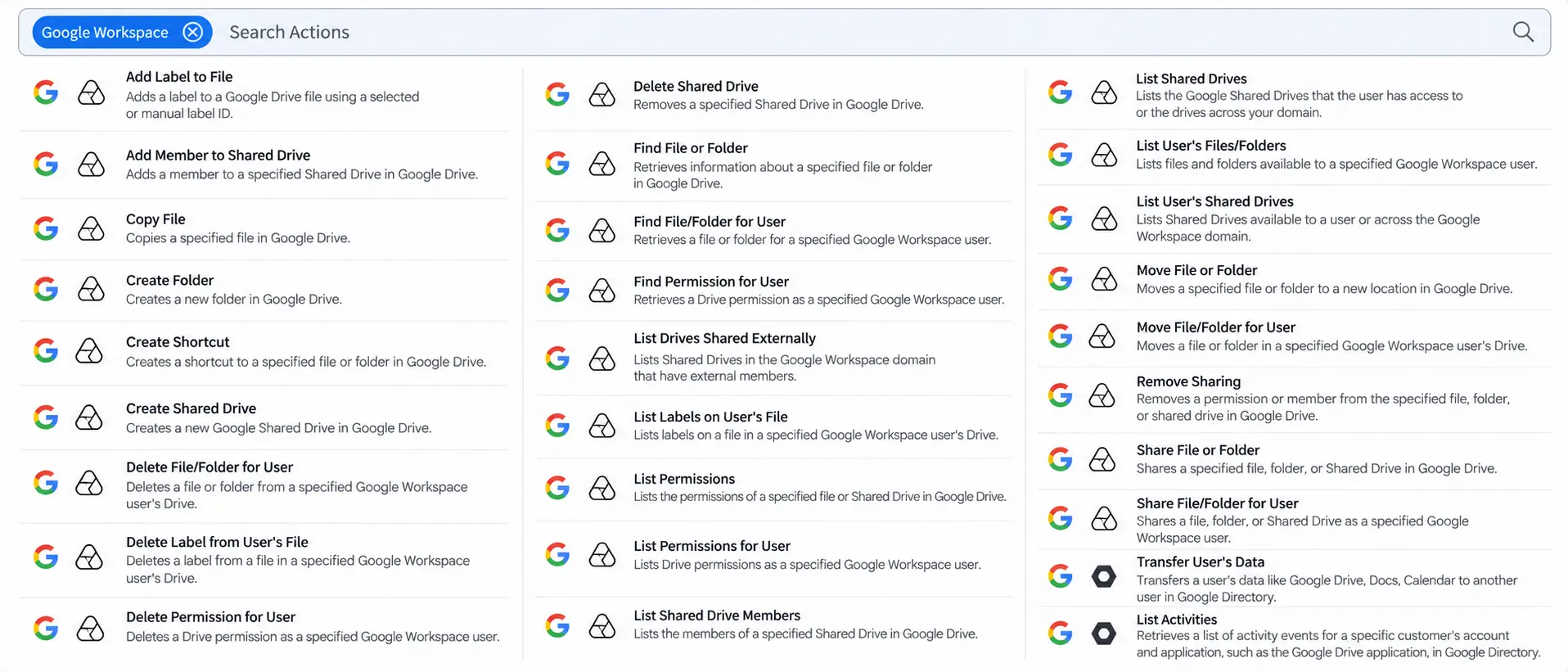
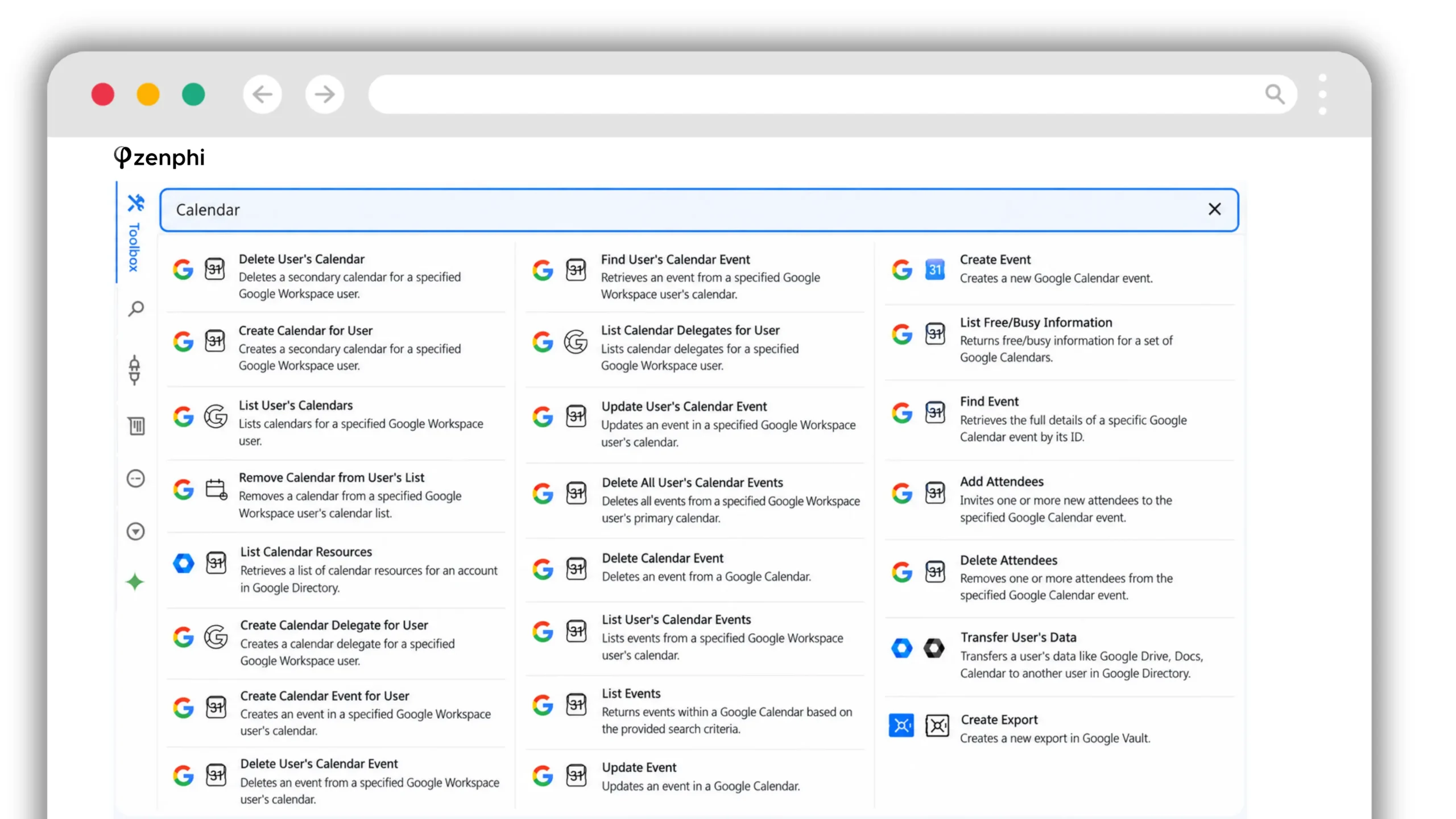
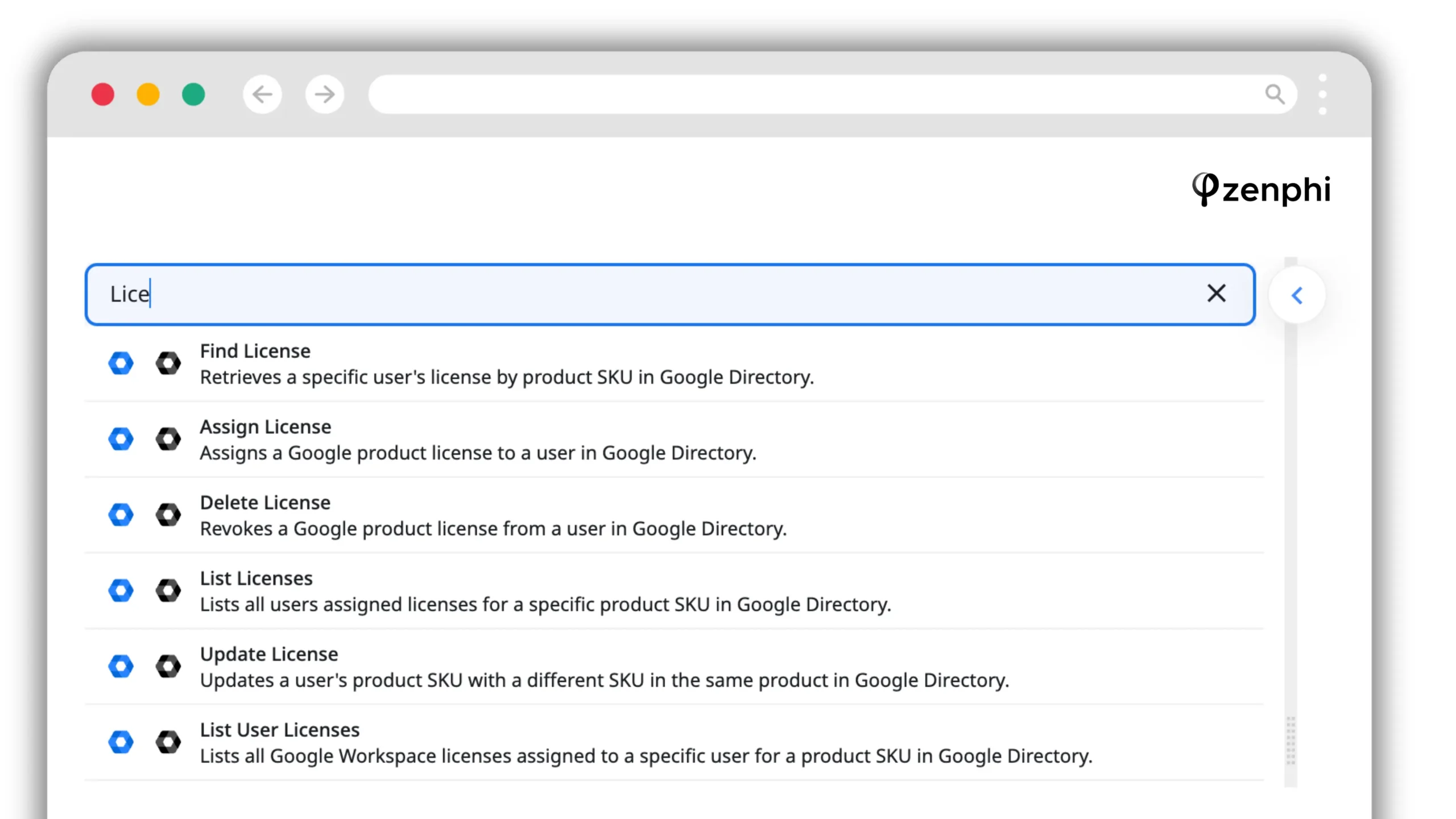
Zenphi’s current public documentation describes more than 150 Google Admin actions, with Google Workspace and Google Directory represented as first-class action categories. The current public action catalogue does not list a dedicated Google Classroom action category, so Classroom should be treated as a gap unless confirmed otherwise for your specific use case.
Bulk operations
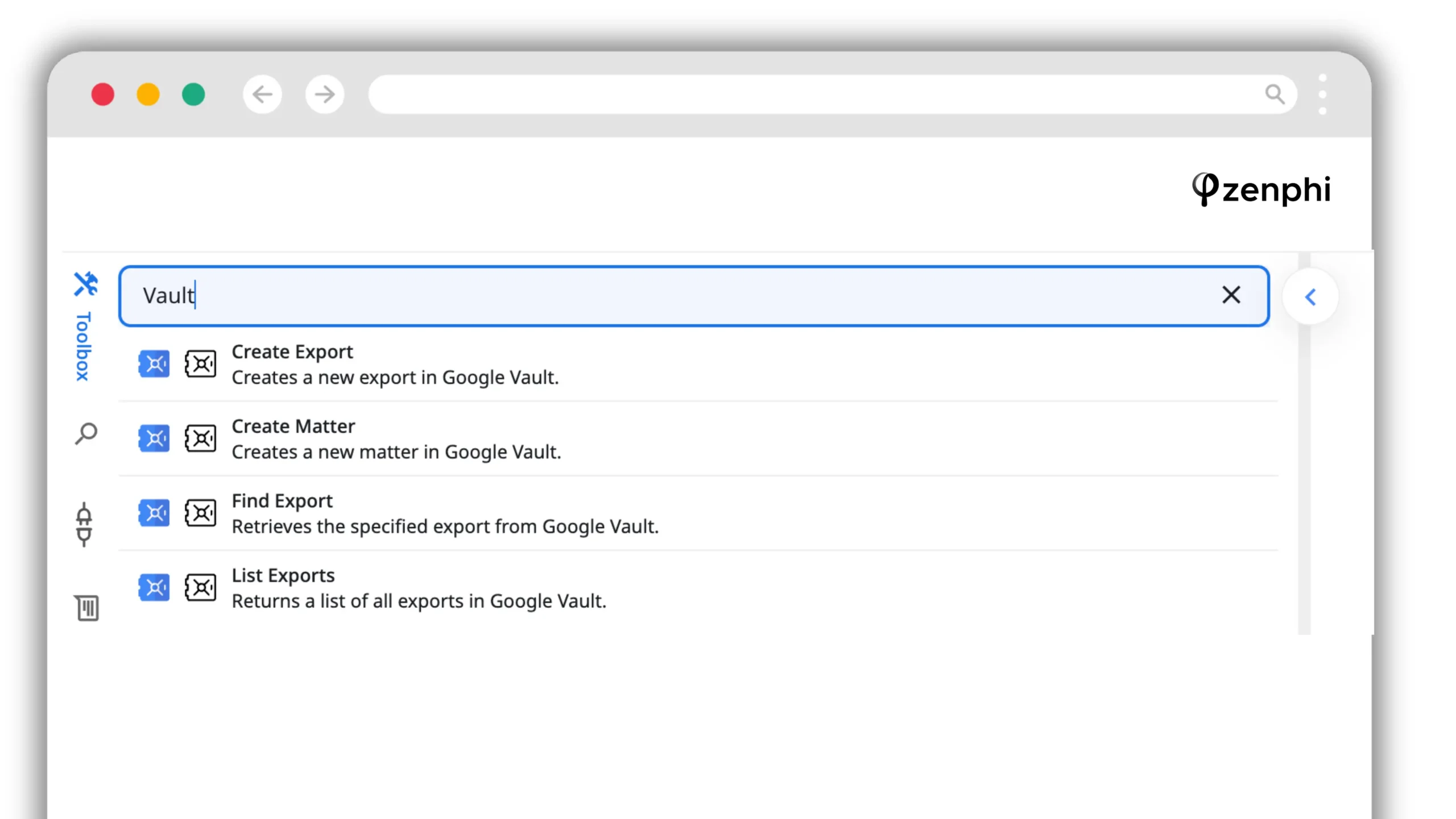
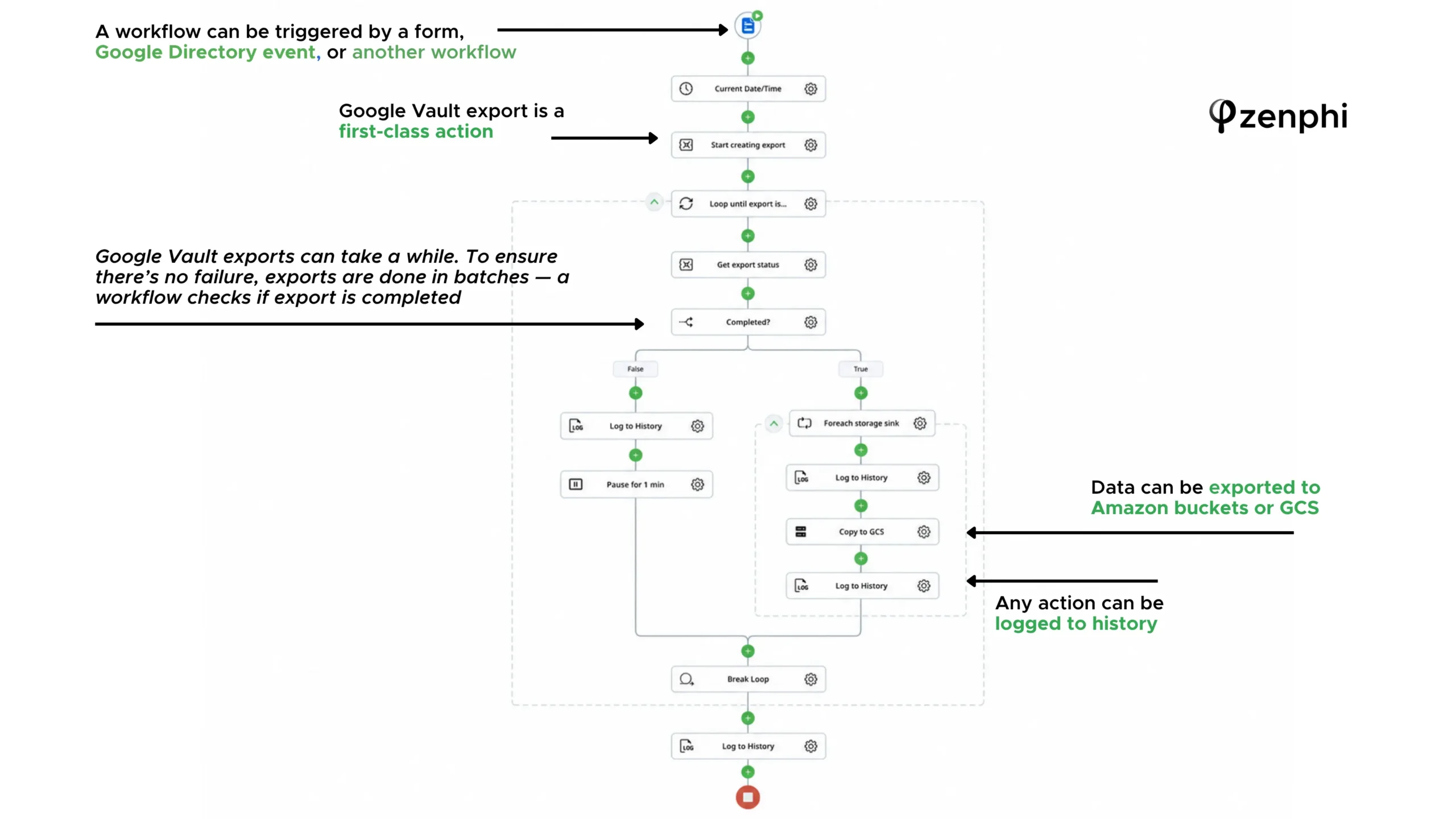
A Foreach Item loop runs a set of actions for each item in a collection, such as rows read from a Google Sheet. Parallel Foreach processes independent items concurrently. Because the loop contains workflow actions rather than one opaque command, each record can also pass through conditions, approval tasks and logging.
When there is no native action
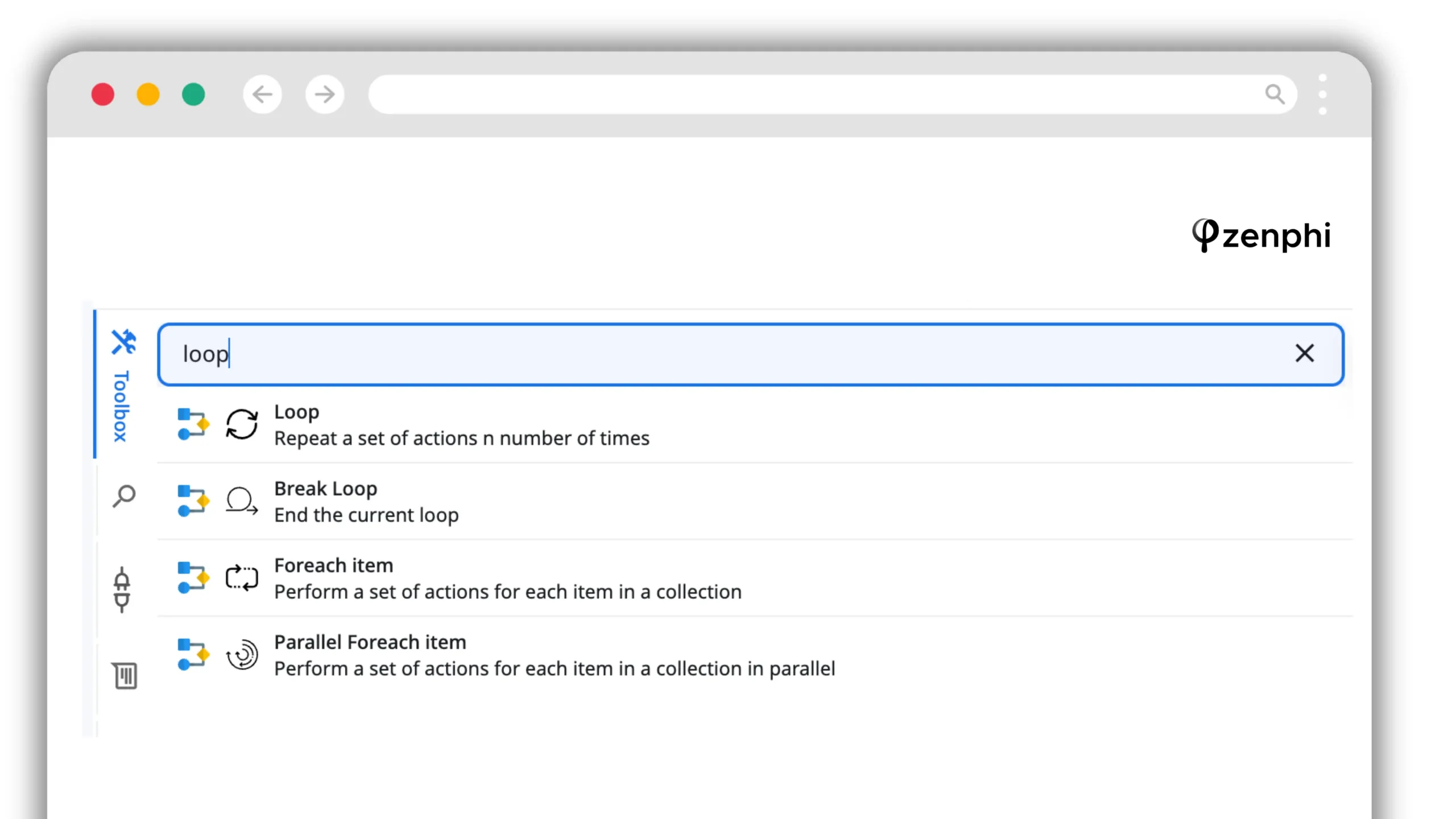
Zenphi includes several execute-style actions for cases where a native workflow action is not enough. The general Execute Script action evaluates custom JavaScript, while the toolbox also exposes direct execution/query actions for supported data services. An HTTP request action can call Google API endpoints directly, so custom logic does not have to sit outside the governed workflow.
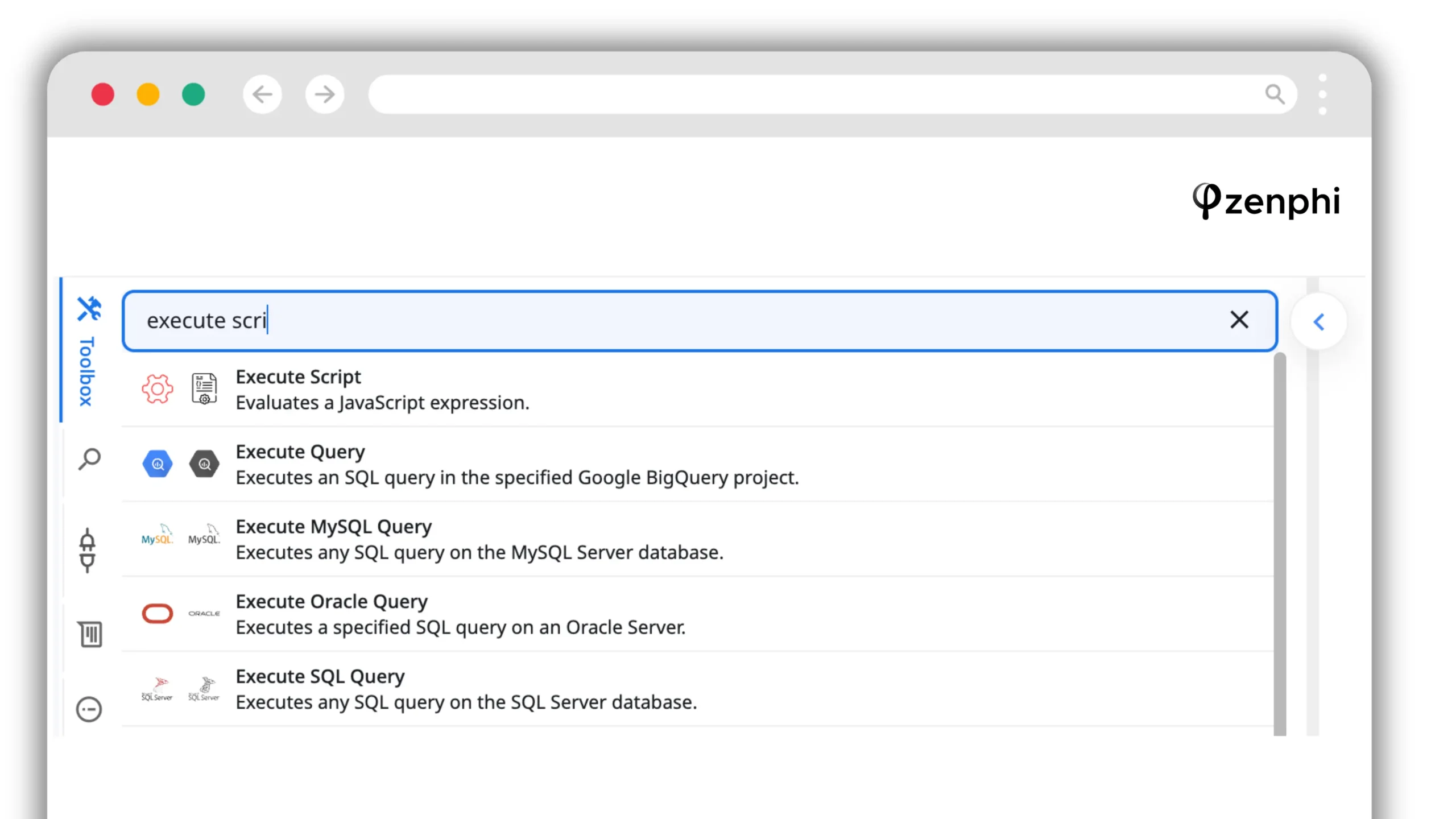
GAM shell or CLI scripts do not run directly inside Zenphi’s Execute Script action. Teams can keep GAM for ad-hoc command-line work and move repeatable processes into Zenphi using native actions, API calls or custom JavaScript where needed.
Testing before production
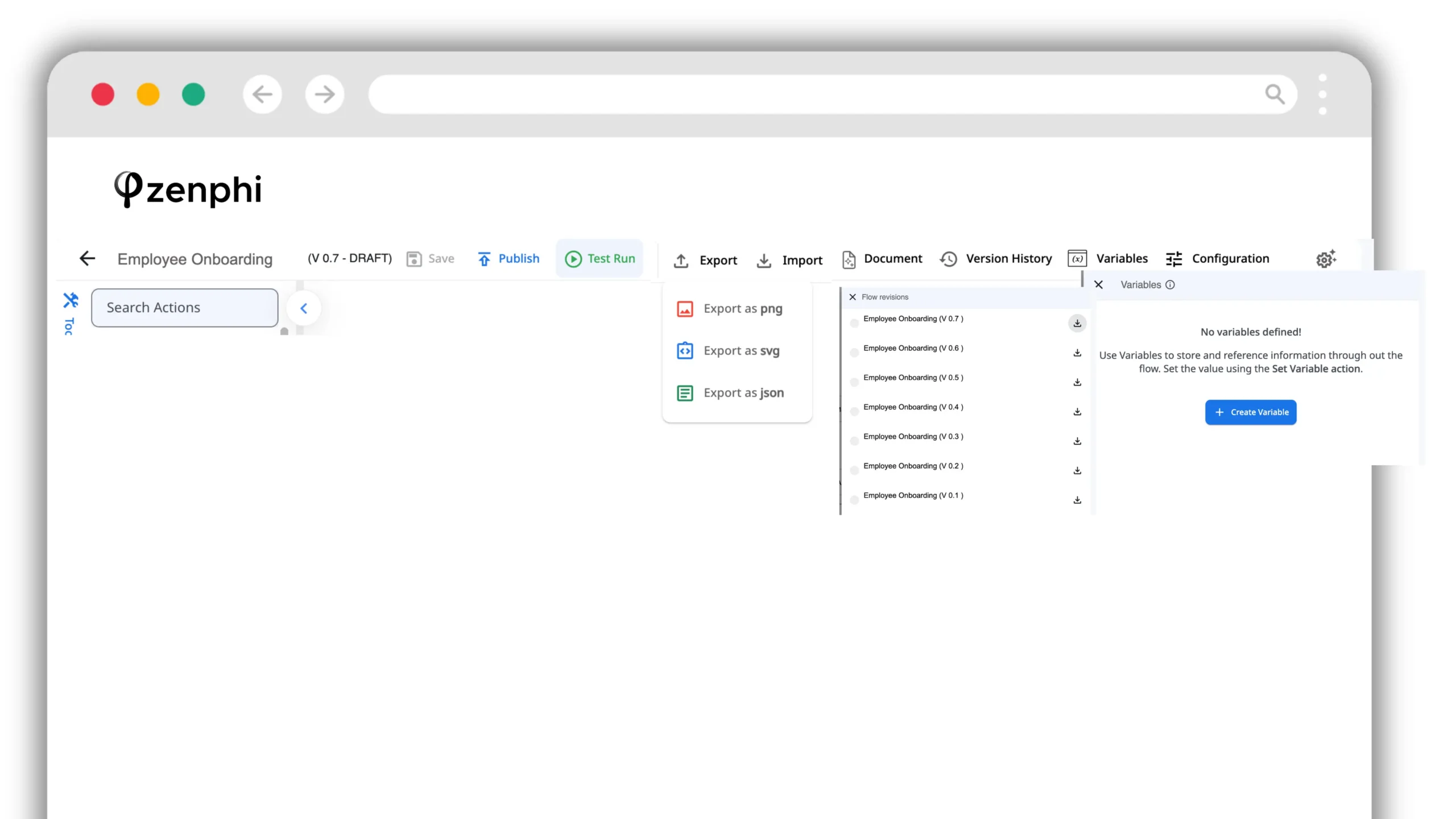
Test Run lets a builder execute a saved draft without publishing it first. It is not a dry run: configured actions really execute, so test data and test accounts should be used for destructive or sensitive steps.
Long-running operations and retries
Long jobs such as Vault exports can use a polling pattern: start the export, check status, pause and check again until it completes. Zenphi also exposes configurable action-level retry counts and wait intervals for transient API failures instead of relying on an undocumented blanket retry assumption.
Versioning and handover
Flows carry version numbers, and a flow can be exported as JSON and imported into the same or a different workspace. Moving a flow to a new workspace can require reconnecting actions to connections available there, but the workflow definition itself is transferable.
Authentication
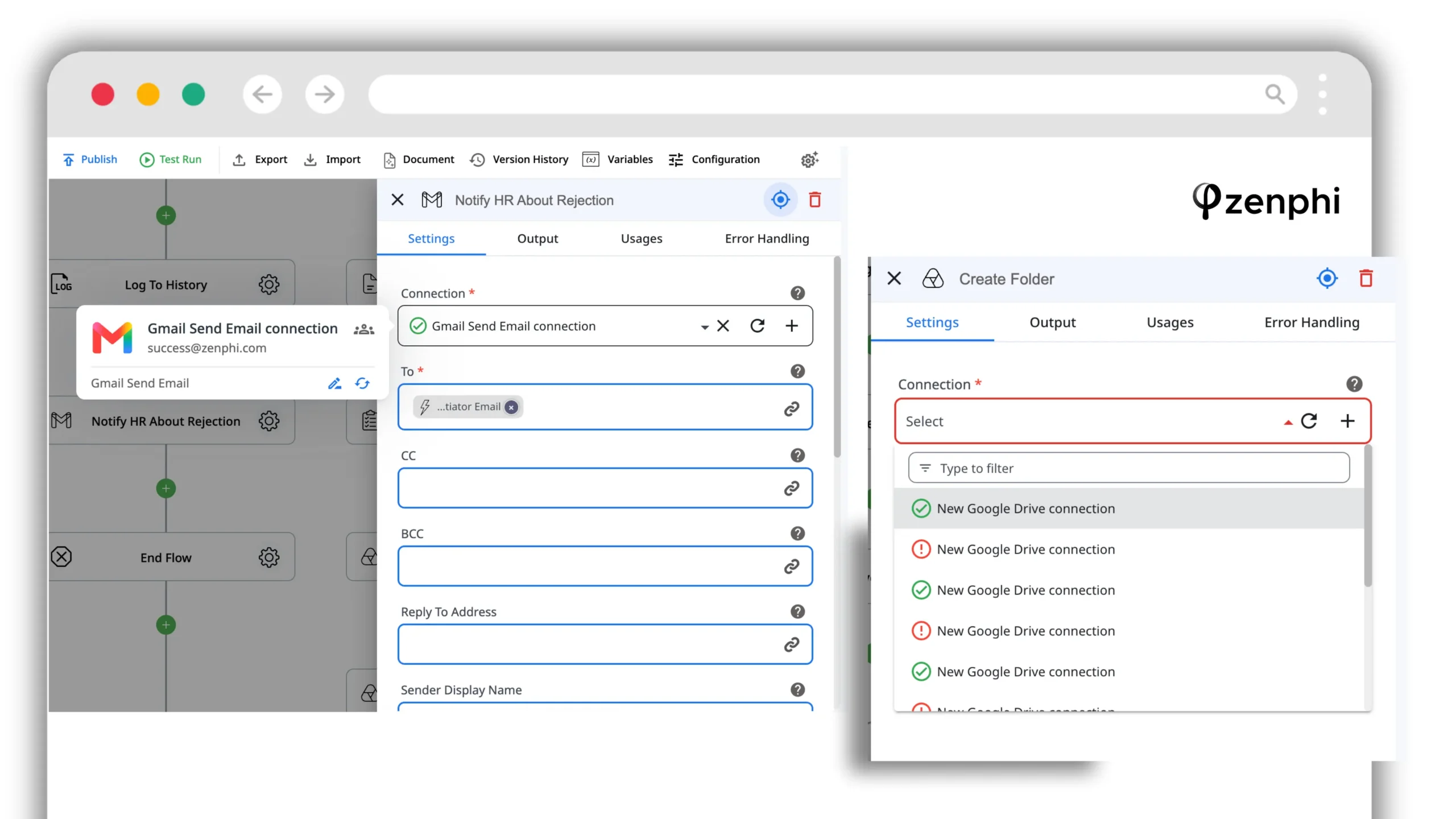
Actions use configured connections to the relevant service. Admin-level rights are needed only for actions that actually require those privileges, rather than giving every workflow participant administrative access.
Where it is stronger than GAMRequest-driven processes, native approvals, step-level run history, maintainable visual logic, handover, and workflows that combine Google Admin actions with people and external systems.
Where GAM remains strongerGAM is free, faster for a skilled administrator making a one-off command-line change, and excellent for ad-hoc investigation. Zenphi is a workflow platform, not a replacement for every CLI query.
Pricing. Zenphi’s current pricing offers one organisation-level subscription with no per-user fees and no per-run fees. pricing depends on the number of workflows you're looking to automate.
Patronum
Google Workspace management focused on user lifecycle, signatures, Drive governance, contacts and policy-driven administration through a web interface.
Who it suitsAdmin teams wanting lifecycle and policy automation without a command line, particularly where email signature management and Drive governance matter.
Where it is strongerPatronum policies can include an Approval user before a workflow runs, and current documentation also requires additional approval for policies affecting large numbers of users.
Where it falls short. The model is policy- and lifecycle-centric rather than a general visual workflow engine for arbitrary multi-system business processes.
GAT (General Audit Tool)
Auditing, security and administration across Google Workspace, with remediation and workflow capability alongside its discovery tools.
Who it suitsSecurity-conscious teams whose first requirement is deep visibility into Workspace activity, exposure and permissions.
Where it is strongerAudit and investigation are core to the product. GAT Flow also supports governed admin workflows; current onboarding documentation explicitly routes actions to a Security Officer for approval.
Where it differs. Its centre of gravity is audit, security and Workspace administration rather than broad business-process orchestration across departments and systems.
Promevo gPanel
A Google Workspace management console with user and directory management, reporting, delegated roles, bulk operations, policies and automation.
Who it suitsOrganisations wanting to devolve specific administrative capability to delegated roles and automate common Google Workspace admin work.
Where it is strongerRole-based administration, bulk management, reporting and policy automation through a UI. Current plans also include audit-log retention.
Where it falls short. Promevo publicly documents admin workflows, policies and “if-this-then-that” triggers, but a general human approval step comparable to a workflow-platform approval is not clearly documented. If approvals are a requirement, verify the exact pattern with Promevo.
BetterCloud
SaaS management and workflow automation across many applications, not just Google Workspace.
Who it suitsIT teams managing a broad SaaS estate where Google Workspace is one of many systems.
Where it is strongerMulti-SaaS breadth and mature user-automation workflows. BetterCloud supports human checkpoints through Wait for Approval and Wait for Response actions.
Where it falls short. Google Workspace is one system among many rather than the platform’s sole centre of gravity. Pricing is custom and BetterCloud states that quotes reflect licence count, connected apps, selected modules and add-ons.
If BetterCloud is one of the options you are evaluating, see our dedicated BetterCloud alternative comparison for a closer look at where a Google Workspace-native workflow platform differs from a broader SaaS-management tool.
CloudM
Google Workspace management with strong migration, backup, archive and lifecycle automation capabilities.
Who it suitsOrganisations mid-migration, managing lifecycle/offboarding at scale, or needing backup and archive capabilities alongside administration.
Where it is strongerMigration and data-retention capabilities are unusually strong in this set. Current offboarding workflows include a Request Approval step, more than 30 configurable actions and exportable audit logs.
Where it falls short. Workflow automation is primarily oriented around joiner/leaver and lifecycle processes rather than arbitrary cross-department workflows.
For the offboarding use case specifically, see BetterCloud vs CloudM vs Zenphi: Which Platform Handles Google Workspace Offboarding Better?
Which to choose
GAM7 when an experienced administrator knows exactly what needs to change and wants to execute that action quickly from the command line. GAM is particularly strong for ad-hoc administration, investigation and bulk changes where there is no broader business process around the action.
Zenphi when the Google Admin action is only one step in a larger process. A workflow can collect a request, look up user or organisational data, apply conditions, request approval where necessary, provision or remove access, update other systems, send notifications and retain the complete run history. This is the fundamental difference from GAM: GAM is primarily about executing administrative actions; Zenphi is built around orchestrating end-to-end processes.
Zenphi is a strong fit when lifecycle automation needs to run across a large employee population or many business units. Zenphi does not charge per user or per flow run, so increasing headcount does not automatically increase the platform cost. Foreach and Parallel Foreach actions can also process collections of users while the surrounding workflow handles the steps before, during and after each administrative change.
Zenphi when the workflow needs to make decisions using Google Directory data rather than execute the same action for everyone. Processes can retrieve information such as a user's manager, department, organisational unit or other Directory attributes and use it to determine routing, access, approvals and downstream actions. This is particularly useful for organisations with multiple sites, departments, business entities or reporting structures.
Zenphi when the alternative would be building and maintaining custom Apps Script for every process. Common Google Workspace and Admin operations are available as visual workflow actions, while conditions, loops, approvals, error handling and process history are managed in the workflow itself. HTTP/API calls and custom JavaScript remain available for the cases where a native action is not enough.
Zenphi when user lifecycle processes cross both ecosystems. Alongside its Google Workspace and Google Admin actions, Zenphi has dozens of first-class Microsoft actions across services including Microsoft Entra ID, SharePoint, OneDrive, Teams and Outlook. That allows the same onboarding, access-management or offboarding workflow to perform actions for both Google Workspace and Microsoft administrators instead of maintaining separate automation stacks.
Zenphi when offboarding varies by role, department, location, manager, employment type or the systems a person used. Zenphi provides templates as a starting point, but its main advantage is that administrators can build the process from scratch and control every step — approvals, Directory lookups, data transfer, licence removal, access revocation, notifications, retention steps and actions in external systems.
CloudM is worth considering when migration, archiving and lifecycle management are the primary requirements and the organisation can use a relatively standardised onboarding or offboarding process. It is particularly relevant where migration and data retention are part of the same project. For processes requiring extensive conditional logic and custom orchestration, a general workflow platform such as Zenphi provides more room to design the process around the organisation.
GAT when discovery, investigation, exposure analysis and Google Workspace security administration come first. It can complement a workflow platform where findings then need to trigger remediation processes.
Patronum or Promevo gPanel when the main requirement is a web-based administration layer for common lifecycle tasks, policies, delegated administration and day-to-day Workspace management rather than a highly customised cross-system workflow.
BetterCloud when the priority is managing many SaaS applications through one platform rather than achieving the deepest possible Google Workspace administration or building highly customised Google-centric workflows.
GAM is strongest when an administrator needs to perform a known action quickly. Many teams can reasonably keep GAM for ad-hoc administration while moving recurring lifecycle and operational processes into workflows.
Frequently asked questions
What is the best alternative to GAM?
There is no single best alternative because teams move work away from GAM for different reasons. If you are using an older GAM or GAMADV-XTD3 build, first check current GAM7. For approvals, decision history, non-admin requesters, high-volume IT operations, complex org structures and Google Workspace + Microsoft environments Zenphi is a closer fit. For multi-SaaS operations, BetterCloud is broader. GAM itself remains free and highly capable, so many teams keep it alongside whatever they add.
Is there a GUI version of GAM?
There is no official GAM graphical front end maintained as a GUI version of the CLI. The practical alternatives are the Google Admin Console for manual administration and products such as Zenphi, Patronum, GAT or Promevo gPanel that expose overlapping Google Workspace administration capabilities through a web interface. They are not “GAM with buttons”; they are different products built on their own operating models.
Can anything do GAM's bulk operations without the command line?
Yes. Zenphi can iterate over a collection — for example rows read from Google Sheets — using Foreach Item, and can process independent items concurrently with Parallel Foreach. The actions inside the loop can include conditions, approvals and logging rather than only an administrative command. Patronum, GAT, gPanel and CloudM also provide bulk administration in their respective management models.
How much do GAM alternatives cost?
GAM7 and Apps Script do not carry a separate software licence, and the Google Admin Console is included with Google Workspace. Current public pricing is $8 per active user per year for Patronum Standard and $16 for Patronum Plus; GAT starts at $16 per user per year; gPanel lists $15 per user per year for Starter and $30 for Standard; CloudM Essential lists $18 per user per year. Keep in mind, that this pricing doesn't depend on how many employees are going to use a product — these tools would charge your per Google Workspace user, based on the nu,ber of licences you're holding. BetterCloud uses custom pricing based on licence count, connected apps, modules and add-ons. Zenphi has one organisation-level subscription with no per-user and no per-run fees with per-workflow pricing starting at $300 per year.
What happens to our existing GAM scripts if we move?
GAM shell or CLI scripts do not run directly inside Zenphi's Execute Script action. Execute Script evaluates custom JavaScript inside the workflow. In practice, most teams keep GAM for ad-hoc CLI work and move the repeatable governed processes into Zenphi using native Google Admin actions, direct API calls or custom JavaScript where needed.
Does GAM have an audit trail?
GAM-triggered administrative actions can appear in Google's relevant audit logs, showing that a change occurred and when. That is different from a workflow decision trail. An access-review or approval process may also need to show who requested the change, who approved or rejected it, the business context, and whether the access was temporary. GAM does not provide that request-and-decision layer by itself.
Related reading
BetterCloud Alternatives: 8 Options Compared
Compare SaaS management, IT automation and Google Workspace administration options.
Read comparison →BetterCloud vs CloudM vs Zenphi: Which Platform Handles Google Workspace Offboarding Better?
Compare three different approaches to Google Workspace offboarding: SaaS management, lifecycle templates and fully custom workflow automation.
Read comparison →Workflow Management Software: What It Does and How to Choose
Evaluation criteria for teams replacing manual or script-owned processes.
Read guide →Zenphi as the Power Automate Equivalent for Google
How platform-native workflow automation differs in Google Workspace and Microsoft 365.
Read comparison →Turn one GAM-driven process into a governed workflow.
Running GAM today and wondering what the same process would look like with an approval path? Bring us one process your team currently handles by script — ideally the awkward one — and we will build it with you in 30 minutes. You keep the workflow either way.


