
Discover the top 5 ways to automate Google Calendar in 2026, based on real workflows teams are running with Zenphi and other automation tools.
What's in this guide
Why Google Calendar Automation
Google Calendar has become the backbone of how teams coordinate schedules, resources, and projects. But as organizations scale, manually managing events, approvals, and updates across departments becomes inefficient.
In 2026, the most forward-thinking teams are moving beyond simple scheduling — they're building Google Calendar automations, or more precisely, AI-powered workflows around Google Calendar, to automate approvals, synchronize data, and connect operations across Google Workspace.
If this is something you're looking into right now, here are the top 5 ways to automate Google Calendar in 2026, based on real workflows teams are running with Zenphi and other automation tools.
| # | Way | Best for |
|---|---|---|
| 1 | Automating event creation from email requests | Customer Success, Sales, or PM teams getting meeting requests by email |
| 2 | Sales enablement workflows from Calendar events | Sales/revenue teams capturing meeting context and follow-ups |
| 3 | Syncing project deadlines and task updates | Teams tracking deadlines in Sheets or project tools |
| 4 | Triggering workflows from Calendar events | Any team that wants Calendar events to kick off a process |
| 5 | Automating Calendar reporting and insights | Managers who want visibility into meeting load and time spent |
Top 5 Ways to Automate Google Calendar in 2026
Automating Event Creation from Email Requests
Perfect for Customer Success, Sales, or Project Management teams who receive meeting or project requests by email.
Imagine your team uses HubSpot, Typeform, or another web form to collect meeting requests. Each submission lands in your Gmail inbox — and someone has to manually copy details, check availability, and create the event. With Zenphi, you can build a workflow that:
- Detects new form responses arriving by email.
- Parses the email body to extract meeting details (name, time, topic, requester).
- Creates a Google Calendar event automatically.
- Sends confirmation or follow-up messages to the requester.
How to build it: Start with a blank flow or ask the Zenphi AI Workflow Builder to "create a workflow that scans emails from [your solution — for example, HubSpot] and adds events to Google Calendar." Then refine the steps visually — no coding required.
Video Guide: Automating Google Calendar Event Creation from Email Requests
Sales Enablement Workflows from Calendar Events
For sales and revenue teams, meetings generate data, follow-ups, and opportunities — but managing them manually is painful. With Zenphi, teams are designing Calendar-triggered workflows that capture meeting context, generate transcriptions, and automate post-meeting actions.
Example automation:
- A workflow starts when a Calendar event of a certain type (e.g., "Client Demo" or "Discovery Call") is created.
- Zenphi allows you to add the right team members (Finance, HR, or Product Engineering) based on the meeting type automatically.
- While setting up the meeting, you can also ensure Gemini AI is transcribing everything automatically.
- After the meeting is over, the workflow sends a follow-up questionnaire to the meeting organizer to qualify the lead or gather key details.
- You can set up the flow so your team member receives automated reminders until the form is completed.
- Optionally, a summary and action items can be created from a transcription and emailed to the team and/or supervisor.
Syncing Project Deadlines and Task Updates
Many project milestones and delivery dates are tracked in Sheets or project tools — but teams still update Google Calendar manually. With automation:
- A change in a project tracker triggers a workflow that updates Calendar.
- The event is updated automatically with new deadlines or assignees.
- Notifications are sent through Gmail or Chat to stakeholders.
To build this with Zenphi, simply use ZAIA. Try this prompt: "When a project due date in Google Sheets changes, update the Calendar event and notify the project owner."
The #1 AI-Driven Automation Platform For Google Workspace
Zenphi is a go-to platform for teams utilizing Gmail, Sheets, Drive, Docs and other Google Workspace services. Build an unlimited range of workflows within Google tools, infuse AI where it's needed, and deliver the fastest time-to-value.
Triggering Workflows from Calendar Events
Calendar events can act as powerful workflow triggers.
Example ideas:
- When a "Customer Kickoff" event is scheduled → generate onboarding tasks in Sheets.
- When a "Team Review" ends → send a summary email requesting updates.
- When a "Maintenance Window" starts → notify IT teams and pause alerts.
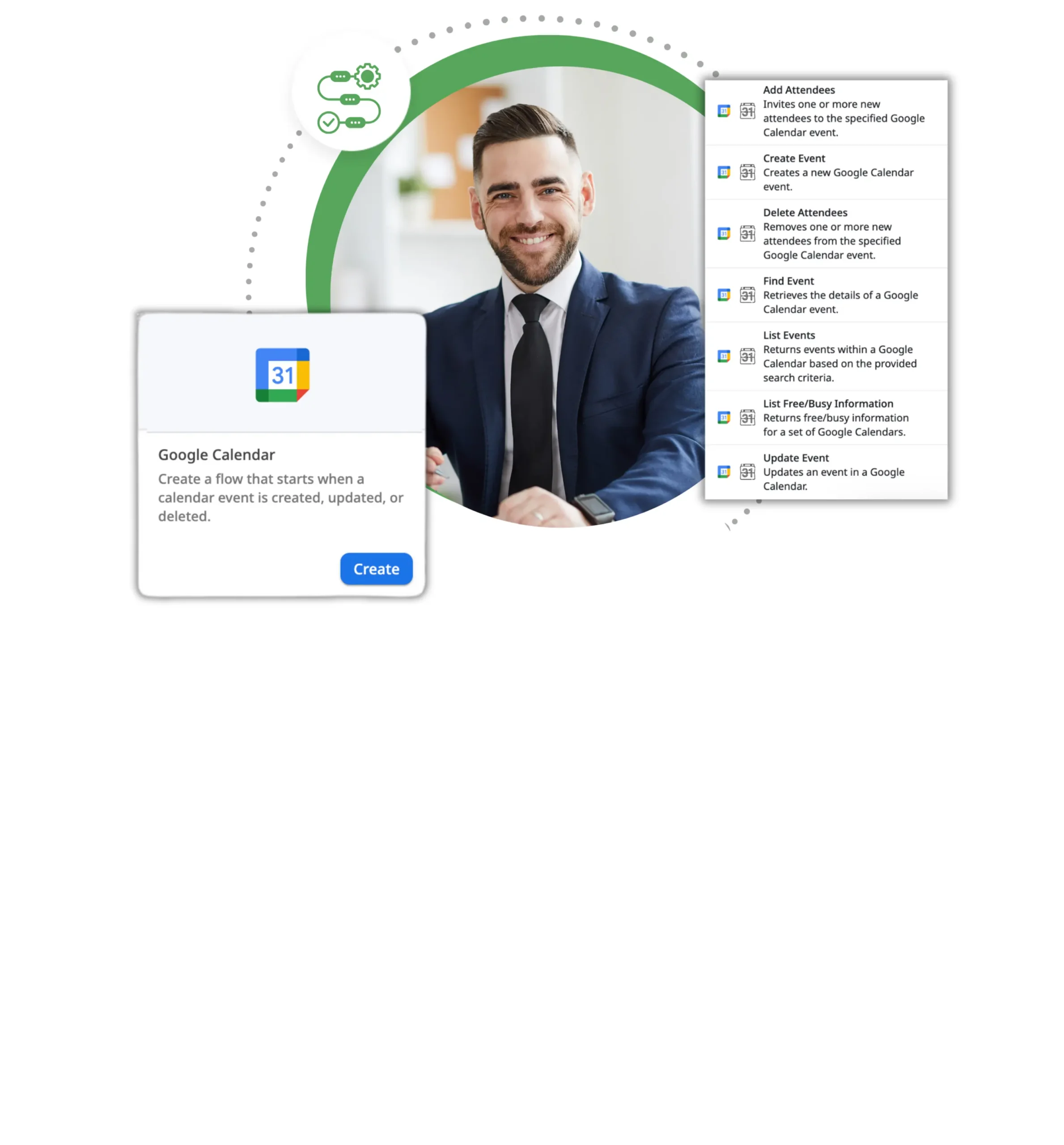
Each of these can be modeled in Zenphi, giving Calendar the power to initiate business processes automatically.
Automating Calendar Reporting and Insights
Automation can turn Calendar data into insights without manual tracking.
Examples:
- Run a weekly workflow with Zenphi that aggregates Calendar data (meetings, duration, participants).
- Apply an AI model that generates summaries like "Sales hosted 32 client meetings this week, up 15%."
- Store a generated report as PDF or Google Sheet data (for future analysis) on a designated Drive.
- Add an email action and send a generated report with insights to management.
This workflow gives teams real visibility into how time and resources are being spent.
Verdict: Why Teams Use Zenphi for Google Calendar Automation
Zenphi isn't a tool that comes with pre-built workflows. It's a no-code AI platform designed to let you create automations that fit your processes. You can start from a blank canvas or ask ZAIA, Zenphi's AI automation assistant, to generate a workflow outline that you can refine visually.
Zenphi connects Calendar with Gmail, Sheets, Drive, and other business tools so your processes stay consistent, auditable, and scalable — all without writing code.
Bottom Line
In 2026, Google Calendar will become not just a scheduling app — it will be an automation hub for business operations. From creating events automatically from emails to running full post-meeting workflows, teams are using Zenphi to connect Calendar with the rest of their Google Workspace ecosystem.
You don't need pre-built templates — you need the freedom to design workflows that match your business and scale with it.
Read More On AI Workflow Automation
20 Use Cases Of Autonomous AI Agents On Google
20 real-world success stories of companies building autonomous AI agents using Google Workspace tools.
Read More →AI For IT Ops Automation
Five practical ways AI is already improving IT operations inside Google Workspace environments.
Read More →7 Processes You Can Automate With AI Today
Top 7 AI-driven processes you can automate today to improve efficiency and reduce costs.
Read More →Game-Changing AI Workflow Automation Examples
Ten game-changing AI workflow automation examples your team can implement this year.
Read More →Case Study: AI For Document Validation
Learn how a camp saves 2 weeks for the core staff, allowing them to stay focused on what really matters.
Learn More →Ready to turn Calendar into an automation hub?
Zenphi connects Google Calendar to Gmail, Sheets, Drive, and the rest of your workflow — no code, flat pricing, live in days.


