
The three HR workflows most worth templating are employee onboarding, leave requests, and document generation. They are frequent, predictable, involve several people or systems, and create avoidable administrative work when handled through email and spreadsheets. Zenphi gives Google Workspace teams pre-built workflow structures that can be customized around their own approval chains, Google Directory structure, forms, documents, HR systems, and internal policies.
What’s in this guide
What is HR workflow automation?
HR workflow automation uses software to execute the repetitive coordination around HR processes: collecting information, routing approvals, generating documents, assigning tasks, updating records, sending reminders, provisioning access, and recording what happened.
The goal is not to remove HR judgment. It is to remove the administrative work that surrounds that judgment. A manager should decide whether to approve leave; HR should not need to manually find the manager, forward the request, chase the response, update the tracker, notify the employee, and add the dates to a calendar.
The next step starts automatically instead of waiting for someone to forward an email or update a Sheet.
Every employee follows the same approved process, while conditional rules handle role, location, department, or exception differences.
HR can track status, approvals, outstanding tasks, and exceptions without reconstructing the process from multiple inboxes.
HR and managers spend less time on coordination and more time on candidate, employee, and organizational work.
A template gives you the process architecture without locking you into someone else’s process
Templates are useful because common HR workflows tend to share the same building blocks: a trigger, employee or manager data, routing logic, approvals, documents, notifications, and a record of the result. Starting from those components is faster than designing every step from zero.
The important part is that the template remains editable. In Zenphi, a template is a starting structure rather than a fixed application: teams can change triggers, actions, approval chains, Google Workspace connections, forms, tables, dashboards, integrations, and business rules to match their own operating model.
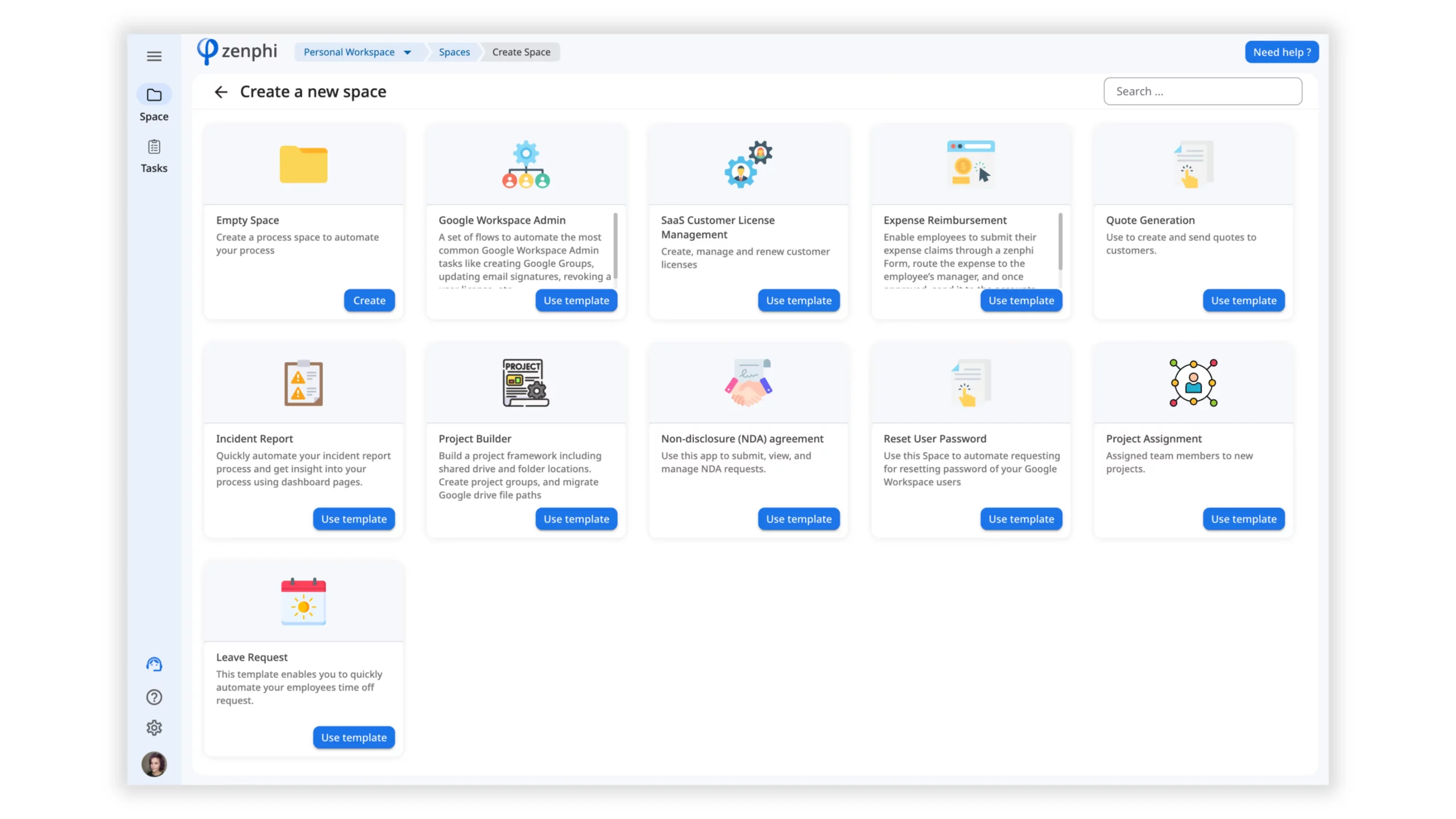
Current Zenphi HR workflows can use Google Directory data for dynamic manager routing, Google Admin actions for user lifecycle processes, multi-stage approval logic, document generation, HRIS integrations, AI-assisted document and recruitment steps, and even conversational HR interfaces in Google Chat. The three templates below remain useful because they show the core workflow patterns behind those more advanced implementations.
Employee Onboarding Template
Coordinate HR, IT, the hiring manager, documents, access, and first-day preparation.
Employee onboarding is a natural automation candidate because one confirmed hire can trigger dozens of small tasks across several teams. The original Zenphi onboarding template uses a Google Form to collect the new hire’s information and then moves the process through approval, document generation, account provisioning, IT tasks, meetings, and communications.
The value is not simply faster account creation. A complete onboarding workflow gives HR one controlled process spanning HR, IT, the manager, and the employee. It can be adapted to different departments, employment types, locations, approval requirements, access packages, and document sets.
Current Zenphi onboarding automation can also start from an HRIS and automate Google Workspace user lifecycle actions such as account creation, group assignment, Drive preparation, and welcome communications.
Leave Request Template
Collect a request, identify the right manager, route approval, notify the employee, and keep records current.
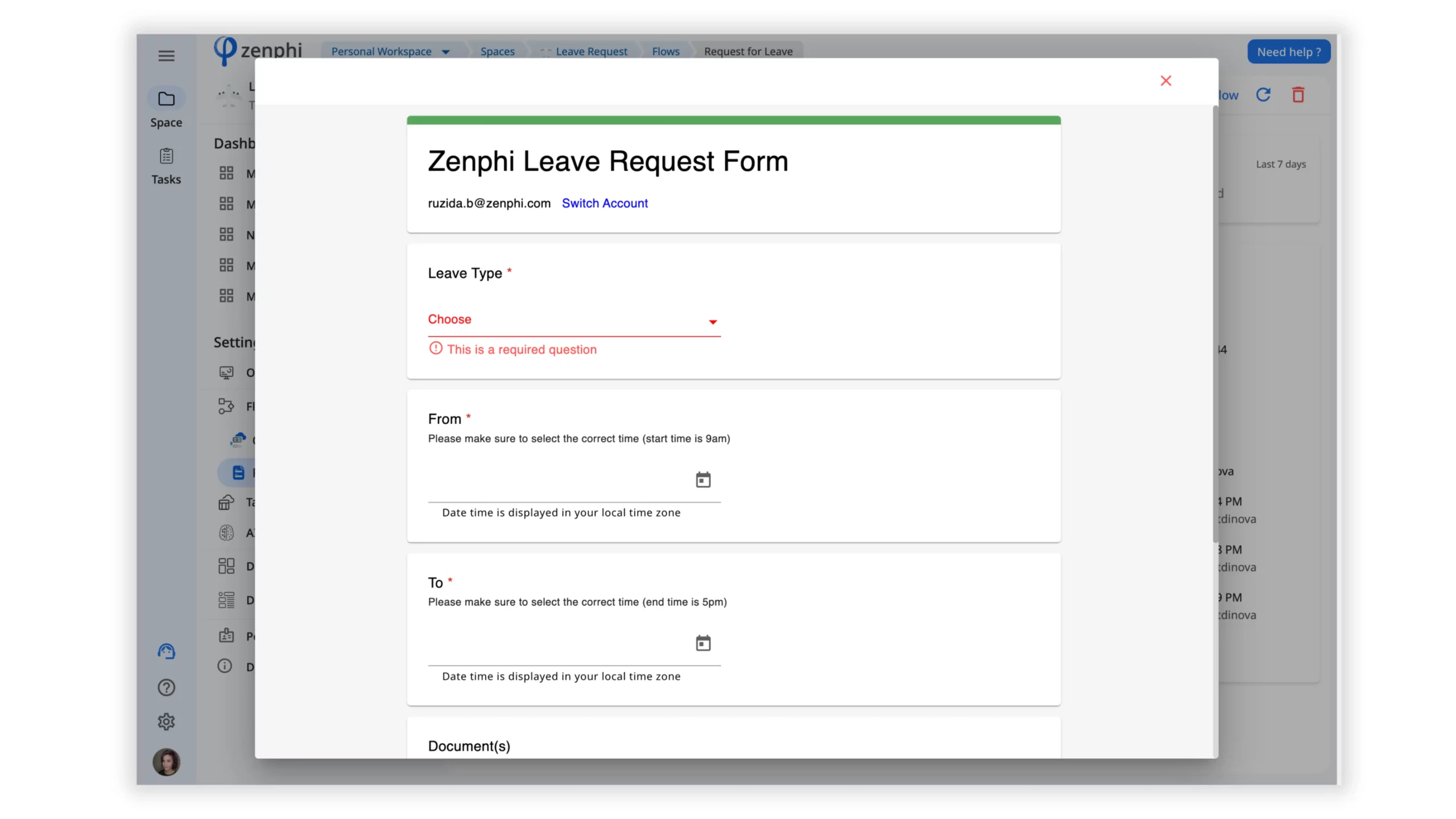
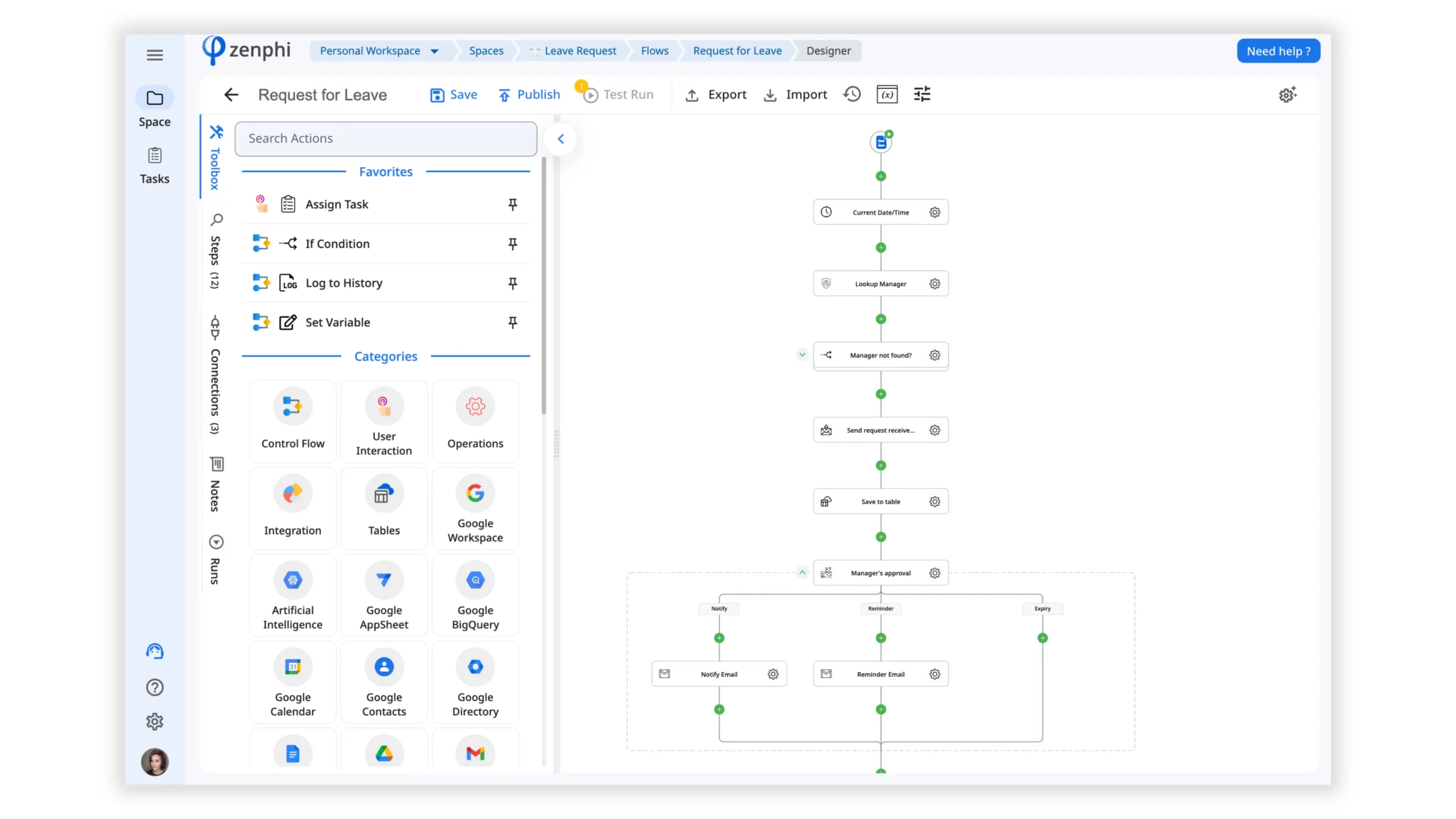
The leave request workflow begins when an employee submits a Zenphi form. The process can identify the appropriate manager from Google Directory and send the request directly to that person for approval instead of relying on a hard-coded email address.
Once the manager responds, the workflow can notify the employee, update the request record, expose the status through a dashboard, and continue into additional actions such as Calendar updates or connected HR/payroll systems.
HR Document Generation Template
Generate consistent offer letters, contracts, confirmations, policy documents, and other employee paperwork.
HR teams repeatedly create documents that differ only in employee data, role, location, employment type, compensation, dates, or selected clauses. A document workflow can turn structured data into the right version automatically instead of asking someone to copy a previous file and edit it manually.
The original template starts from a Google Forms submission, generates a new document from a Google Docs template, converts it to PDF, and stores the result in Google Drive. The same architecture can be extended with approval, e-signature, conditional content, Gmail delivery, and HRIS data.
This pattern can support self-service document generation for employees or standardize document creation inside the HR team. It is particularly useful when different employee categories require different clauses or approval paths.
How to use the HR workflow automation templates
The source article included a seven-step setup process. The important principle is still the same: launch the workflow as a starting point, connect it to your environment, customize the logic, test it, and publish only when the process behaves the way your HR team expects.
Open your Zenphi environment and create or select the Space where the HR process should live.
Choose the workflow pattern you want to use as your starting point rather than building the process from a blank canvas.
Connect the Google Workspace services and any HRIS, e-signature, payroll, or other systems required by your process.
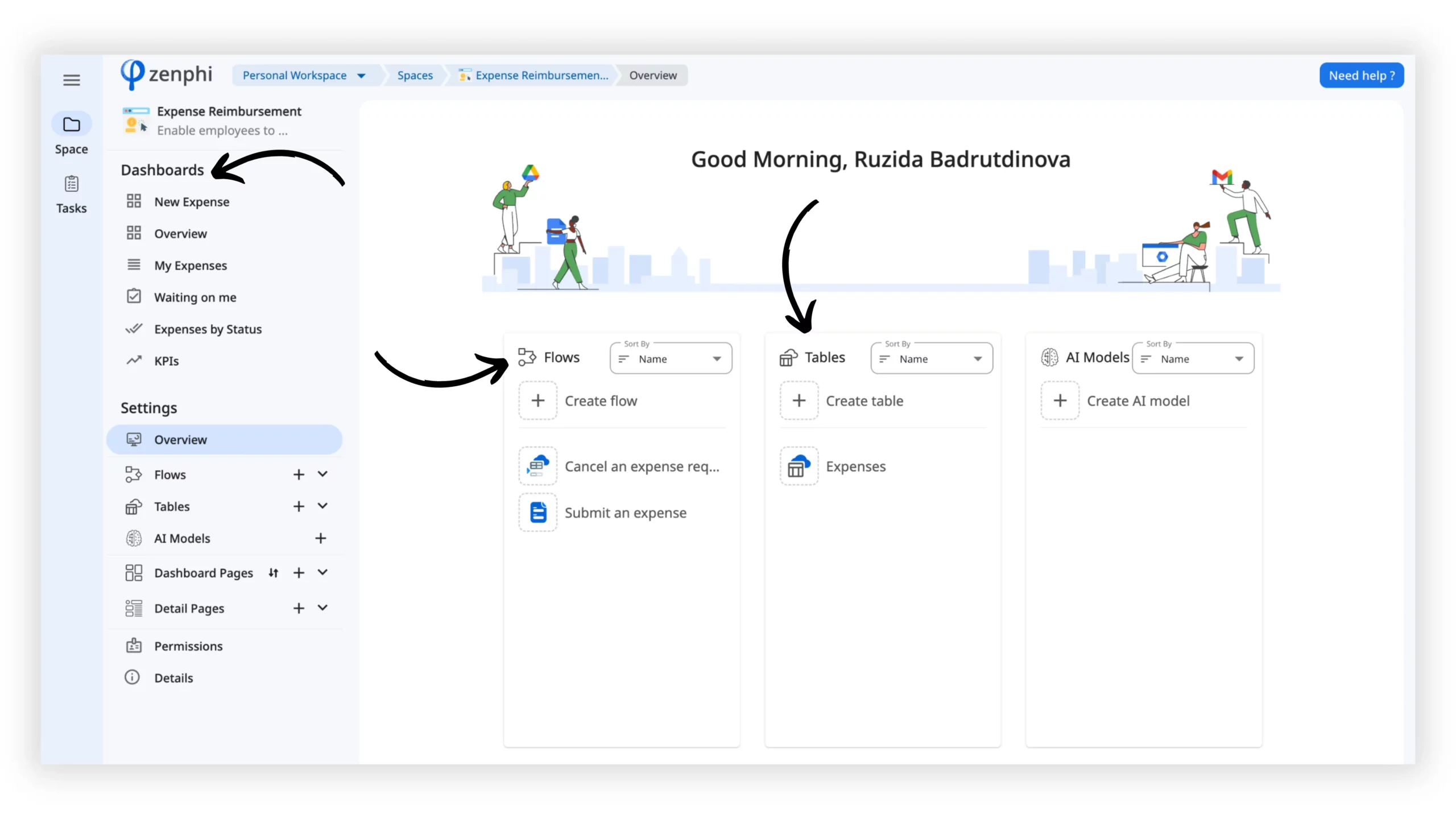
Depending on the template, this may include Flows, Forms, Tables, Dashboards, or other supporting components.
Edit triggers, actions, conditions, approval paths, recipients, document templates, integrations, and exception handling.
Run realistic test cases, including rejection paths, missing data, failed actions, and other exceptions — not only the happy path.
Deploy the workflow once it has been validated, then monitor runs and refine the process as policies or organizational structures change.
The template is the starting point — the operating model is the real automation
Most HR teams eventually need more than the default workflow. Onboarding varies by role and location. Leave requests may require calendar checks, remaining-balance logic, or different approval chains. Documents may need conditional clauses, e-signature, validation, or additional compliance steps.
Zenphi is designed to let Google Workspace teams extend those workflows without rebuilding them as custom code. Current HR implementations can connect Gmail, Drive, Docs, Sheets, Forms, Calendar, Google Chat, Google Directory and Admin actions with HRIS platforms, approvals, AI steps, external APIs, and business applications.
Start from a template. Finish with the HR process your team actually needs.
Bring one workflow — onboarding, leave requests, employee documents, recruiting, access provisioning, or another process that still depends on email and manual follow-up. Zenphi can help map the process and turn it into a governed Google Workspace workflow.